EasyManua.ls Logo

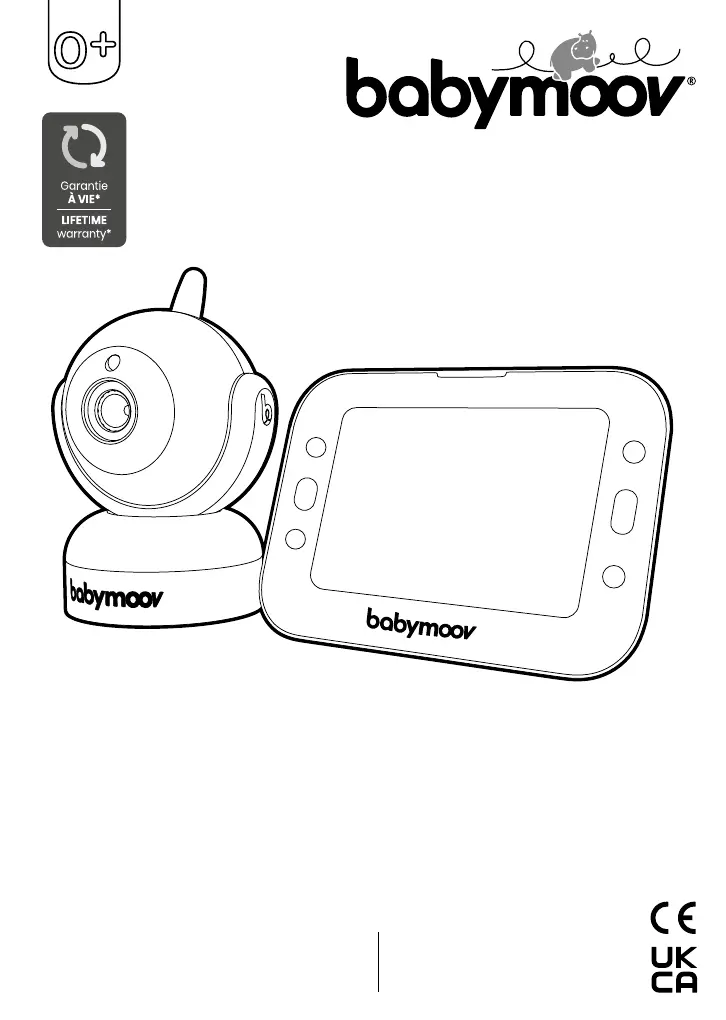
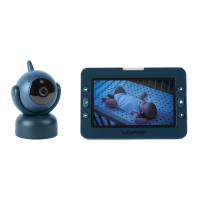
babymoov YOO Master Plus 5 - User Manual

babymoov YOO Master Plus 5
48 pages
Print Icon
To Next Page IconTo Next Page
Loading...
Réf. : A014426
YOO Master Plus 5"
Babymoov
Parc Industriel des Gravanches
16, rue Jacqueline Auriol
63051 Clermont-Ferrand 2 - France
www.babymoov.com
Babymoov UK Ltd
3rd Floor, East Reach House
East Reach
Taunton - TA1 3EN - England
www.babymoov.co.uk
Designed and engineered
by Babymoov in France
Notice d’utilisation • Instructions for use • Benutzungsanleitung • Gebruikshandleiding
Instrucciones de uso • Istruzioni per l’uso • Instruções de uso • Návod k použití
Használati utasítások • Instrukcje użycia • Upute za uporabu •
 

Questions and Answers

  • L
    Lisa WeaverAug 5, 2025
    How to extend the range of my babymoov YOO Master Plus 5?
    • C
      Carmen WoodsAug 5, 2025
      If the range of your babymoov Baby Monitor is too small, it may be caused by thick walls or partitions between the camera and receiver. Try moving the camera and receiver to improve the range.
  • G
    George JohnsonAug 10, 2025
    Why is the out-of-range alarm permanently activated on my babymoov Baby Monitor?
    • L
      lsantanaAug 10, 2025
      If you're experiencing a permanently activated out-of-range alarm on your babymoov Baby Monitor, it likely means the distance between the camera and receiver is too great. Try moving the receiver and camera closer together to resolve this issue.
  • N
    Nicole ManningAug 15, 2025
    What to do if the image on the screen is breaking up on babymoov YOO Master Plus 5 Baby Monitor?
    • C
      cjacksonAug 15, 2025
      If you see a 'signal loss' image or the image on the screen is breaking up on your babymoov Baby Monitor, it could be due to two reasons. First, you might have reached the range limits, in which case you should move the receiver and camera closer together. Second, the transmitter or camera might be too close to other electrical appliances. Try moving those appliances away or repositioning the camera to avoid interference.
  • L
    lutzscottAug 19, 2025
    Why is there no sound and no image on my babymoov Baby Monitor?
    • K
      Kimberly HunterAug 19, 2025
      If you're getting no sound and no image on the receiver of your babymoov Baby Monitor, there are a few potential causes. First, the microphone's sensitivity might be too low, so try increasing the receiver volume. Second, the power adapter might not be properly connected to the transmitter, so check that connection. Third, VOX mode might be active; press a button to activate the screen. Finally, the battery might be empty, so charge your receiver.
  • M
    Marissa RamirezAug 25, 2025
    Why is the image on my babymoov YOO Master Plus 5 Baby Monitor black and white?
    • A
      Angela HughesAug 25, 2025
      If the image on the screen of your babymoov Baby Monitor freezes or appears in black and white, it's likely because the light intensity in the baby's bedroom is too low, activating night vision mode. If you want to switch back to daytime mode, increase the brightness in the baby's room.
  • E
    Emily StevensAug 29, 2025
    How to stop continuous transmission on babymoov YOO Master Plus 5 Baby Monitor?
    • J
      johnsonjacquelineAug 29, 2025
      If your babymoov Baby Monitor is in continuous transmission mode, the VOX mode sensitivity might be set too high. Try reducing the sensitivity of the VOX mode.

Summary

Product Functions and Features

Core Technology and Performance

Details on 2.4 GHz FHSS technology, 300m range, and camera capabilities.

Monitoring and Communication Features

Includes temperature display, night vision, talk-back, lullabies, and VOX function.

Safety, Warnings, and Precautions

General Safety Warnings

Critical safety warnings for proper device handling and usage.

Usage Precautions

Essential guidelines for safe operation, environment, and maintenance.

Setup, Accessories, and Troubleshooting

Standard Included Accessories

List of items provided with the baby monitor.

Troubleshooting Common Issues

Guide to identify and resolve common problems with the baby monitor.

Initial Setup and Pairing

Instructions for initial setup and pairing the camera with the receiver.

Operation, Battery, and Advanced Features

Battery Management

Instructions for battery status, charging, and replacement.

Receiver Operation and Controls

Guide to operating the receiver, including camera movement and menu.

Advanced Features: VOX and Sleep

Details on VOX sensitivity settings and 'SLEEP' mode.

babymoov YOO Master Plus 5 Specifications

General IconGeneral
Night VisionYes
Two-Way CommunicationYes
Temperature MonitoringYes
LullabiesYes
VOX FunctionYes
Number of Cameras (Included)1
Display TypeLCD
Camera FeaturesZoom
Range300 meters
Battery LifeUp to 8 hours
Power SourceRechargeable Battery

Related product manuals