Bitstorm Inc. Bad Boy Xtreme N & MJ
4 www.bitstorm.com
Chapter 1 - Bench Test
Check off items as completed.
Step 1
Remove the protective cap from Antenna connector and attach to Xtreme.
Finger tight is adequate. Do not over tighten.
Step 2 (Do this step if an optional Unleashed is included)
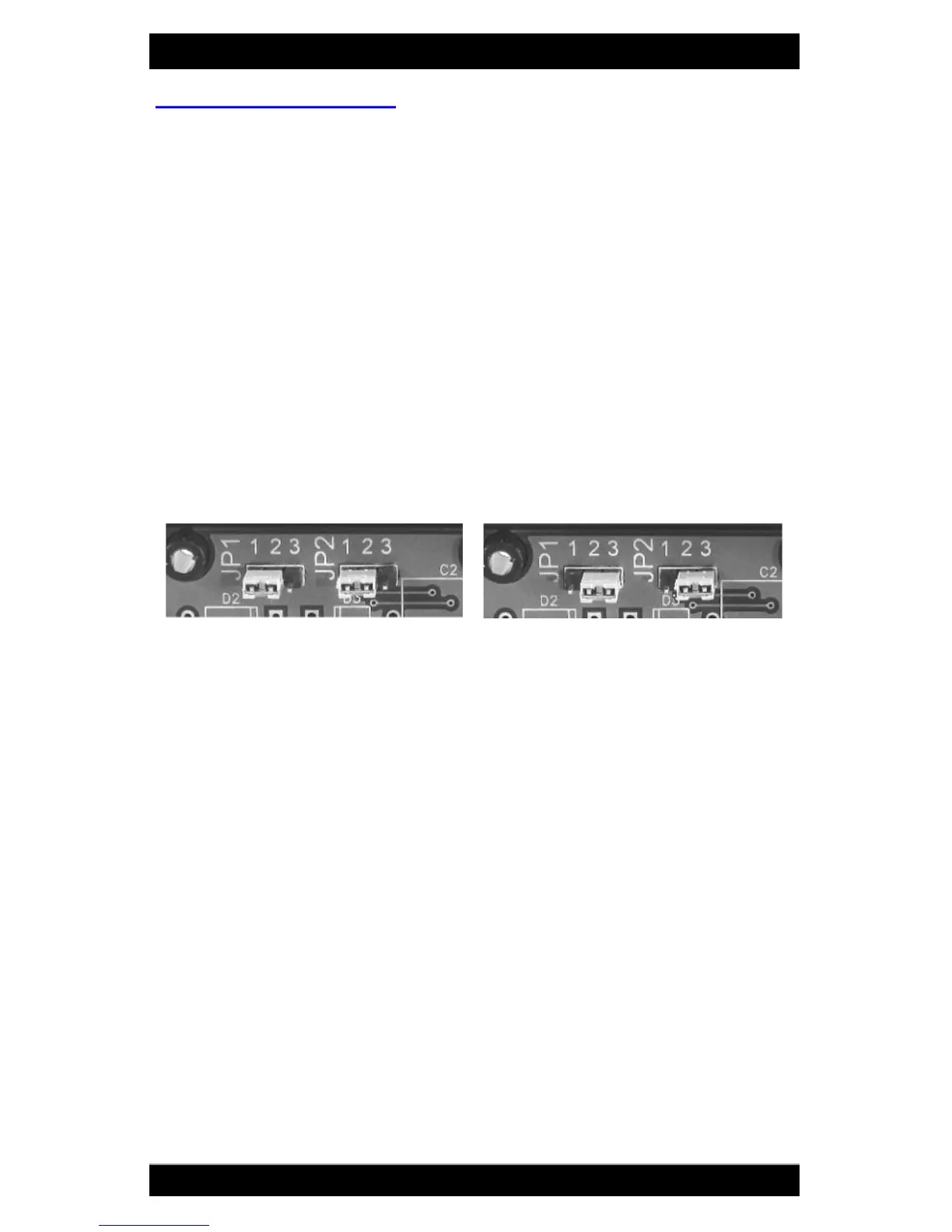
DUO comes pre-configured with Port 2 PoE disabled. If Unleashed is included,
power injection must be enabled on Port 2. To enable Port 2 power:
Open the case by removing the four screws from the back of the Power In-
jector DUO.
Move BOTH jumpers JP1 and JP2 to position 1-2 to enable power on Port 2.
Jumpers come factory configured to positions 2-3 which disables power on
Port 2.
NOTE: Both jumpers must be positioned identically.
Close case and refasten four screws on back.
Step 3
Connect power to DUO using either AC or DC.
Verify that the Green LED is lit on Port 1 (and Port 2 if enabled in Step 2).
Note: If Yellow Power Fault LEDs illuminate, it indicates a reverse polarity
connection. In this condition, circuit protection will prevent power being
applied to Xtreme and Unleashed when connected to Port 1 and Port 2.
AC
Plug in an AC Adapter (included) and insert barrel plug into DUO`s
power connector.
DC
Connect the Power Cable (included) to an appropriate power
source. Connect the red (or white striped) wire to positive(+) and
the solid black wire to negative(-). Insert barrel plug into DUO’s
power connector.
Port 2 Power Enabled
Port 2 Power Disabled


 To Next Page