interior lights.
Note: If the master switch is off, this button will
not function.
Pump Switch
When pressed will enable/disable the water
pumps. Holding this button will force the
internal pump to run.
Note: If the master switch is off, this button will
not function.
Note: See “Notications and Warnings” section
for pump running notication.
Awning Switch
When pressed will switch power to the awning
light.
Note: If the master switch is off, this button will
not function.
Navigation Buttons
Use
and buttons to navigate up and down
through menus.
Press
to enter function or change settings
(if further settings are available).
Menus
Home
The home screen is displayed by default. The
control panel will return to the home screen
when left idle. The home screen displays the
time as well as any relevant notications or
warnings that are present.
Setting the time:
1. On the home screen, hold for 3 seconds
until the hours begin to ash.
2. Keep pressing
or to change hours.
3. Press
to set hours, minutes will now ash.
4. Keep pressing or to change minutes.
5. Press
to nish.
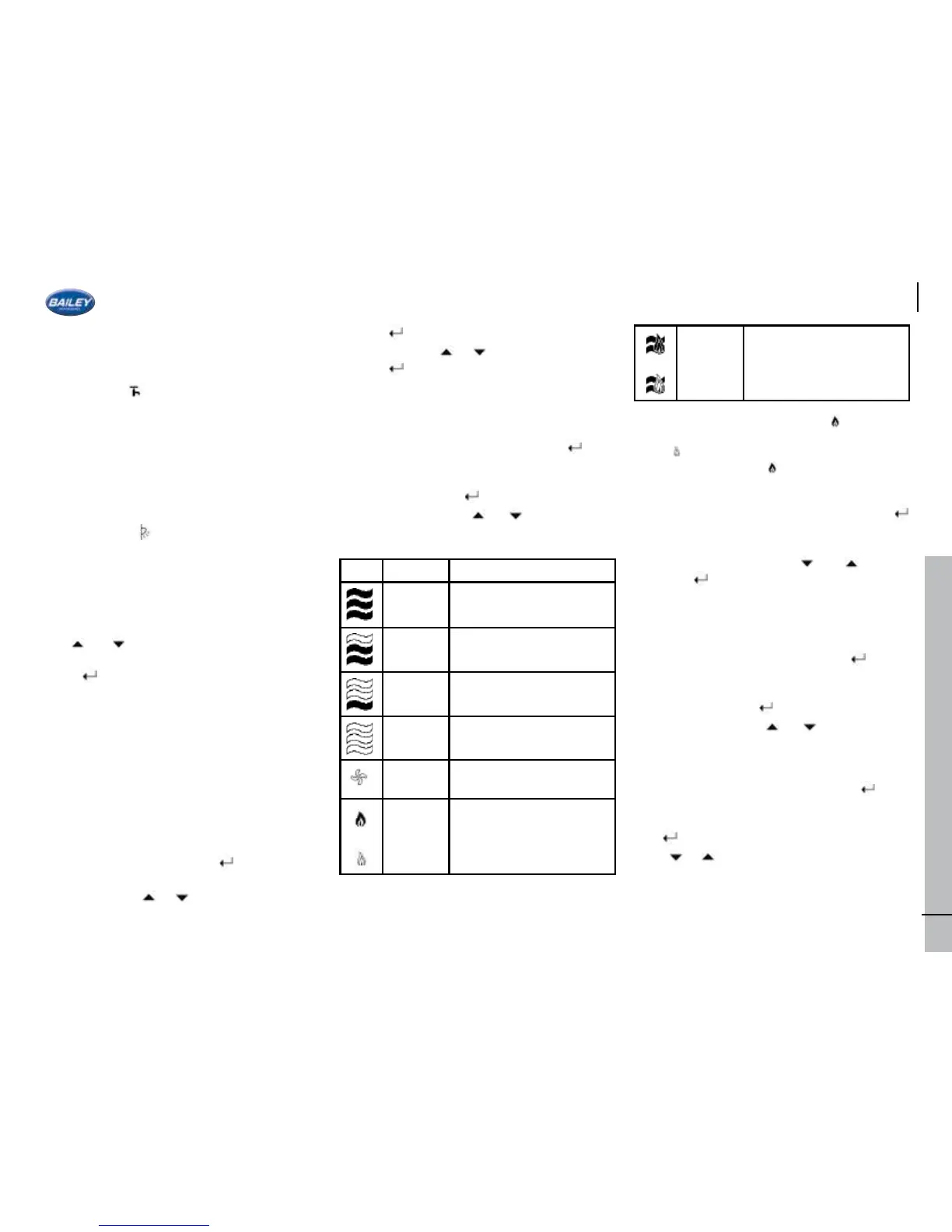
Whale Space Heater
This control panel has been designed to
integrate Whale appliances into a single control
panel. To turn the heater off/on press
. The
screen will display either the word off or the
thermostat setting. To change the heating
mode press and hold and the mode icon will
begin to ash. Press
or to change the
mode between the following options:
Icon Mode Description
2000W Heat boost electric
setting
1000W Intermediate heat electric
setting
500W Quiet/ night time electric
setting
Off Heater off position
Fan Only Air circulation setting, no
heat output
or
Gas Gas only setting
Or
Heat
Boost
Setting
Uses gas and electric
simultaneously for higher
heat outputs.
On all gas settings a lled ame
represents
that the gas is currently burning. An empty
ame shows that gas is selected but not
burning. A ame icon on the homepage will
also indicate that a gas appliance is currently
in use.
Once the intended mode is selected press
to set the mode and move on to thermostat
temperature selection. Select the desired
room temperature with the and buttons
and press
to save.
Note: Please consult the Whale user manual
for more detailed information on each mode.
Whale Water Heater
To turn the heater off/on press
. The
screen will display either the word off or the
thermostat setting. To change the heating
mode press and hold and the mode icon will
begin to ash. Press
or to change the
mode between the following options:
This control panel has been designed to
integrate Whale appliances into a single control
panel. To turn the boiler off/on press . The
screen will display either the word off when the
boiler is off. To change boiler mode press and
hold
and the mode icon will begin to ash.
Press
or to change the mode between the
following options:
47






 To Next Page