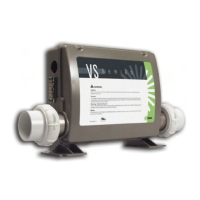
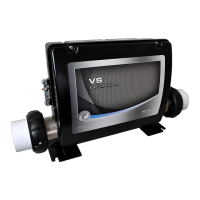
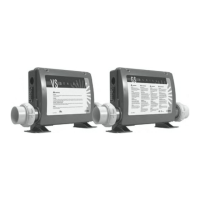
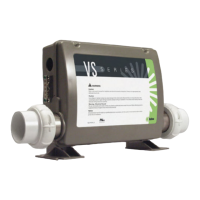
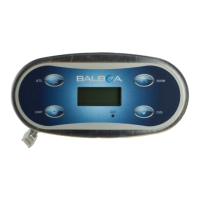
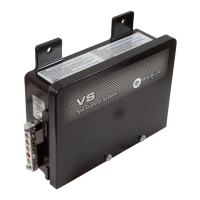
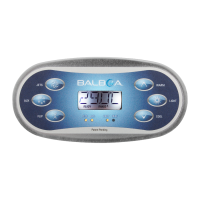
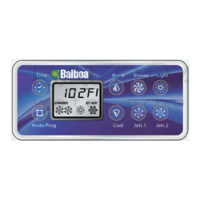
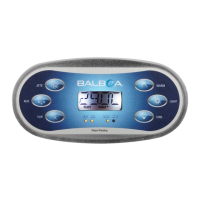
This document is an operation manual for a spa control system, covering various models including VS/GS501Z, VS/GS510SZ, VS/GS523DZ, and GL8000. It provides comprehensive instructions for electrical installation, service configuration, operating procedures, and troubleshooting.
Function Description
The spa control system is designed to manage the various functions of a spa, ensuring proper operation, temperature regulation, and safety. It acts as the central hub for controlling pumps, blowers, heaters, lights, and other auxiliary equipment. The system allows users to set and maintain desired water temperatures, manage filtration cycles, and activate different spa features for an optimal user experience. Its core function is to provide a reliable and safe interface for spa owners to operate their hot tubs.
Usage Features
The manual details several key usage features for operating the spa control system:
- Initial Start-up and Priming Mode: Upon initial power-up, the spa enters a Priming mode for less than 5 minutes, during which it begins to heat the water and maintain the temperature in Standard mode. Users can exit Priming mode early by pressing "Temp," "Warm," or "Cool" buttons.
- Temperature Setting: The system allows users to set the spa water temperature within a range of 80°F - 104°F (26°C - 40°C). The default start-up temperature is 100.4°F (38°C). The LCD continuously displays the last measured water temperature, which is current after the pump has run for at least 2 minutes.
- Operating Modes:
- Standard Mode: Maintains the set temperature. "St," "Std," or "STANDARD" is displayed momentarily when switching to this mode.
- Economy Mode: Heats the spa to the set temperature only during filter cycles. "Ec," "Ecn," or "ECONOMY" is displayed when the water temperature is not current and alternates with the water temperature when the pump is running.
- Standard-In-Economy Mode (GL8000 only): Activated by pressing "Jets 1" in Economy mode. Operates like Standard mode but reverts to Economy mode automatically after 1 hour. Both "STANDARD" and "ECONOMY" icons are displayed. Pressing "Mode/Prog" reverts to Economy mode immediately.
- Sleep Mode: Heats the spa to within 20°F/10°C of the set temperature only during filter cycles. "SL" or "SLP" is displayed when water temperature is not current and alternates with the water temperature when the pump is running.
- Standby Mode (GL8000 only): Temporarily turns off spa functions, useful for changing filters. Activated by pressing "Warm" or "Cool" then "Jets 2." Pressing any button resets the spa, or the system reverts to the previous mode after 1 hour.
- Pump Control (Jets/Jets1/Jets2/Jets3/Jets4): Pressing the button once turns the water pump on. Pressing it a second time turns the pump off or shifts between low and high speeds for two-speed pumps. Pumps automatically turn off after 15 minutes if left running.
- Blower Control: Pressing the button once turns the blower on, and a second press turns it off. The blower automatically turns off after 15 minutes if left running.
- Auxiliary Device Control: Pressing the button once turns an auxiliary device (like another blower or pump) on, and a second press turns it off. Aux equipment automatically turns off after 15 minutes if left running.
- Light Control: Pressing the "Light" button turns the spa light on or off. To select a specific color, press the "Light" button to turn off the light, then immediately press it again to cycle through color selections. The spa light automatically turns off after 4 hours if left on.
- Time Setting: When the "TIME" icon flashes, it indicates that the time has not been programmed. To set the time, press "Time" then "Mode/Prog," and use the "Warm" and "Cool" buttons to adjust.
- Option Control: Pressing the "Option" button turns optional equipment (e.g., blower) on or off.
- Fiber-Optic Light Control: If installed, pressing the "Fiber" button once starts the light and wheel, a second press stops the wheel, and a third press turns the light off.
- Invert Display: Pressing the "Invert" button changes the numbers on the display to read upside down. Pressing it again returns the display to its normal orientation.
- Freeze Protection (GL8000 only): If temperature sensors detect a low temperature, the pump(s) and blower automatically activate to prevent freezing. They run continuously or periodically based on conditions.
- Panel Locking (GL8000 only): To lock the panel, press "Time," "Jets 1," then "Warm" within 3 seconds. The "PL" light illuminates, and all buttons except "Time" are frozen. To unlock, press "Time," "Jets 1," then "Cool."
- Set Temperature Locking (GL8000 only): To lock the set temperature, press "Warm" or "Cool," then "Time," "Jets 1," and "Warm" within 3 seconds. The "TL" light illuminates when the set temperature is locked.
- Clean-up Cycle (optional, GL8000 only): Initiates 30 minutes after a pump or blower is turned off or times out. The pump and ozone generator run for one to four hours (this setting can be changed).
Maintenance Features
The manual emphasizes several critical aspects related to the installation and ongoing maintenance of the spa control system:
- Electrical Installation Requirements:
- Installation must be performed by a qualified and licensed electrician, adhering to the National Electrical Code and local/state electrical codes.
- The spa must be hard-wired to the power supply; no plug-in connections, extension cords, or shared service are allowed.
- A dedicated RCD (Residual Current Device) breaker is mandatory, and the power supplied must be on an RCD-protected circuit with no other appliances. Failure to comply voids the warranty.
- The power supply must include a suitable RCD, which can serve as the shut-off switch. This switch must be in plain view of the spa, readily accessible, but not within 5 feet (1.5m) of the spa.
- Only non-metallic conduit and fittings should be used for power installation.
- The manual provides detailed instructions for connecting lead wires to the control box terminals and ensuring proper tightening.
- A grounding lug is provided on the exterior of the control box for connection to a local grounding point, complying with the National Electric Code (NEC) and all local codes.
- The use of aluminous wire is prohibited.
- Filter Cycle Management:
- Preset Filter Cycles (VS/GS5xxZ and VS/GS5xxSZ series): The first filter cycle starts 6 minutes after power-up, and the second 12 hours later. Filter duration is programmable for 2, 4, 6, or 8 hours, or continuous filtration ("FC" or "F1LC"). Default for circulation systems is 4 hours.
- Preset Filter Cycles (VS/GS5xxDZ series or GL8000): The first cycle runs from 8:00 AM to 10:00 AM, and the second from 8:00 PM to 10:00 PM.
- Circulation Systems: For 24-hour circulation systems, the circ pump and ozone generator run continuously. In hot environments, the circ pump may turn off for 30-minute periods, except during filter cycles. For non-24-hour systems, the circ pump and ozone generator run during filtration and may run automatically at other times.
- At the beginning of each filter cycle, all other equipment runs briefly to purge the plumbing.
- Troubleshooting: The manual includes a comprehensive troubleshooting section with messages, their meanings, and required actions. This allows users to diagnose and rectify common issues themselves before contacting a spa dealer. Examples include:
- No message on display: Indicates power loss; the control panel is disabled until power returns.
- HH/OHH/HTR TEMP LMT (Overheat): Spa has shut down due to high temperature (118°F/47.8°C or 110°F/43.5°C detected at the heater). Users are instructed not to enter the water, remove the spa cover, allow it to cool, and then reset by pressing any button.
- SA/SnA (Sensor A RQD): Spa shut down because Sensor "A" is not working. Contact dealer if the problem persists.
- Sb/Snb (Sensor B RQD): Spa shut down because Sensor "B" is not working. Contact dealer if the problem persists.
- Sn/SnS (Sensor Sync): Sensors are out of balance. If flashing, the spa is shut down. Contact dealer if the problem persists.
- HL/HFL (HTR FLOW LOW): Indicates a significant difference between temperature sensors, suggesting a flow problem. Users should ensure the water level is normal and all pumps are primed. Contact dealer if the problem persists.
- LF (LOW FLOW): Persistent low flow problems. Heater is shut down, but other spa functions continue. Reset by pressing any button.
- dr/dry (HEATER MAY BE DRY/HEATER DRY RQD): Inadequate water, poor flow, or air bubbles detected in the heater. Spa shuts down. Users should ensure water level is normal and pumps are primed. Reset by pressing any button.
- IC (FREEZE COND): Potential freeze condition detected. All equipment activates automatically regardless of spa status.
- DRAINING: Pump is on during Standby Mode to assist in draining the spa.
- CHKSUM FAIL: Firmware install problem. Contact dealer.
- CONFIG ERROR: Configuration error, spa cannot start up. Contact dealer.
- GFCI FAILURE: Spa could not trip GFCI. Continued operation may be unsafe. Contact dealer.
The manual emphasizes that all models, operation, and/or specifications are subject to change without prior notice due to continuous improvement programs.

 Need help?
 General

 To Next Page