EasyManua.ls Logo

Balboa VS510S - User Manual

Balboa VS510S
2 pages
Print Icon
To Next Page IconTo Next Page
Loading...
Your system has a 24-hour circ pump. The circ pump
and the ozone generator run continuously.
Warm/Cool (80°F - 104°F / 26°C - 40°C)
The start-up temperature is set at 100F°/37°C. The last
measured temperature is constantly displayed on the LCD.
Note that the last measured spa temperature displayed is
current only when the circ pump has been running for at
least 2 minutes.
To display the set temperature, press the “Warm” or “Cool”
pad once.
To change the set temperature, press the pad a second time before
the LCD stops flashing. Each press of the “Warm” or “Cool” pad
will continue to either raise or lower the set temperature.
After three seconds, the LCD will stop flashing and display the
current spa temperature.
Jets 1
Touch the “Jets 1” button once to turn pump 1 on or off, and
to shift between low and high speeds (if equipped). If left
running, the low speed of the pump will automatically turn off
after 4 hours, and the high speed will automatically turn off after
15 minutes.
Jets 2 (If equipped)
Touch the “Jets 2” button once to turn pump 2 on or off. If left
running, pump 2 will automatically turn off after 15 minutes.
Blower (If equipped)
This button is used to turn the blower on and off. If left on, the
blower automatically turns off after 15 minutes.
Light
Press the “Light” button to turn the light on and off. If left on,
the light automatically turns off after 4 hours.
(over)
VS510S/GS510S Control Reference Card
Circ Operation
Initial Start-up
When your spa is first actuated, it will go into Priming mode, indicated by “ .” Please see the M-7 Installation Instruction Manual
for complete instructions on Power-up and Pump Priming
. The Priming mode will last for less than 5 minutes (press “Warm” or
“Cool” to skip Priming Mode) and then the spa will begin to heat the spa and maintain the water temperature in the Standard mode.
Mode
Mode is changed by pressing the “Warm” or “Cool” button, then
pressing the “Mode” button.
Standard Mode is programmed to maintain the desired
temperature. Note that the last measured spa temperature
displayed is current only when the circ pump has been running
for at least 2 minutes. “ ” will be displayed momentarily
when you switch into Standard Mode.
Economy Mode heats the spa to the set temperature only
during filter cycles. “ ” will display solid when temperature
is not current, and will alternate with temperature when
temperature is current.
Sleep Mode heats the spa to within 20°F/10°C of the set
temperature only during filter cycles. “ ” will display
solid when temperature is not current, and will alternate with
temperature when temperature is current.
Preset Filter Cycles
The first filter cycle begins 6 minutes after the spa is energized.
The second filter cycle begins 12 hours later. Filter duration is
programmable for 2, 4, 6, 8 hours or for continuous filtration
(indicated by “ ”). The default filter time is 2 hours.
To program, press “Warm” or “Cool”, then “Jets 1”.
Press “Warm” or “Cool” to adjust. Press “Jets 1” to
exit programming.
At the beginning of each filter cycle the blower purges for
30 seconds; the pumps purge for 5 minutes. The only effect
filter duration has is: 1) During the filter, the circ pump never
turns off, and 2) In Economy and Sleep Modes, heating only
occurs during the filter cycle.
Freeze Protection
If the temperature sensors detect a drop to below 44°F/6.7°C
within the heater, the pumps and blower will automatically
activate to provide freeze protection. The equipment stays on
until 4 minutes after the sensors detect that the spa temperature
has risen to 45°F/7.2°C or higher. In colder climates, an
optional additional freeze sensor may be added to protect against
freeze conditions that may not be sensed by the standard sensors.
Aux freeze sensor protection acts similarly except with the
temperature thresholds determined by the switch and without a
4-minute delay in turnoff. See your dealer for details.
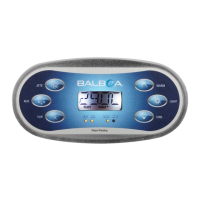
Jets
Light
Warm
Cool
Mode
Jets Blower Light Heat
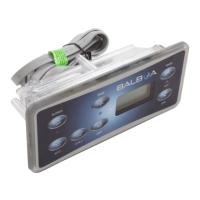
Jets
Light
Warm
Cool
Mode
Jets Blower Light Heat
*Actual buttons and locations may vary
VS Systems display in
°F
GS Systems display in
°C
Question and Answer IconNeed help?

Do you have a question about the Balboa VS510S and is the answer not in the manual?

Summary

Initial Start-up Procedure

Spa Operation and Controls

Temperature Adjustment

Allows setting desired spa temperature and displays current measured temperature.

Jets Control

Operates pumps 1 and 2, managing speeds and auto-off timers for spa jets.

Blower and Light Operation

Controls the spa blower and light, including automatic shut-off features.

Mode Selection

Switches between Standard, Economy, and Sleep modes for heating and operation.

Filter Cycles and Purge

Sets filter duration and explains blower/pump purge sequences at cycle start.

Freeze Protection

Automatically activates equipment to prevent freezing below 44°F/6.7°C.

Diagnostic Messages and Actions

Power and Temperature Status

Covers 'no display' errors and 'overheat' conditions shutting down the spa.

Sensor and Freeze Alerts

Addresses potential freeze conditions and errors with spa sensors.

Flow and Water Issues

Details messages related to low flow, inadequate water, or air bubbles in the heater.

Electrical Safety Warning

Advises against user service and emphasizes proper installation and grounding.

Overview

The VS510S/GS510S Control Reference Card describes a control system for a spa, designed to manage various functions such as heating, pump operation, and lighting. The system is equipped with diagnostic messages to alert users to potential issues.

Function Description

The primary function of the VS510S/GS510S control system is to regulate the spa's operations, ensuring it maintains a desired temperature and provides various user-controlled features.

Initial Start-up and Priming: Upon initial power-up, the spa enters "Priming mode" (indicated by "Pr") for less than 5 minutes. During this phase, the system prepares for normal operation. Users can skip this mode by pressing "Warm" or "Cool." After priming, the spa transitions to "Standard mode" where it heats and maintains the set water temperature.

Circulation Pump and Ozone Generator: The system features a 24-hour circulation pump and an ozone generator, both of which run continuously.

Temperature Control (Warm/Cool): The default start-up temperature is 100°F (37°C). The LCD continuously displays the last measured spa temperature. To view the set temperature, the user presses "Warm" or "Cool" once. To change the set temperature, the user presses the "Warm" or "Cool" pad a second time before the LCD stops flashing, then continues to press to adjust the temperature up or down. The display reverts to the current spa temperature after three seconds.

Jets 1 Control: Pressing the "Jets 1" button once turns pump 1 on or off and switches between low and high speeds (if equipped). If left running, the low speed automatically turns off after 4 hours, and the high speed turns off after 15 minutes.

Jets 2 Control (If equipped): Pressing the "Jets 2" button once turns pump 2 on or off. If left running, pump 2 automatically turns off after 15 minutes.

Blower Control (If equipped): This button turns the blower on and off. If left on, the blower automatically turns off after 15 minutes.

Light Control: Pressing the "Light" button turns the light on and off. If left on, the light automatically turns off after 4 hours.

Mode Selection: The system offers different operating modes:

  • Standard Mode ("Std"): Maintains the desired temperature. "Std" is displayed momentarily when switching to this mode.
  • Economy Mode ("Eco"): Heats the spa to the set temperature only during filter cycles. "Eco" displays solid when the temperature is not current and alternates with temperature when current.
  • Sleep Mode ("SLP"): Heats the spa to within 20°F (10°C) of the set temperature only during filter cycles. "SLP" displays solid when the temperature is not current and alternates with temperature when current. Mode is changed by pressing "Warm" or "Cool," then "Mode."

Preset Filter Cycles: The first filter cycle begins 6 minutes after the spa is energized, and the second begins 12 hours later. Filter duration is programmable for 2, 4, 6, 8 hours, or continuous filtration ("FILc"). The default is 2 hours. To program, press "Warm" or "Cool," then "Jets 1." Use "Warm" or "Cool" to adjust, and "Jets 1" to exit. At the start of each filter cycle, the blower purges for 30 seconds, and the pumps purge for 5 minutes. During filtration, the circ pump never turns off. In Economy and Sleep Modes, heating only occurs during the filter cycle.

Freeze Protection: If temperature sensors detect a drop below 44°F (6.7°C) within the heater, the pumps and blower automatically activate to prevent freezing. Equipment remains on until 4 minutes after sensors detect the spa temperature has risen to 45°F (7.2°C) or higher. An optional additional freeze sensor can be added for colder climates, operating similarly but with different temperature thresholds and without the 4-minute delay.

Important Technical Specifications

  • Temperature Range: 80°F - 104°F (26°C - 40°C).
  • Default Start-up Temperature: 100°F (37°C).
  • Circulation Pump Operation: 24-hour continuous.
  • Pump 1 High Speed Auto-off: 15 minutes.
  • Pump 1 Low Speed Auto-off: 4 hours.
  • Pump 2 Auto-off: 15 minutes.
  • Blower Auto-off: 15 minutes.
  • Light Auto-off: 4 hours.
  • Filter Cycle Start Times: 6 minutes after energizing (first cycle), 12 hours later (second cycle).
  • Default Filter Duration: 2 hours (programmable for 2, 4, 6, 8 hours, or continuous).
  • Blower Purge during Filter Cycle: 30 seconds.
  • Pump Purge during Filter Cycle: 5 minutes.
  • Freeze Protection Activation: Below 44°F (6.7°C).
  • Freeze Protection Deactivation: 4 minutes after reaching 45°F (7.2°C) or higher.
  • Overheat Shutdown (OHH): Heater sensor detects 118°F (48°C).
  • Overheat Shutdown (OHS): Spa water sensor detects 110°F (43°C).
  • Low Flow Shutdown (dr): Spa shuts down for 15 minutes.
  • Persistent Low Flow Shutdown (dry): Spa shuts down.

Usage Features

  • LCD Display: Constantly shows the last measured spa temperature.
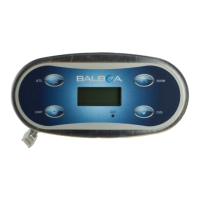
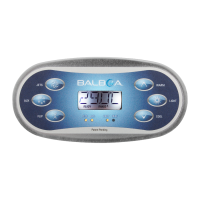
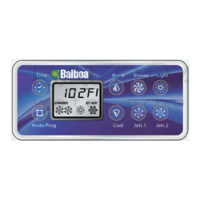
  • Button Interface: Dedicated buttons for "Warm," "Cool," "Mode," "Jets 1," "Jets 2," "Blower," and "Light."
  • Temperature Adjustment: Intuitive two-press sequence for setting temperature.
  • Automatic Shut-off: Pumps, blower, and light have automatic shut-off timers to conserve energy and prevent continuous operation.
  • Mode Switching: Easy transition between Standard, Economy, and Sleep modes using "Warm/Cool" and "Mode" buttons.
  • Filter Cycle Programming: User-programmable filter durations for customized spa maintenance.
  • Diagnostic Messages: The system provides clear messages on the display to indicate operational status and potential issues, aiding in troubleshooting.

Maintenance Features

The manual primarily focuses on operational features and diagnostic messages, with limited explicit maintenance features for the user beyond responding to diagnostic alerts.

Diagnostic Messages and Actions: The system provides a comprehensive list of diagnostic messages to help identify and address issues:

  • No message on display: Power cut off. Control panel disabled until power returns.
  • -- (Temperature unknown): After pump runs for 2 minutes, temperature will display.
  • OHH (Overheat - heater): Spa shut down, heater sensor at 118°F (48°C). Action: DO NOT ENTER WATER. Remove cover, allow to cool, press any button to reset. If not, power off and call service.
  • OHS (Overheat - spa water): Spa shut down, water sensor at 110°F (43°C). Action: DO NOT ENTER WATER. Remove cover, allow to cool. Resets automatically at 107°F (42°C). If not, power off and call service.
  • ICE (Potential freeze): No action required; pump and blower activate automatically.
  • SnA (Sensor A not working): Spa shut down. Action: Contact dealer if persistent.
  • SnB (Sensor B not working): Spa shut down. Action: Contact dealer if persistent.
  • SnS (Sensors out of balance): Spa shut down if flashing by itself. Action: Contact dealer.
  • HFL (Flow problem): Indicates a significant difference between temperature sensors. Action: Check water level, refill if necessary, prime pumps. Contact dealer if persistent.
  • LF (Persistent low flow): Heater shut down, other functions run. Action: Follow HFL actions. Heating capability won't reset automatically; press any button.
  • dr (Inadequate water/flow/air in heater): Spa shut down for 15 minutes. Action: Check water level, refill if necessary, prime pumps. Press any button to reset or waits 15 minutes. Contact dealer if persistent.
  • dry (Inadequate water in heater - persistent): Spa shut down. Action: Follow dr actions. Spa won't reset automatically; press any button.

Warning: The manual explicitly states "Shock Hazard! No User Serviceable Parts." Users are warned not to attempt service of the control system and to contact their dealer or service organization for assistance. All power connection instructions must be followed, and installation must be performed by a licensed electrician with proper grounding.

Balboa VS510S Specifications

General IconGeneral
BrandBalboa
ModelVS510S
CategoryControl Systems
LanguageEnglish

Related product manuals