EasyManua.ls Logo

Balboa 300F Series - User Manual

Balboa 300F Series
2 pages
Print Icon
To Next Page IconTo Next Page
Loading...
Cool WarmLightJets
www.balboa-instruments.com
Temp Control
(80°F - 104°F / 26°C - 40°C)
The last measured water temperature is constantly displayed.
The water temperature displayed is current only when the
pump has been running for at least 1 minute.
On panels with a single “Temp” or “Set” button, to display
the set temperature, press the button once. To change the set
temperature, press the button a second time before the display
stops flashing. Each press of the button will continue to either raise
or lower the set temperature. If the opposite direction is desired,
allow the display to revert to the current water temperature. Press
the button to display the set temperature, and again to make the
temperature change in the desired direction.
On panels with “Warm” and “Cool” buttons, to display the
set temperature, press “Warm” or “Cool” once. To change the set
temperature, press a temperature button again before the display
stops flashing. Each press of “Warm” or “Cool” will adjust the
set temperature.
After three seconds, the display will stop flashing and begin to
display the current spa temperature.
Jets
Press “Jets” to turn the pump on or off, and to shift between low
and high speeds (if equipped). If left running, the pump will turn
off after a preset length of time, which on some systems may be as
long as 2 hours for low speed. Low speed may run automatically at
times, during which it cannot be deactivated from the panel, but
high speed may be operated. The ozone generator (if installed) will
activate anytime low speed is running.
Initial Start-up
Your spa will enter Priming Mode ( ) when it is energized.
During Priming Mode, press “Jets” button repeatedly and
be sure the pump is free of air. Priming Mode lasts less than
5 minutes. Press “Temp” to exit. After Priming Mode, the spa
will run in Standard Mode (see Mode section). Some panels may
not have a “Temp” button. On these panels the “Set,” “Warm,” or
“Cool” buttons are used.
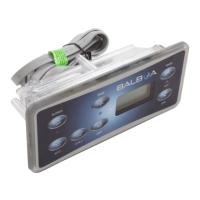
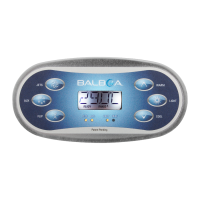
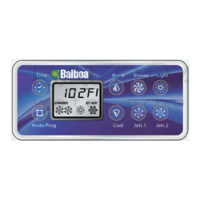
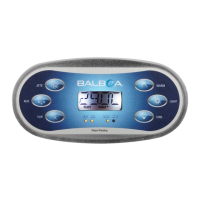
Button shapes and labels may vary.
Balboa 300F-Series Operation Guide
For Systems with Software v41 Only.
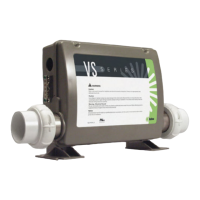
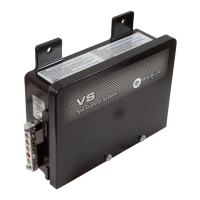
This document covers VS and GS systems 300F using software v41 only with Balboa Panels VL200 through VL406.
Light
Press “Light” to operate the spa light. Turns off after 4 hours.
Mode
Depending on system configuration, mode changing may not be
available and will be locked in Standard Mode.
Mode is changed by pressing “Temp,” then “Light”.
Standard Mode maintains set temperature. will be displayed
momentarily when you switch into Standard Mode.
Economy Mode heats the spa to the set temperature only during
filter cycles. will display when water temp is not current, and
will alternate with water temp when the pump is running.
Sleep Mode heats the spa to within 20°F/10°C of the set
temperature only during filter cycles. will display when water
temp is not current, and will alternate with water temp when the
pump is running.
Preset Filter Cycles
The first preset filter cycle begins 6 minutes after the spa is
energized. The second preset filter cycle begins 12 hours later.
Filter duration is programmable for 1, 2, 3, 4, 5, 6, 7, or 8 hours.
The default filter time is 1 hour.
To program, press “Temp,” then “Jets.” Press “Temp” to adjust.
Press “Jets” to exit programming.
Pump 1 low-speed is responsible for heating and filtration and will
be referred to simply as the pump.
In multi-button sequences, if the buttons are pressed too quickly in
sequence, they may not register.
Automatic polling (in Standard Mode only)
The pump will activate for 1 minute to check the temperature:
- every 30 minutes
- whenever any other pump or blower is turned on
- whenever the set temperature is raised
Question and Answer IconNeed help?

Do you have a question about the Balboa 300F Series and is the answer not in the manual?

Summary

Initial Start-up and Operation

Priming Mode

Spa enters Priming Mode (Pr) when energized. Lasts less than 5 minutes. Press 'Temp' to exit.

Temperature Control

Spa Function Controls

Diagnostic Messages and Troubleshooting

Overheat Errors (HH, OH)

Spa shut down due to high temperature. Remove cover, allow to cool, reset.

Sensor Errors (SA, SB, Sn)

Spa shut down due to sensor issues. Contact dealer if problem persists.

Flow and Sensor Balance Errors (HL, LF)

Errors indicate flow problems or sensor imbalance. Follow action for HL message.

Safety and Service Warnings

General Safety Warning

Warning! Shock Hazard! Do not attempt service. Contact dealer for assistance.

Overview

This document describes the operation of the Balboa 300F-Series control system for spas, specifically for systems running software v41 and utilizing Balboa Panels VL200 through VL406.

The system begins in Priming Mode (Pr) upon energization. During this mode, which lasts less than 5 minutes, users should repeatedly press the "Jets" button to ensure the pump is free of air. To exit Priming Mode, press "Temp." After priming, the spa will transition to Standard Mode. Some panels may use "Set," "Warm," or "Cool" buttons instead of "Temp."

Temperature Control allows users to set the spa's water temperature between 80°F (26°C) and 104°F (40°C). The current water temperature is continuously displayed, but it is only accurate after the pump has been running for at least 1 minute.

  • For panels with a single "Temp" or "Set" button: Press once to display the set temperature. Press a second time before the display stops flashing to change the set temperature. Each subsequent press will either raise or lower the temperature. To reverse the direction of temperature change, allow the display to revert to the current water temperature, then press the button once to display the set temperature, and again to change it in the desired direction.
  • For panels with "Warm" and "Cool" buttons: Press either "Warm" or "Cool" once to display the set temperature. Press a temperature button again before the display stops flashing to adjust the set temperature. After three seconds, the display will stop flashing and revert to the current spa temperature.

The Jets button controls the spa's pump. Pressing "Jets" turns the pump on or off and switches between low and high speeds (if available). If left running, the pump will automatically turn off after a preset time, which can be up to 2 hours for low speed on some systems. Low speed may operate automatically at times and cannot be deactivated from the panel, though high speed can still be used. The ozone generator (if installed) activates whenever the low speed is running.

The Light button operates the spa light, which automatically turns off after 4 hours.

The Mode of operation can be changed, though this feature may be locked in Standard Mode depending on the system configuration. Mode is changed by pressing "Temp," then "Light."

  • Standard Mode: Maintains the set temperature. "5t" will be displayed momentarily when switching to this mode.
  • Economy Mode: Heats the spa to the set temperature only during filter cycles. "Ec" will display when the water temperature is not current, alternating with the water temperature when the pump is running.
  • Sleep Mode: Heats the spa to within 20°F/10°C of the set temperature only during filter cycles. "5L" will display when the water temperature is not current, alternating with the water temperature when the pump is running.

Preset Filter Cycles are pre-programmed to ensure water quality. The first filter cycle begins 6 minutes after the spa is energized, and the second begins 12 hours later. The filter duration is programmable from 1 to 8 hours, with a default of 1 hour. To program, press "Temp," then "Jets," then "Temp" to adjust, and "Jets" to exit.

Automatic polling (in Standard Mode only) ensures the spa's temperature is regularly checked. The pump will activate for 1 minute to check the temperature:

  • Every 30 minutes.
  • Whenever any other pump or blower is turned on.
  • Whenever the set temperature is raised.

The system also provides Diagnostic Messages to inform users of potential issues:

  • No message on display: Indicates power has been cut off to the spa. The control panel will be disabled until power returns, but spa settings will be preserved.
  • -- (Temperature unknown): Displays after the pump has been running for 1 minute, the current water temperature will be shown.
  • HH (Overheat): The spa has shut down due to a sensor detecting 118°F/47.8°C at the heater. Users should NOT enter the water. Remove the spa cover and allow the water to cool. Once cooled, reset by pressing any button. If it doesn't reset, turn off power and contact service.
  • OH (Overheat): The spa has shut down due to a sensor detecting 110°F/43.5°C spa water. Users should NOT enter the water. Remove the spa cover and allow the water to cool. The spa should automatically reset at 107°F/41.7°C. If it doesn't reset, turn off power and contact service.
  • SA (Sensor A not working): The spa is shut down because the sensor in the "A" jack is not working. If the problem persists, contact service.
  • 56 (Sensor B not working): The spa is shut down because the sensor in the "B" jack is not working. If the problem persists, contact service.
  • 5n (Sensors out of balance): If alternating with spa temperature, it may be temporary. If flashing by itself, the spa is shut down. If the problem persists, contact service.
  • HL (Significant temperature difference): Indicates a flow problem. If water level is normal, ensure all pumps are primed. If the problem persists, contact service.
  • LF (Persistent low flow problems): Displays on the fifth occurrence of HL within 24 hours. The heater is shut down, but other spa functions continue. Heating capability will not reset automatically; press any button to reset.
  • dr (Inadequate water, poor flow, or air bubbles): Detected in the heater, spa shuts down for 15 minutes. If water level is normal, ensure all pumps are primed. Press any button to reset. This message will reset within 15 minutes. If the problem persists, contact service.
  • dY (Inadequate water detected in heater): Displays on the third occurrence of dr. Spa is shut down. Spa will not automatically reset; press any button to reset manually.
  • IC (Ice): Potential freeze condition detected. No action is required. All equipment will automatically activate regardless of spa status. Equipment stays on 4 minutes after sensors detect spa temperature has risen to 45°F/7.2°C or higher. An optional freeze sensor can be added for colder climates.

Maintenance features are primarily related to addressing diagnostic messages. For example, ensuring pumps are primed for flow issues or allowing the spa to cool for overheat conditions. The system is designed with automatic freeze protection, activating equipment as needed.

Important Safety Warning: This control system contains no user-serviceable parts. Do not attempt service. Contact your dealer or service organization for assistance. All power connection instructions in the owner's manual must be followed, and installation must be performed by a licensed electrician with proper grounding connections.

Balboa 300F Series Specifications

General IconGeneral
Model300F Series
Frequency50/60 Hz
TypeSpa Control System
Power Supply120/240VAC
Number of Circuits/Pumps Supported2
Temperature Range50°F - 104°F

Related product manuals