Select the type of outlet required by pressing the Output ON/OFF Button C/D/E. The output
port will NOT function until the appropriate button is pressed to activate the port. When
activated, the indicator on the button will illuminate green, indicating that the output(s) are
active, and the LCD display will turn on and provide details on the charging output. The
LCD Screen will automatically shut down when no outputs are activated.
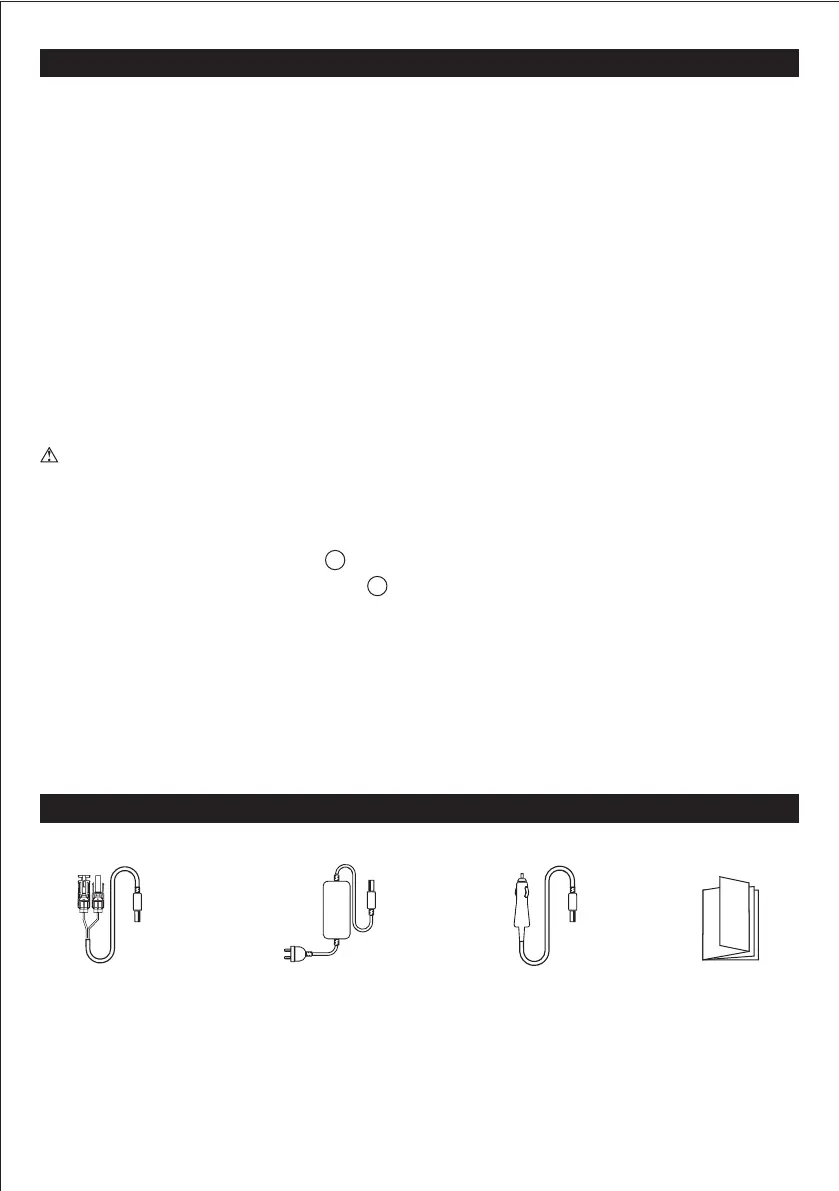
BALDR 330 ACCESSORY LIST
PASS-THROUGH CHARGING
The advanced battery management system of the BALDR 330 allows it to charge a connected
device via DC output & USB output while charge the BALDR 330.
DO NOT CONNECTED DEVICE VIA AC OUTPUT WHILE CHARGE THE BALDR 330.
Do following:
• Check the input charge cable. The port will be efficient when the input charge cable meets
the specification outlined in the GENERAL SPECIFICATIONS section.
• Only charge BALDR 330 with provided AC wall power adapter.
OVERLOAD CONDITION
If an overload condition occurs on the OUTPUT port, BALDR 330 will:
• Automatically turn off AC Output power.
• The blue indicator light of LCD Screen still illuminated.
• DC OUTPUT Status J still the same status as usual.
• 110V AC wall plug
power adapter
• 18V with MC4
connector cable
Recommend to use 100W Solar panel (not included).
• 12V Car Charger
cable
7
1
6
POWERING / CHARGING DEVICES WITH BALDR 330
BALDR 330 will enter sleep mode after 120 seconds of inactivity (no new output load detected),
and will "wake up" when inputting a charging cord or when any button is pressed.
Press the ON/OFF button(s) to shut down the output(s) when not in use.
• User Manual


 To Next Page