EasyManua.ls Logo

BALDR B0367STHR - Side View

BALDR B0367STHR
69 pages
Print Icon
To Next Page IconTo Next Page
To Previous Page IconTo Previous Page
Loading...
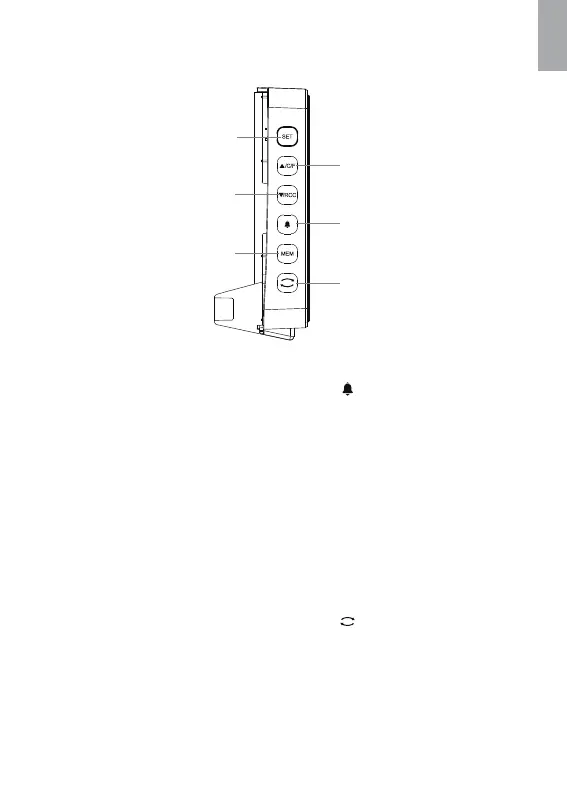
Side View
1. “SET”Button
Short press to switch
between month/date
display and year display
Long press to enter into
time setting
2. “▲/C/F”Button
Short press to switch
between Celsius and
Fahrenheit
Long press to switch the
projection between Time
and Temperature
3. “▼/RCC”Button
Short press to exit the
RCC receiving
Long press to enter into
RCC receiving
4. “ ”Button
Short press to switch
between calendar display
and alarm time display
Long press to enter into
alarm setting
5. “MEM”Button
Short press to check
max/min record
Long press to clear the
max/min record
6. “ ”Button
Short press to reverse the
projection with 90 degree
Long press to adjust
brightness of projection
1
5
3
2
4
6
5
EN

Related product manuals