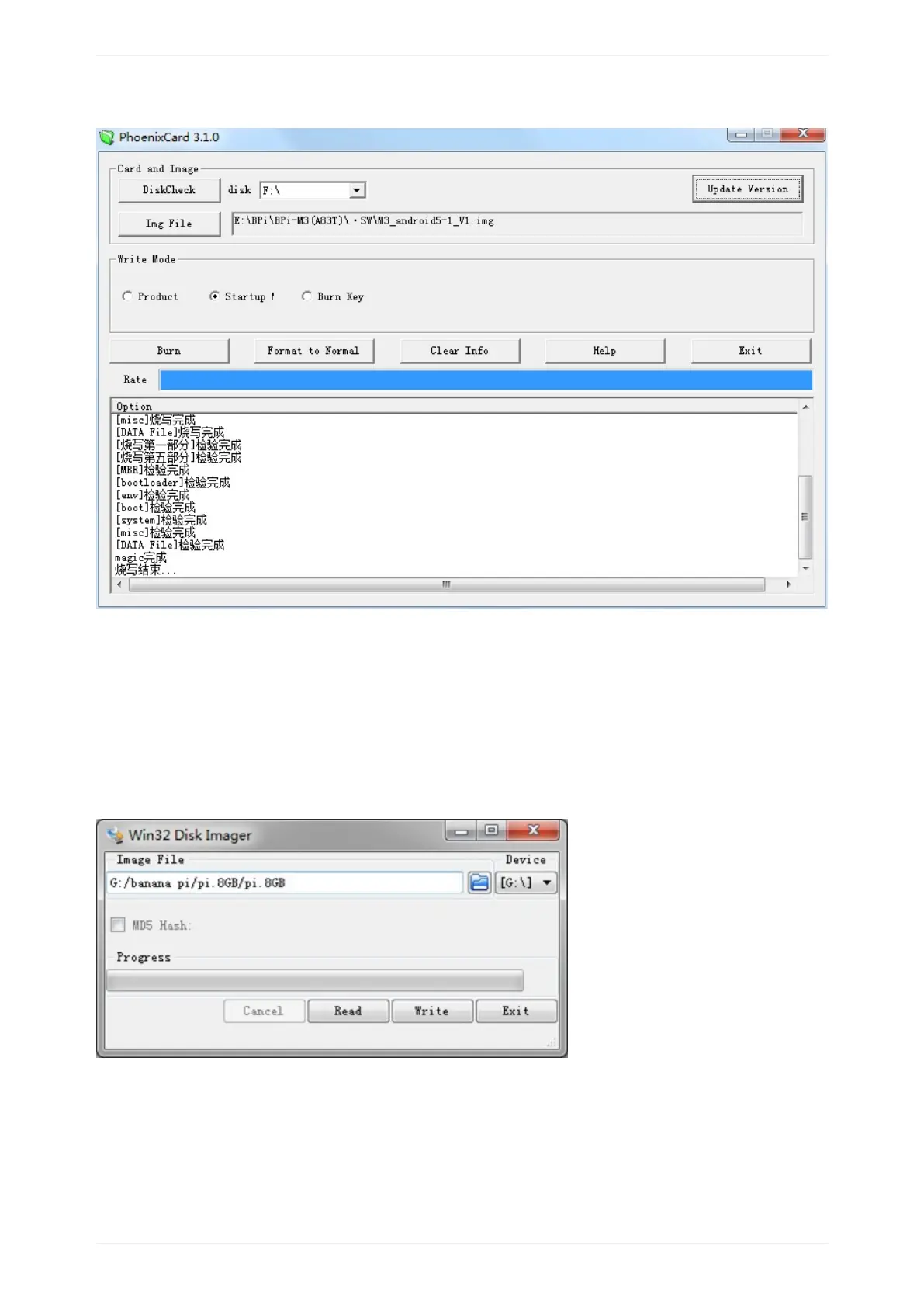
5.4Press“Burn”tostartupgrading,Upgradedcomplete,Press“Exit”.
Linuximage:
5.6burunLinuximageunderWindowsos:
*DownloadatoolthatcanwirteimagetoSDcard,suchasWin32Diskimagerfrom:
http://sourceforge.net/projects/win32diskimager/files/Archive/
*Opentheunzippedimagefile
*ClickWritebutton.Waitpatientlytosuccessfullycompletewriting.
5.7burunLinuximageunderLinuxos:
*Runfdisk–lcommandtochecktheSDcardnode.


 To Next Page