EasyManua.ls Logo

BANDELIN SONOPULS - User Manual

BANDELIN SONOPULS
42 pages
Print Icon
To Next Page IconTo Next Page
Loading...
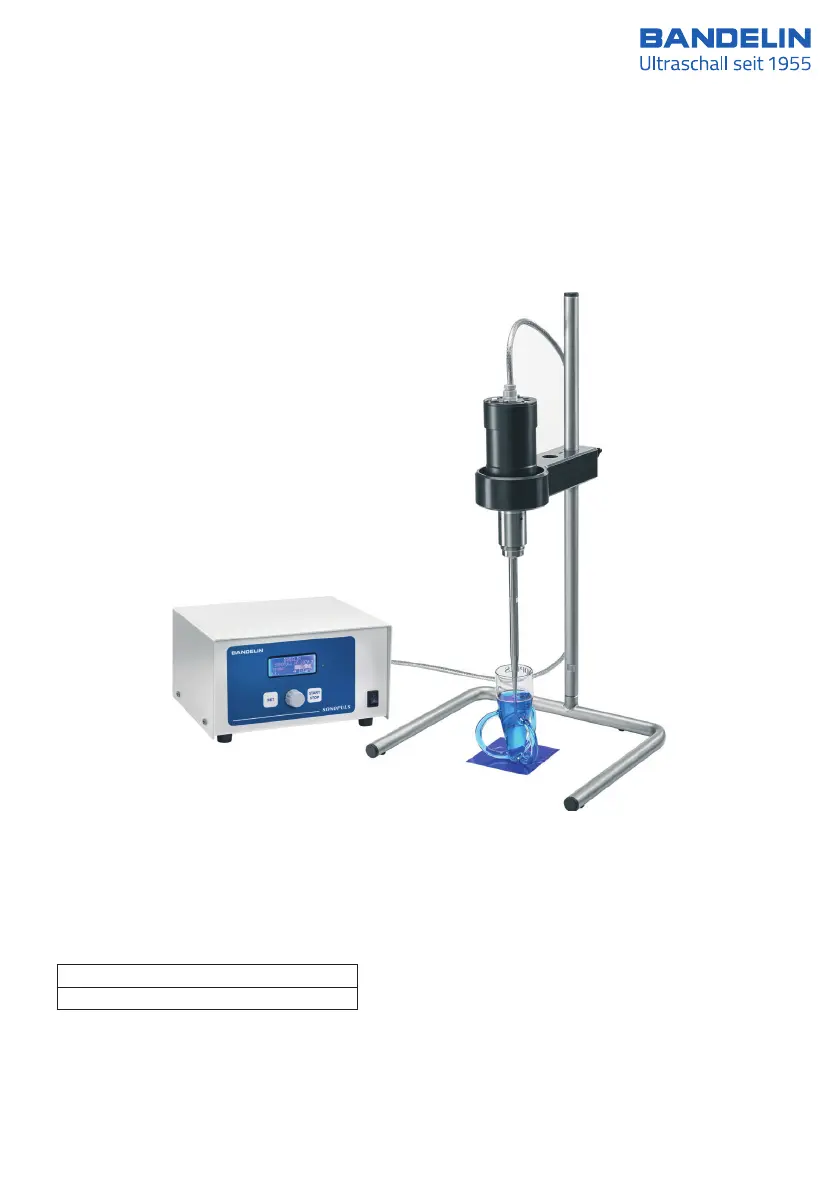
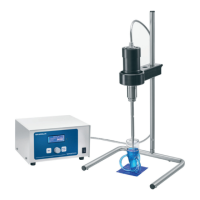
Ultrasonic homogeniser HD 2070.2
7
Ultrasonic homogenisers
User instructions
valid for:
HD 2070.2 Volumes: 1 ml - 200 ml
HD 2200.2 Volumes: 2 ml - 1000 ml
51506-002 GB/2020-10

Questions and Answers

  • A
    Amy PattonAug 17, 2025
    What to do if my BANDELIN Laboratory Equipment device cannot be switched on (display without function)?
    • R
      Richard WilsonAug 17, 2025
      If your device cannot be switched on and the display is without function, it may be due to no mains power, a loose or faulty mains cable, a tripped device fuse, or a faulty main fuse. Check that the plug connection is firmly in place and inspect the cable for continuity; replace the mains connector if needed. Replace the fuses, which are located in the mains socket on the rear side of the ultrasonic generator (2 fuses: F2A). Replace the main fuse.
  • L
    Laura AllenAug 21, 2025
    Why is there significant heating near the mounting surfaces of my BANDELIN SONOPULS Laboratory Equipment?
    • C
      Christopher SmithAug 21, 2025
      Significant heating in the vicinity of the mounting surfaces between the ultrasonic transducer and standard horn and/or booster horn or standard and/or booster horn – probe may be due to sonicating parts (standard and/or booster horn and probe) not mounted firmly enough, or soiled mounting surfaces of the sonicating parts. Dismount the respective parts, clean the surfaces, and firmly retighten them.
  • S
    Samantha GarrettAug 25, 2025
    What to do if BANDELIN SONOPULS Laboratory Equipment shows error 011?
    • J
      Jennifer EdwardsAug 26, 2025
      Error 011 may indicate a defective USC or probe. Check if the probe has been mounted correctly and is sufficiently tight. Inspect the horn/probe contact surfaces, horn/probe threads, and probe radiation surface for damage. If needed, replace the USC/probe and then check its function using the “probe check” or “scan frequency” functions. After successfully completing the frequency scan, do not restart operation until initialization is complete. In the event of failure, contact BANDELIN.
  • L
    Lydia MartinezAug 28, 2025
    What to do if BANDELIN SONOPULS shows error 004?
    • E
      eriknelsonAug 28, 2025
      If error 004 is displayed, check the mains connection and the fuse.
  • G
    Grace SanchezSep 1, 2025
    What to do if BANDELIN Laboratory Equipment shows error 014?
    • D
      Danny RobinsonSep 1, 2025
      If error 014 is displayed, allow the ultrasonic homogeniser to cool down for at least 10 minutes. If necessary, use a temperature sensor to check that the operating temperature of the GM has dropped to below 50 °C.
  • R
    Robert BlakeSep 5, 2025
    What to do if BANDELIN SONOPULS shows error 002?
    • K
      Kristen OlsonSep 5, 2025
      If error 002 occurs, perform a frequency scan. If the error occurs again, contact BANDELIN.
  • B
    Benjamin SmithSep 9, 2025
    What to do if BANDELIN SONOPULS shows error 003?
    • C
      Calvin HowardSep 9, 2025
      Error correction should only be carried out by BANDELIN. Send in the complete ultrasonic homogeniser.
  • C
    Craig ThomasNov 13, 2025
    Why is there little or no ultrasonic power in my BANDELIN Laboratory Equipment?
    • T
      Tracie RodriguezNov 13, 2025
      Little or no ultrasonic power may be caused by an insecure connection from the ultrasonic transducer to the standard or booster horn, or from the horn to the probe, or a faulty horn, booster horn, or probe. To resolve this, separate the parts using the tool supplied, clean the surfaces, and firmly screw them together again. Check the horn, probe, and threaded pins for cracks, and replace if necessary. Ensure the surfaces are clean and smooth. Polish the titanium plate and/or probe, or grind/mill them until flat (max. 1 mm). Replace the titanium plate and/or probe with new ones if needed. Dismount the probe, clean the mounting surfaces and threads, dry and check for evenness, remount the probe and tighten. Replace the titanium plate if necessary. Disassemble the parts, check the threaded bo...

Summary

Technical Data

Warnings and Safety Precautions

General and Operational Safety

Essential safety rules for handling, setup, and operation of the device.

Preparation

Operation

Controls and Parameter Setting

Overview of controls and how to adjust operating parameters like time and pulsation.

Activating;Deactivating Ultrasound

Instructions on starting and stopping the ultrasonic operation.

Usage

Usage Instructions and General Steps

Important guidelines and sequence of steps for proper and safe use.

Cleaning and Maintenance

Maintenance and Repair

Maintenance and Functional Checks

Information on maintenance-free operation and performing functional checks.

Troubleshooting

Error Codes and Remedies

Lists common error codes and their corresponding solutions or actions.

Repairs and Service

Tools for Mounting;Dismounting

BANDELIN SONOPULS Specifications

General IconGeneral
BrandBANDELIN
ModelSONOPULS
CategoryLaboratory Equipment
LanguageEnglish

Related product manuals