20
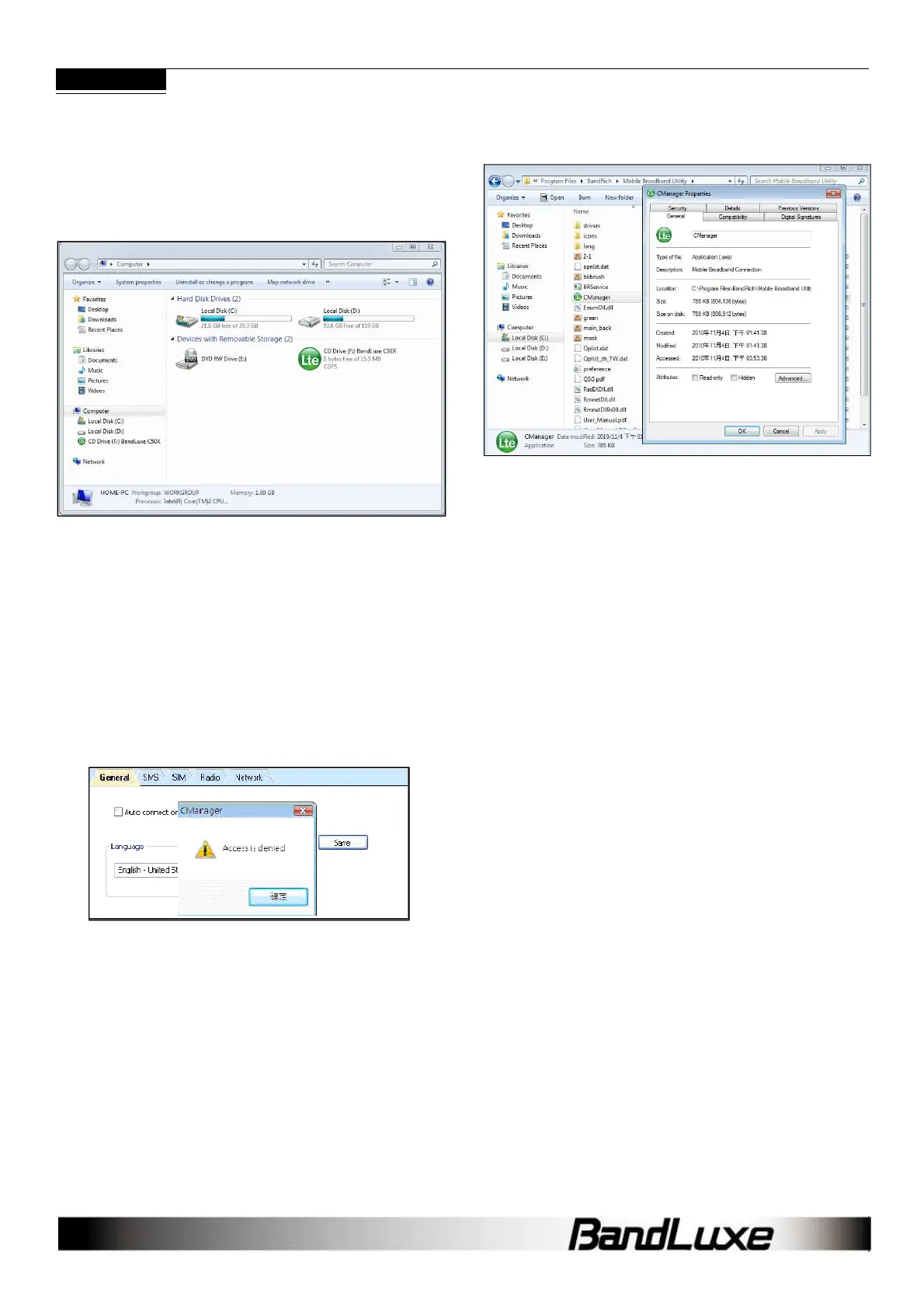
Q: My computer cannot boot with the C5XX
connected. Why?
A: As discussed in Chapter 1, during installation the C5XX is
displayed in My Computer as a portable storage device.
The computer treats the C5XX as if it were a CD drive. Therefore, your
computer may be trying to boot from it, as if it were expecting a Boot
CD. Disconnect the C5XX before booting.
Q: How do I view the .pdf Quick Start Guide and
User Manual?
A: Click Start > Programs > BandLuxe > Mobile Broadband Utility
and choose either document. Both files require Adobe Acrobat
6.0+.
Q: The Connection Manager is having troubles
running on Vista. What should I do?
A: You may have a problem with Vista’s user control functions.
1. Open the Connection Manager folder.
2. Right click CManager.exe > Properties > Compatibility tab.
3. Check Run this program as an administrator.
4. Click Apply > OK.
Q: What microSDHC
TM
card tested in the
BandLuxe C50X?
A: BandLuxe C5XX have microSDHC reader and support up to 16GB
microSDHC cards. Due to the availability of microSDHC cards, we
recommend SanDisk microSDHC cards.



 To Next Page