Need help?
Do you have a question about the BandLuxe R300 Series and is the answer not in the manual?
Details on router capabilities, uplink/downlink speeds, and supported WiFi standards.
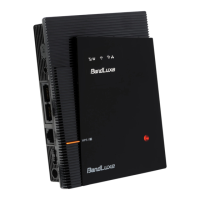
Description of Reset Button, Antenna Port, SIM Slot, WAN Port, LAN Port, and Power Switch.
Explanation of the function of each LED indicator (Power, UMTS, Roaming, etc.).
Connecting power, inserting SIM, and powering on the router.
Linking the router via WiFi or Ethernet cable.
How to access the web-based configuration utility via IP/URL.
Entering username and password to access the router interface.
Using the wizard for initial setup of basic settings.
Configuring Router IP, DHCP server, and IP address range.
Setting up WiFi network name (SSID), channel, and broadcast.
Choosing the security mode for the wireless network.
Selecting between 3.5G HSPA and Ethernet connection priority.
Configuring APN, roaming, and other HSPA settings.
Setting APN, user name, password, and authentication type.
Explaining connection modes for 3.5G HSPA.
Configuring a static IP address for the internet connection.
Setting up PPPoE connection with ISP credentials.
Configuring PPTP connection with ISP details.
Setting up L2TP connection with ISP details.
Setting up Dynamic DNS service with provider details.
Configuring host name and wildcard alias for DDNS.
Cloning the PC's MAC address for ISP requirements.
Details on router IP, subnet mask, and DHCP service.
Assigning static IP addresses to specific PCs via MAC.
Configuring IP range, lease time, and DNS servers.
Configuring Network Address Translation, RIP, and static routes.
Enabling IPSec, PPTP, and L2TP passthrough.
Setting network mode, SSID, channel, and SSID broadcast.
Choosing the WiFi security level (WEP, WPA, etc.).
Configuring WEP encryption keys and passphrase.
Configuring WPA-Personal encryption and key renewal.
Setting up WPA2-Personal for enhanced security.
Configuring RADIUS server IP, port, and shared key.
Isolating clients and enabling frame burst for performance.
Setting authentication type and basic wireless transmission rates.
Enabling/disabling the WiFi client filter service.
Choosing filter type and managing the client list.
Entering the SIM card PIN for verification.
Enabling, disabling, or changing the SIM card PIN.
Procedure for changing the SIM card's PIN code.
Setting network type and selecting network operators.
Setting up firewall for traffic filtering.
Enabling SPI protection and internet filter services.
Configuring web filters and DMZ service.
Specifying source IP and destination for firewall rules.
Creating policies for internet access control.
Forwarding specific ports to internal IP addresses for services.
Forwarding a range of ports to internal IP addresses.
Configuring port triggering for specific applications.
Configuring Quality of Service and wireless QoS.
Setting priority for applications and devices.
Configuring router password and access methods.
Configuring remote management, upgrade, and UPnP.
Using log, ping, and traceroute tests for troubleshooting.
Backing up, restoring, and resetting router configurations.
Procedure for upgrading the router's firmware.
Monitoring signal strength and connection status.
Displaying U/SIM status and registered network information.
Displaying connection type, IP, subnet mask, and gateway.
Showing router and WiFi network configuration details.
FAQs on firmware upgrade, connecting to the router, and 3G issues.
Default login details and steps to access the router GUI.
FAQs on roaming connection and GUI linking problems.
Steps to repair network connection in Windows XP.
FAQs on WiFi setup and slow internet speed.
Troubleshooting IP conflicts in an office setting.
FAQs on VPN, DSL setup, and preventing unauthorized router use.
FAQs on SIM PIN input, password change, and router reset.
Details on form factor, weight, and interface ports.
Specifications for UMTS band, data rates, and WLAN.
Details on various antenna types.
Supported protocols and wireless LAN features.
European Union compliance notices and standards.
Standards related to IT equipment safety and radio spectrum.
FCC statements on interference and radio frequency exposure.
Definitions for mobile technologies and network protocols.
Definitions for technical terms like IMEI, IP, LAN, PAP, etc.
 General
| Max Download Speed | 150 Mbps |
|---|---|
| Max Upload Speed | 50 Mbps |
| Wi-Fi Frequency | 2.4 GHz |
| Security | WPA/WPA2 |
| Network Bands | B1/B3/B7/B8/B20 |
| Wi-Fi Standards | 802.11 b/g/n |

 To Next Page