
 Need help?
Do you have a question about the B&R Industries Power Panel 300 and is the answer not in the manual?
Outlines essential safety precautions and guidelines for using the Power Panel devices.
Lists and describes the various model numbers for Power Panel 300 devices.
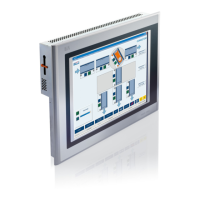
Provides general information about the Power Panel 300/400 generation and its capabilities.
Details the device interfaces and features specific to Power Panel 300 devices with BIOS.
Explains control and visualization aspects with Power Panel 300/400 using Automation Runtime.
Details the device interfaces and features for Power Panel 400 devices with Automation Runtime.
Provides information on the light and compact series of Power Panel 400 devices.
Provides instructions on how to properly mount the Power Panel device.
Specifies the correct mounting orientation for the Power Panel device.
Explains the process for calibrating the touch screen on Power Panel devices.
Describes how to rotate the display image content using the graphics driver.
Offers tips and measures to extend the operational lifespan of the display.
Details the BIOS settings and general information for Power Panel 300 devices.
Explains control and visualization aspects with Power Panel 300/400 using Automation Runtime.
Provides information on how to update the device software and firmware.
Describes the features and general information for Power Panel devices running Windows CE.
Details the features and installation process for Windows XP Embedded on Power Panel devices.
Covers the general information and features of Power Panel devices with Windows Embedded Standard 2009.
Lists the supported VESA modes and their corresponding resolutions.
Explains the B&R Automation Device Interface driver and its Control Center functions.
Provides an overview of the standards the Power Panel 300/400 devices meet.
Covers essential safety guidelines, including ground resistance and insulation resistance.
Specifies the mechanical conditions and testing guidelines for the devices.
Details the climate conditions and testing guidelines for operation, storage, and transport.
Lists international certifications and standards the products comply with.
Provides a general overview of available accessories for the Power Panel devices.
Details information about replacement CMOS batteries, including order data and technical specifications.
Provides general information, order data, and technical specifications for the TB103 connector.
Provides general information, order data, and technical specifications for 5CFCRD.xxxx-04 CompactFlash cards.
Details general information, order data, and technical specifications for 5CFCRD.xxxx-03 CompactFlash cards.
Provides general information, order data, and technical specifications for USB flash drives.
Details order data and technical specifications for null modem cables.
Provides instructions on how to clean the Power Panel device safely and effectively.
Explains the procedure for changing the device's battery, including battery check and technical data.
Offers tips and measures to prevent image sticking or burn-in effects on the LCD/TFT display.
Details the characteristics, features, and limit values for the Elo Accu Touch screen.
Provides characteristics, features, and limit values for the Gunze touch screen pen.
Provides perspective information (R,L,U,D) for individual components.
Describes the compatibility of installation dimensions for various Power Panel models.
Lists the configuration capabilities of the B&R Key Editor for function keys and LEDs.
Abbreviation for "Advanced Configuration and Power Interface".
Abbreviation for "Basic Input/Output System", core software for computer systems.
Describes CompactFlash memory cards, their specifications and history.
Defines a device component that allows access to other devices on a computer subsystem.
 General
| Processor | Intel Celeron M or AMD LX800 |
|---|---|
| RAM | 256 MB to 2 GB |
| Operating System | Windows CE 6.0, Windows Embedded Standard 2009, or Linux |
| Display | TFT LCD |
| Power Supply | 24 VDC |
| Display Resolution | 1366 x 768 pixels |
| Interfaces | Ethernet, USB, RS232, RS485 |
| Resolution | 1366 x 768 pixels |
| Ports | Ethernet, USB, RS232, RS485 |

 To Next Page
