EasyManua.ls Logo

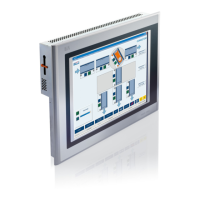
B&R Industries Power Panel 400 - User Manual

Default Icon
612 pages
Print Icon
To Next Page IconTo Next Page
Loading...
1Power Panel 300/400 User's Manual V 2.30
Power Panel 300/400
User's Manual
Version: 2.30 (July 2010)
Model number: MAPP300.400-ENG
All information contained in this manual is current as of its creation/publication. We reserve the
right to change the contents of this manual without warning. The information contained herein is
believed to be accurate as of the date of publication; however, Bernecker + Rainer Industrie-
Elektronik Ges.m.b.H. makes no warranty, expressed or implied, with regards to the products or
the documentation contained within this book. In addition, Bernecker + Rainer Industrie-
Elektronik Ges.m.b.H. shall not be liable in the event of incidental or consequential damages in
connection with or resulting from the furnishing, performance, or use of these products. The
software names, hardware names, and trademarks used in this manual are registered by the
respective companies.
MAPP300.400-ENG

Table of Contents

Question and Answer IconNeed help?

Do you have a question about the B&R Industries Power Panel 400 and is the answer not in the manual?

Summary

Chapter 1: General information

2. Safety guidelines

Provides crucial safety information for operating and handling the devices, including intended use and ESD protection.

5. Model numbers

Lists and describes various Power Panel 300 and 400 model numbers and their specifications.

Chapter 2: Technical data

2. Power Panel 300 with BIOS

Details the interfaces and technical specifications for Power Panel 300 devices with BIOS.

3. Power Panel 300;400 with Automation Runtime

Describes interfaces and technical specifications for Power Panel 300/400 with Automation Runtime.

4. Power Panel 400 with Automation Runtime

Details interfaces and technical specifications for Power Panel 400 devices with Automation Runtime.

Chapter 3: Commissioning

1. Mounting instructions

Provides detailed instructions and diagrams for securely mounting the Power Panel devices.

2. Mounting orientation

Specifies the recommended and allowed mounting orientations for the Power Panel device.

Chapter 4: Software

1. Power Panel 300 with BIOS

Details general information about the Power Panel BIOS, including setup menus and configurations.

3. Upgrade information

Provides guidance on updating BIOS, MTCX firmware, aPCI firmware, and user boot logos.

B&R Industries Power Panel 400 Specifications

General IconGeneral
BrandB&R Industries
ModelPower Panel 400
CategoryDesktop
LanguageEnglish

Related product manuals