Software
Panel PC 900 user's manual V1.18 331
4.12 B&R Automation Device Interface (ADI) - Control Center
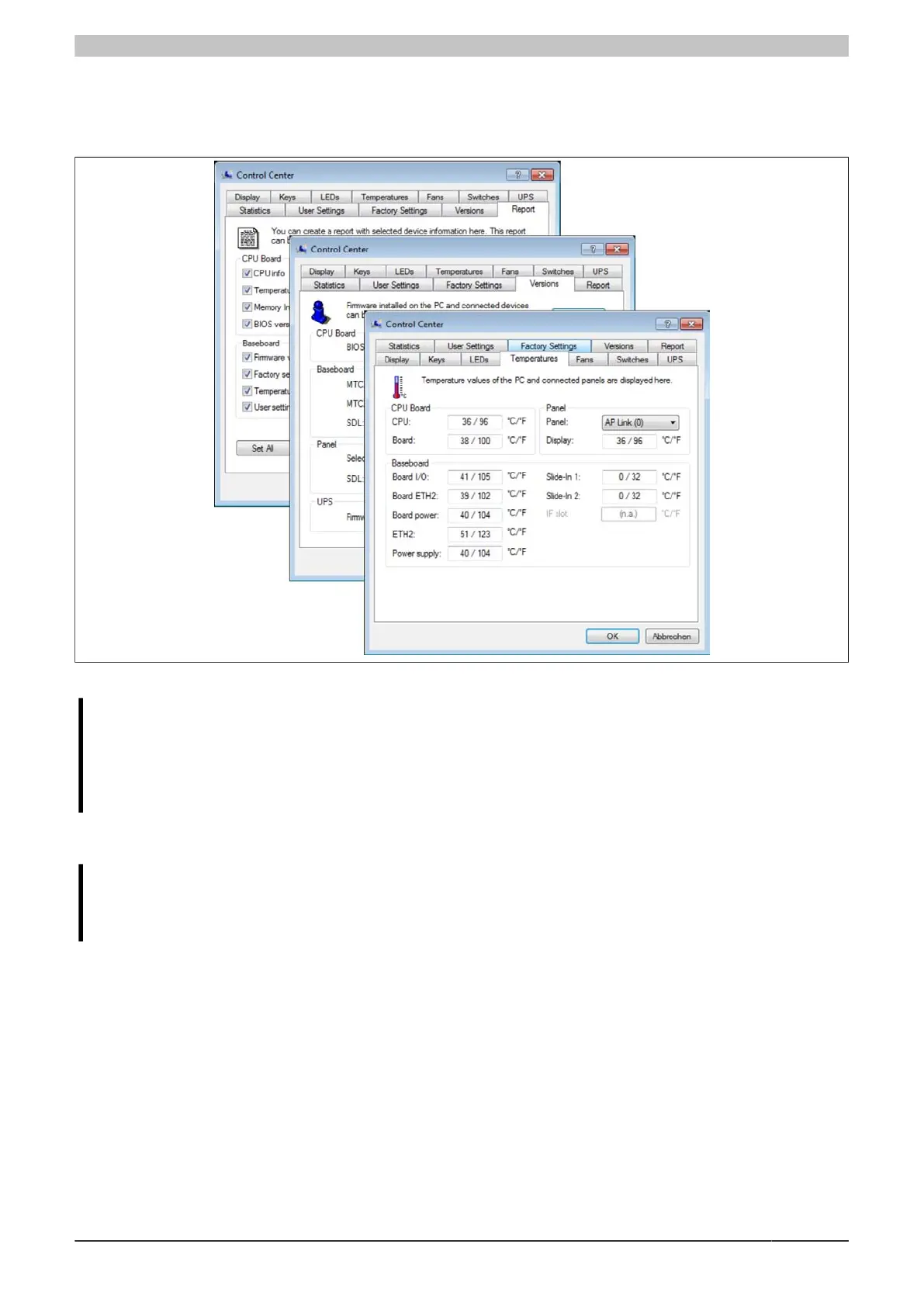
The ADI (Automation Device Interface) enables access to specific functions on B&R devices. Settings for devices
can be read and configured using the B&R Control Center applet in the Control Panel.
Figure 224: ADI Control Center screenshots - Examples
Information:
The temperature and voltage values (e.g. CPU temperature, core voltage, battery voltage) displayed in
the corresponding ADI window represent uncalibrated values for informational purposes. They cannot
be used to draw conclusions about possible hardware alarms or error states. The hardware compo-
nents being used include automatic diagnostic functions in the event of error.
4.12.1 Functions
Information:
The functions provided by the Automation Device Interface (ADI) - Control Center vary according to
the device series.
•
Changing display-specific parameters
•
Reading device-specific keys
•
Updating the key configuration
•
Enabling device-specific LEDs on a membrane keypad or keys
•
Reading and calibrating control devices (e.g. key switches, handwheels, joysticks, potentiometers)
•
Reading temperatures, fan speeds, statistical data and switch settings
•
Reading operating hours (power-on hours)
•
Reading user and factory settings
•
Reading software versions
•
Updating and backing up BIOS and firmware
•
Creating reports about the current system (support assistance)
•
Setting the SDL equalizer value when adjusting SDL cables
•
Changing the user serial ID



 To Next Page