Beoconnect Core
7
CONNECT TO BEOLAB SPEAKERS VIA POWER LINK
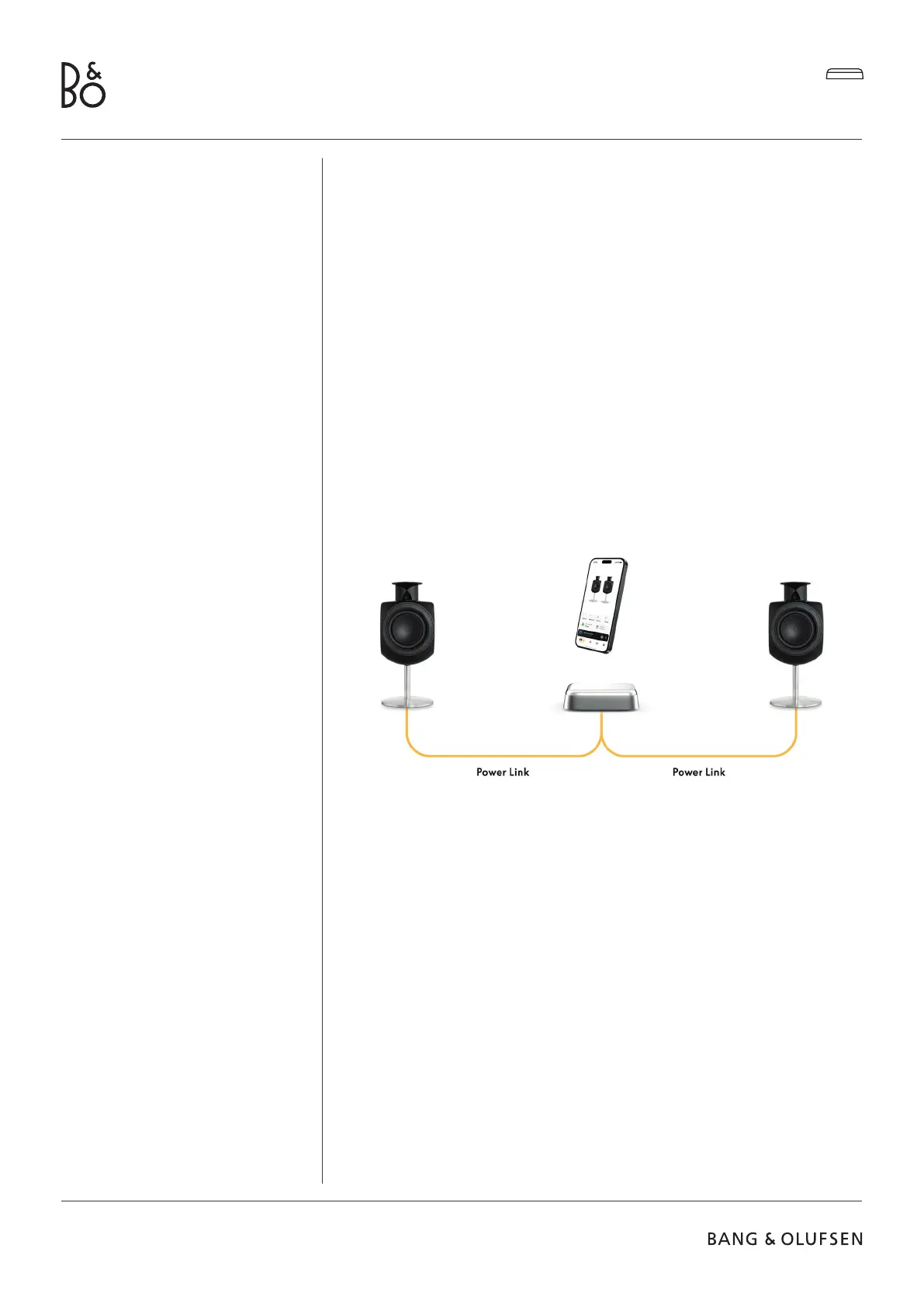
By using stereo Power Link connection, you can transform your Beolab speakers into
streaming speakers of today. Beoconnect Core has one Power Link (RJ45) output socket that
can connect any two Beolab loudspeakers with a Power Link input. There are two ways to
connect via Power Link
- Daisy-chain: If your speakers have two Power Link sockets, you can connect from
Beoconnect Core to the rst speaker and then from the rst speaker to second speaker.
- Splitter: Connect a Power Link splitter cable to Beoconnect Core, and then connect both
speakers to the splitter.
Aer connecting your speakers via Power Link, connect all devices to the mains and continue
setup in the Bang & Olufsen App. Once having connected your Beoconnect Core to your
network, you need to congure your connected speakers and make sure that the le and
right role are correctly set.
Contact your Bang & Olufsen retailer for the right set of cables for your speakers and
preferred setup.


 To Next Page
 Loading...