3
3) When both ends have been connected, turn on your radio. Make sure it has
enough power during the programming procedure.
ERROR: Failed to Connect to the transceiver (Radio)
If it says it cannot connect to the radio - this means the cable is working but is not installed correctly
into the radio.
Items to Check:
The cable is FULLY inserted (it can be deceiving but there is a double click)
Hold the cable into the radio - some radios might not make contact without pressure
A way to cheat - dampen the pins of the cable before pushing it into the radio. This will give a
solid contact
5.How to choose your port?
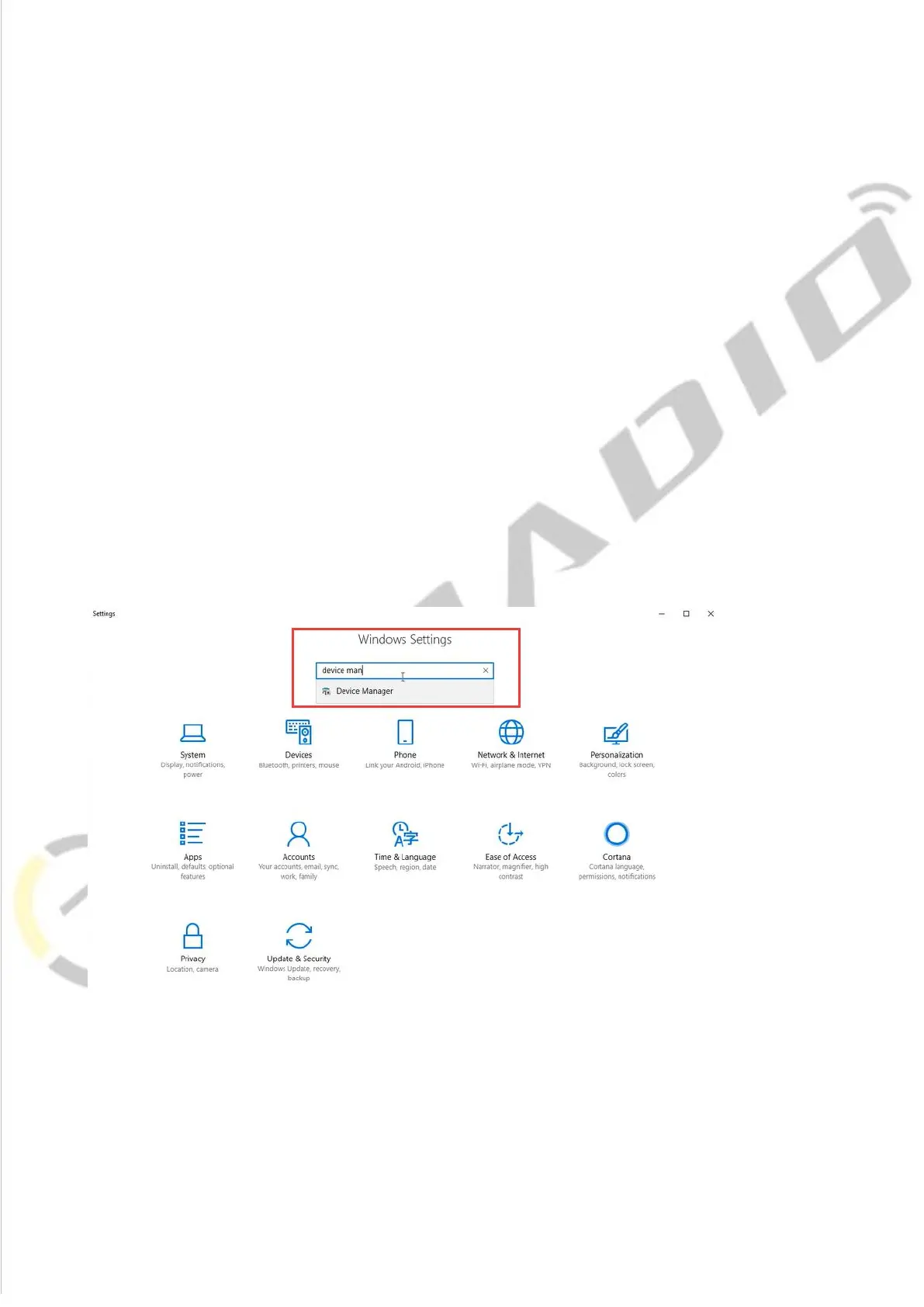
1.Get into “Window Setting”, then search “Device Manager”.














 To Next Page