12
UV-5R Chirp Software Programming Process
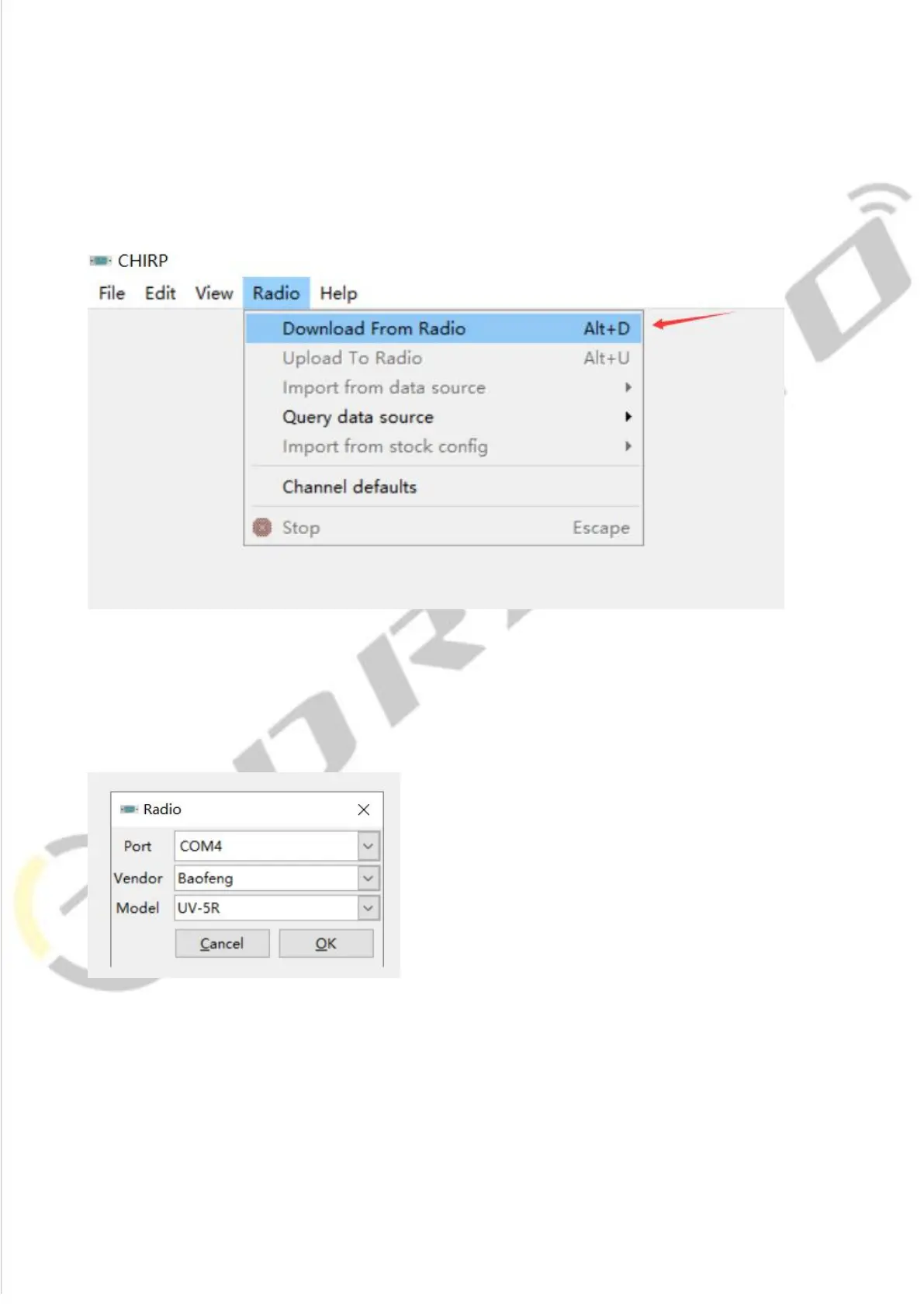
1) Open the CHIRP software (Latest Version), click "Download From Radio" under
"Radio"
2) Select the corresponding cable driver port, and select Model "UV-5R" under
Vendor "Baofeng", then click "OK" to read the radio
3) And you will come to the page of Memories, in which you can adjust the
limited parameters (For the explanation of Channel, TX Frequency, RX Frequency,
CTCSS/DCS, High/Low Power,and Wide/Narrow,Band.Please refer to
introduction above)














 To Next Page