Home
Baofeng
Two-Way Radio
BF-UV5R
Page 13 (Memories Configuration)
Baofeng BF-UV5R - Memories Configuration; Advanced Settings and Uploading
14 pages
Manual
Save Page as PDF
To Next Page
To Next Page
To Previous Page
To Previous Page
Loading...
13
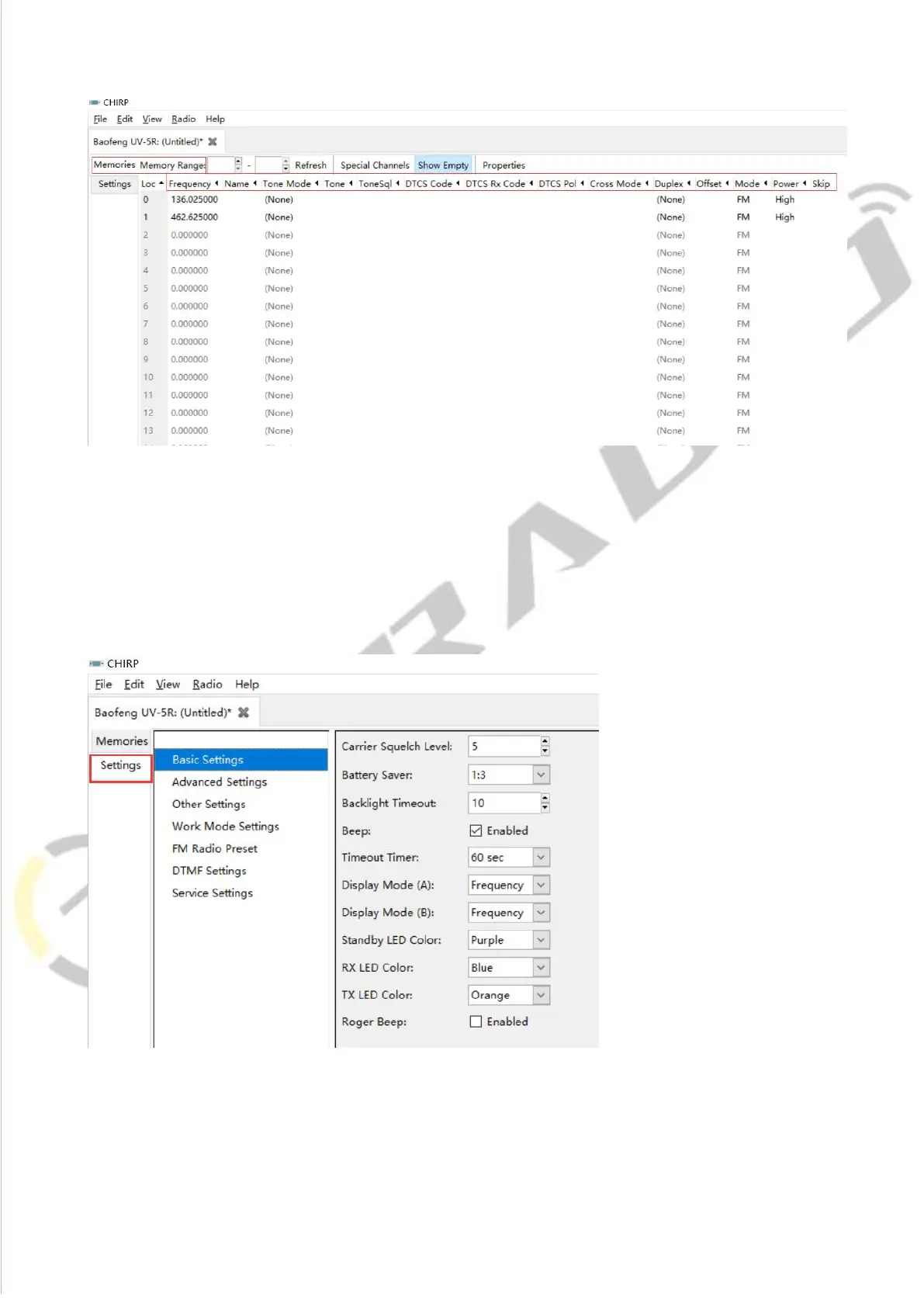
4)Then
if
you
switch
to
the
pa
ge
of
Settings,
you
can
adjust
the
limited
parameters(For
the
explanation
of
VOX
Function,
Squelch,
Backlit,
DTMF,
FM
Radio,
Voice
Prompt,
Scanning,
V
FO
Mode.Please
refer
to
introduction
above)
12
14
Table of Contents
Main Page
Introduction
1
Contents
1
Preparation before Programming
2
Computer System Requirements
2
FTDI Programming Cable Is Included
2
Software Download & Install
2
ERROR: Failed to Connect to the Transceiver (Radio)
3
How to Choose Your Port?
3
UV-5R Manufacture Software Programming Process
5
Channel Information
6
Basic Setting
8
Channel Mode
8
Dtmf
9
Frequency Mode
10
FM Radio
11
UV-5R Chirp Software Programming Process
12
Related product manuals
Baofeng Pofung BF-UV10 Series
45 pages
Baofeng BF-T8
25 pages
Baofeng BF-H6
19 pages
Baofeng BF-5RA
23 pages
Baofeng BF-88A
3 pages
Baofeng BF-888S
18 pages
Baofeng BF-88ST
28 pages
Baofeng BF-777S
8 pages
Baofeng BF-88ST PRO
23 pages
Baofeng BF-H6 Series
47 pages
Baofeng BF-88E Series
24 pages
Baofeng BF-88ST PRO Series
67 pages














 To Next Page