• Switch it on by scrolling the volume dial till it clicks (position 2), before inserting your bank card
• You can use any headphones in the 3.5mm socket (position 1) or use the built-in speaker (we do
not recommend using the speaker in a public place)
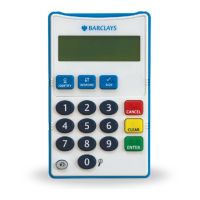
• When you press a key on the card reader you will hear the name of the key repeated, a beep to
indicate an error or an additional voice prompt
• Number keys are never read out, instead a beep indicates that they have been pressed, this is to
ensure the security of your details when using the PINsentry without headphones (the number
vehastworaiseddotstohelporientate)
• Always ensure that you hear one of these prompts before proceeding to press another key, as
keys pressed during the voice prompts will not
be recognised.
Using the audio features


 To Next Page