31R5900095 /05 CX-50
LEDs behavior
Explanation
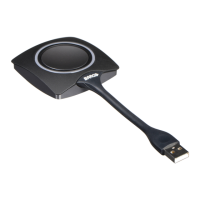
white ring filling up
• Button is plugged in the laptop and initializing.
• Button is updating/pairing
green ring
• pairing and software update is done. You can now unplug the
Button from the Base Unit.
spinning white circle
• Button is busy (no end time known).
• ClickShare App is setting up the connection with the Base Unit.
white blinking
• the Button is waiting for the user to start the ClickShare
application.
static white
• ClickShare is ready to start sharing your screen.
static red
• sharing your screen with the display
5
.
red blinking
• an error occurred.
off (no light)
• the Button is not or not properly inserted into the USB port.
• the Button might be defective.
• the USB port or computer might be defective.
Introduction to CX-50
5: While sharing content, the laptop will not go to standby. Once sharing is stopped, the laptop will again be capable of going to standly.



 To Next Page