R5900099 /10 CX-2032
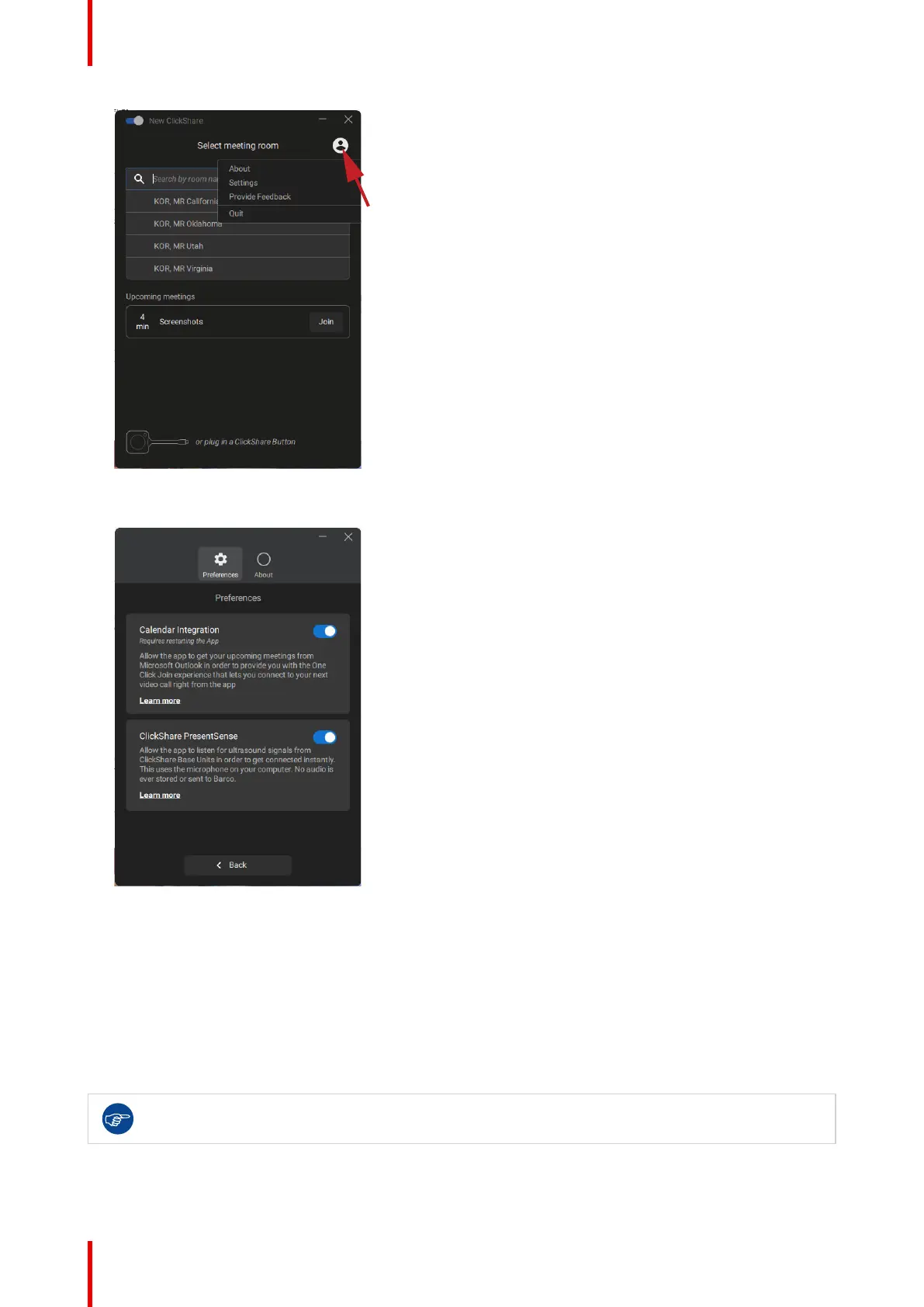
Image 3–15
3. Click on the Settings.
Image 3–16
4. Change the toggle next to calendar integration.
To the right: calendar integrated (default value)
To the left: calendar not integrated
Note: a restart of the ClickShare Desktop App is required after re-enabling the calendar integration.
3.5 Calender integration
Calender integration in the Base Unit can only be done in XMS cloud.
Getting started














 To Next Page