Supercedes: 2100-710
Page 1 of 2
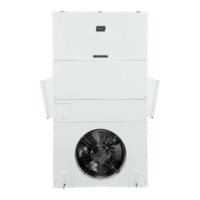
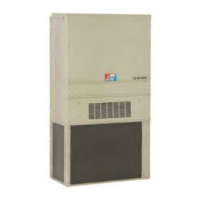
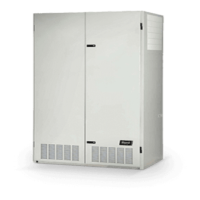
This quick start guide is designed to lead an installer
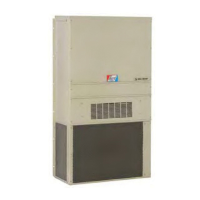
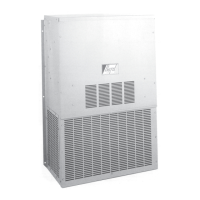
through the steps necessary for setting up a Bard air
conditioning system composed of MEGA-TEC wall-mount
units paired with an LC6000 controller. See the latest
versions of MEGA-TEC/LC6000 System Installation
Instructions 2100-705, MEGA-TEC Service Instructions
2100-671 and LC6000 Service Instructions 2100-669
for more detailed information on the installation, service
and maintenance of this Bard air conditioning system.
If installing a single MEGA-TEC wall-mount unit with a
PGD or PGDx stand-alone display, refer to PGD manual
2100-734 or PGDx manual 2100-740 for information on
setting up a stand-alone display for single unit operation.
The TEC-EYE
TM
hand-held diagnostic tool and LC6000
controller will both be used in this installation. The TEC-
EYE diagnostic tool is shipped inside the controller and
a cable is included to connect it to the wall-mount unit
control board.
7. Press UP/DOWN keys to change address to value
between 1 and 14.
NOTE: Each unit must have a unique address for the
communication to work properly. Bard also
recommends labeling each unit for ease in
identification.
8. Press ENTER key to save and scroll to Zone.
9. If desired, press UP/DOWN keys to change the value
to the desired zone (1, 2 or 3).
10. Press ENTER key to scroll to UOM (unit of measure).
11. Press UP/DOWN keys to change the value from USA to
SI, NC, LON, CAN or UK. Units are preconfigured for
each selection.
12. Press ENTER key to save.
Execute a self test on each unit to verify the equipment is
functioning correctly (TEC-EYE)
1. Use UP/DOWN keys to scroll to Self Test A11.
2. Press ENTER key to scroll to Enable parameter.
3. Use UP/DOWN key to change value to Yes. The run
test will begin.
See most recent version of Installation Instructions
2100-705 if additional information on run testing units is
needed.
Clear unit alarm logs on each unit (TEC-EYE)
Units may have alarms logged due to testing. Unit alarm
logs must be cleared at time of installation.To clear the
wall-mount unit alarm logs:
1. Press MENU key to go to the Main Menu screen.
2. Use UP/DOWN/ENTER keys to enter password 1313.
3. Press UP/DOWN keys to scroll to Settings; press
ENTER key.
4. Press UP/DOWN keys to scroll to Initialization; press
ENTER key.
5. Press ENTER key to scroll to Delete alarm logs?.
6. Press UP/DOWN key to change value to YES; press
ENTER key.
After first unit has been set up and configured, follow the
above steps to set up and configure the remaining units.
The LC6000 controller will be used for the remaining
steps in the set-up process.
Set LC Controller Date/Time (LC Controller)
1. Press MENU key to access the Main Menu screen.
2. Use UP/DOWN/ENTER keys to enter password 1313.
3. Press the UP/DOWN keys to scroll to the Settings
menu; press ENTER key.
4. Press UP/DOWN keys to scroll to Date/Time menu;
press ENTER key.
Manual: 2100-710A
Date: 1-21-20
It is important to check the software version during
installation to ensure that the latest version has
been installed. Current software versions, change
log and installation instructions are available on
the Bard website at
http://www.bardhvac.com/
software-download/
NOTICE
SYSTEM SET-UP
Set up and configuration must be done to each MEGA-TEC
wall-mount unit using the TEC-EYE hand-held diagnostic
tool. Use the LC6000 controller for the remaining steps.
IMPORTANT: When working with circuit board
components, Bard recommends the use of
an anti-static wrist strap to prevent static
electricity shorts to electronic controls.
Address each wall unit and select unit zone and unit of
measure (TEC-EYE)
The address of the unit being set up will be listed in the
upper right hand corner on the status screen. The available
addresses are 1-14.
1. Remove outer and inner unit control panel doors.
2. Connect TEC-EYE to wall-mount unit control board.
3. Press MENU key to access the Main Menu screen.
4. Press UP/DOWN/ENTER keys to enter password
1313.
5. Press UP/DOWN keys to scroll to Sys Config; press
ENTER key.
6. Press ENTER key to scroll to Unit Address.
Quick Start Guide
MEGA-TEC
®
/LC6000 Air Conditioning System


 To Next Page