825TKL OPERATOR’S MANUAL 2/10/20 Page 16 of 28
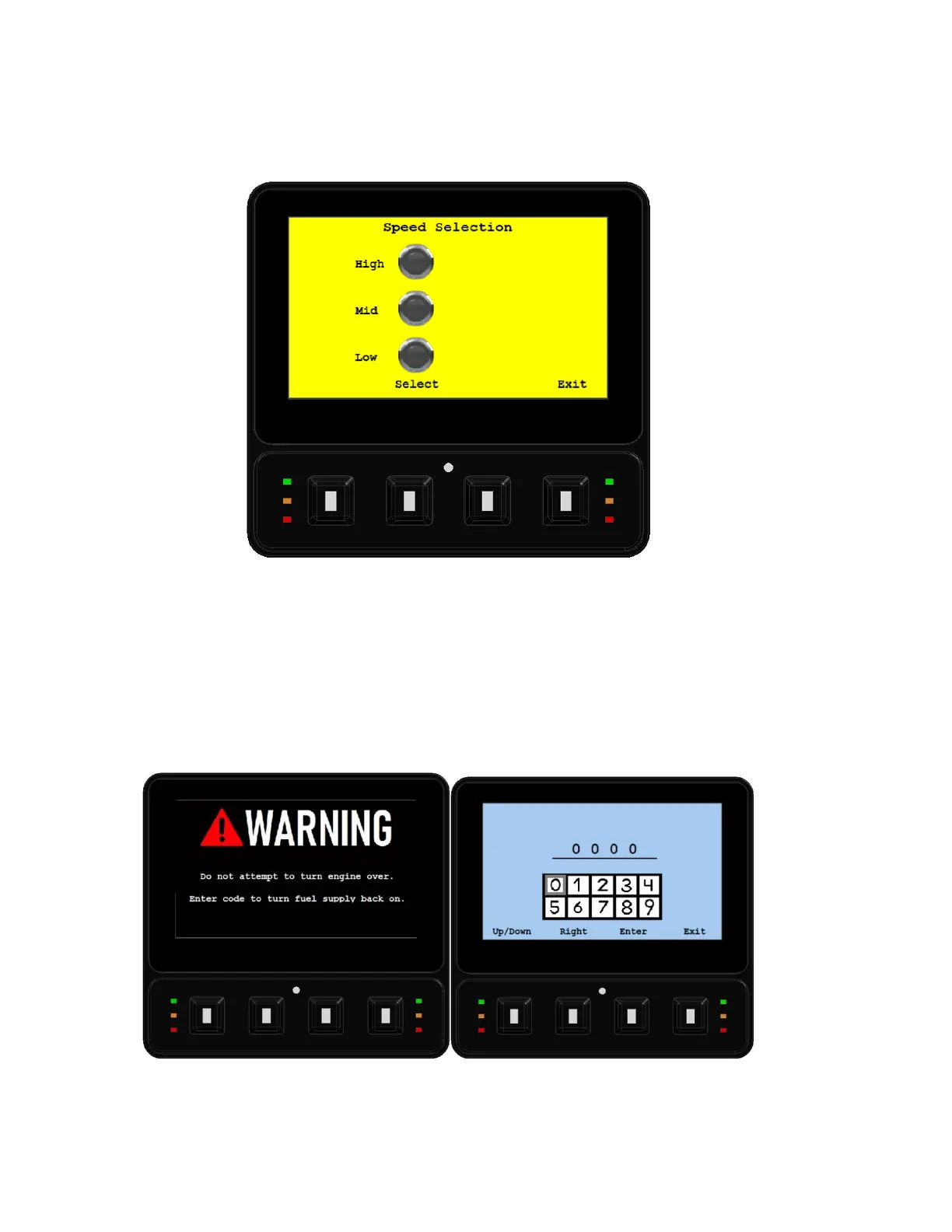
SPEED SELECTION
The track drive speed can be selected from the display to allow better control in tight spaces or while
using attachments. To select the operating speed of the track drive, press the “Speed Select” button
on the display, then press the button again to cycle through the speed drive options.
TIP-OVER PROTECTION
In the event of a Tip-Over situation, the machine’s incline sensor will shut off the fuel pump and kill
the engine. You will see the following images on the screen. The operator will need to call the rental
center the machine came from and get Tip-Over code from the owner. Use the display buttons to
enter the code to allow the machine to start again.


 To Next Page