- 27 -
5.3 Operation
• Clean the device thoroughly after unpacking and before setup, following the
instructions in 6.2 "Cleaning".
• Connect the device to a single grounded outlet.
• Turn the device on using the ON/OFF switch on the control panel.
The ON/OFF switch holds a red power control light.
• The digital display will show the temperature value, and the LED coolant indicator
will come on.
• The device should reach the desired temperature before food products are placed
inside.
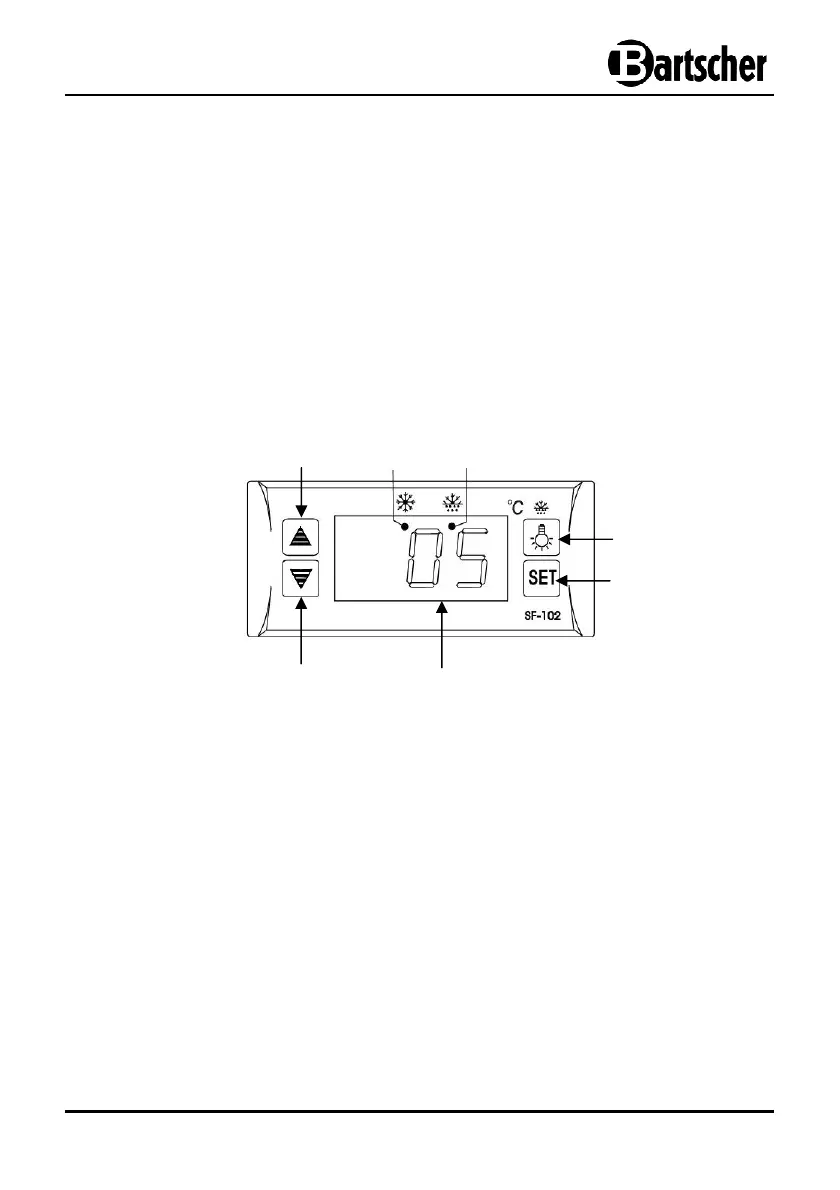
Digital temperature regulator
⑩
Increase temperature button
⑪
LED cooling indicator
⑫
LED defrost indicator
⑬
LED lighting button
⑭
Change/save settings button
⑮
Digital display
⑯
Reduce temperature button
⑬
⑭
⑯
⑪
⑫
⑮


 To Next Page