Installation Manual
© 2019
basalte v2.0
EVE GLASS MOUNT KIT
Description
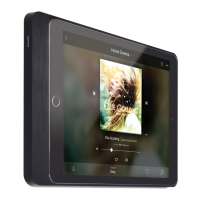
The ‘Eve glass mount kit’ is a customized solution to elegantly mount your iPad
on a glass surface, using the Eve mounts by Basalte. This product contains the
mounting kit itself and the optional customisation of a cable opening in the Eve
cover.
• The glass mount solution is the combination of strong adhesive transfer tape
installed on the Eve frame and a self-adhesive cover film to hide the back
of the frame. The film is available in a black or white finish and should be
applied on the glass prior to installing the Eve.
• The optional customization is for when you need to run the charging cable
to an external power source, hidden nearby. We can custom machine a cable
opening on the le/right side or the bottom of the cover.
Installing instructions
The ‘Eve glass mount kit’ should be applied to a glass surface which is clean, dry and free from grease, dirt or other
contaminants.
The glass surface must be cleaned thoroughly before applying the adhesive film. Cleaning methods:
a. Washing with a mild detergent solution, aer which the surface should be rinsed and dried with a lint free
cloth.
b. Wiping with a solvent-saturated cloth, until al dirt and/or grease has been removed.
The ‘Eve glass mount kit’ should be applied to a glass surface which is clean, dry and free from grease, dirt or
other contaminants.
Verify the exact position of the Eve before applying the film. Use masking tape to position the film on the
window and follow next steps accordingly to the drawings.
• Exposure to direct sunlight might reduce the bond strength of the Eve glass mount kit. It might
also increase the temperature of the glass, which might lead to increased risk of glass breakage.
Therefore we strongly advice to apply the Eve glass mount kit only on interior glass which is not
exposed to direct sunlight.
• The Eve wall mount can only be installed vertically with the cover on the bottom or horizontally
with the cover on the le side.
1
2
Align sticker on surface and
apply tape in centre
Be careful not to scratch the
sticker while stroking!
Peel the backing of the sticker
Remove the tape
Carefully hold up the sticker
while cutting the backpaper
Peel the rest of the
backing of the sticker
Gently stroke away from the
centre with a small ruler
Gently stroke the rest of the sticker
away from the centre with the ruler

 Need help?
 General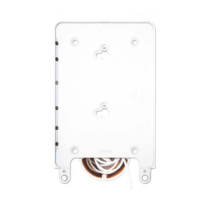

 To Next Page