EasyManua.ls Logo

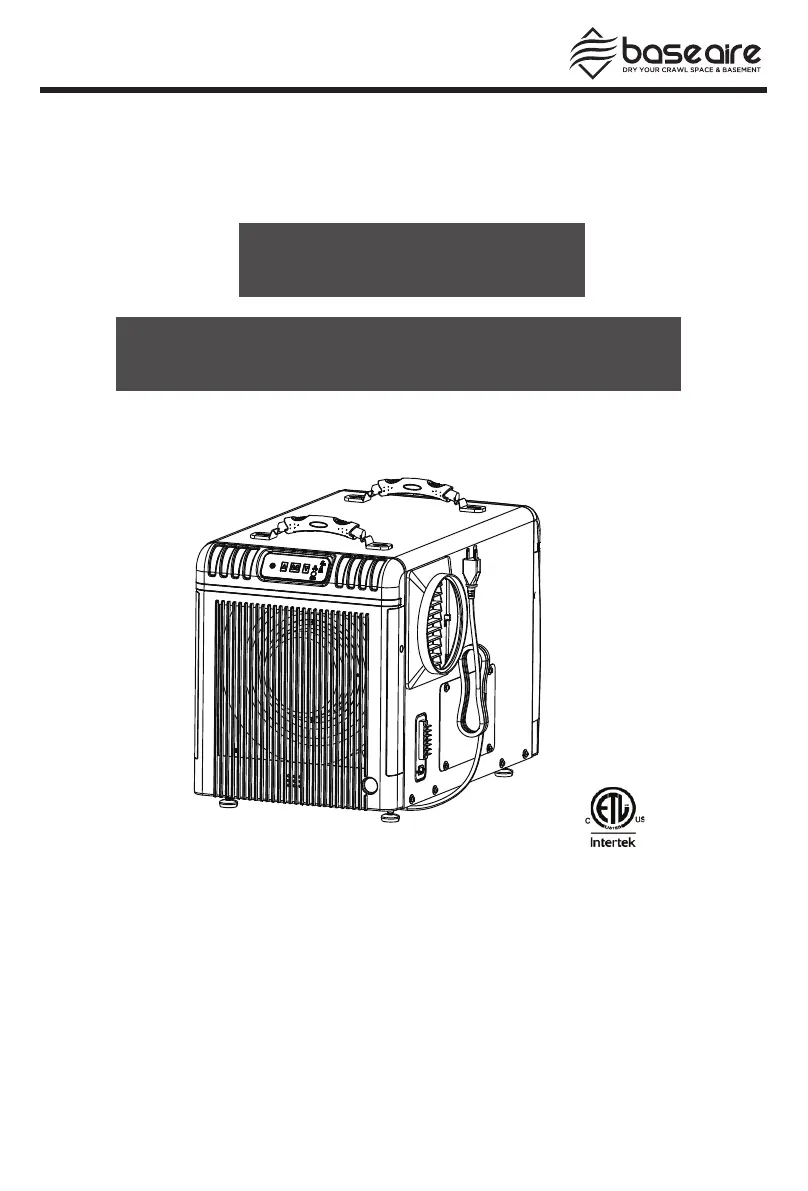
Base aire AirWerx 90 - User Manual

Default Icon
16 pages
Print Icon
To Next Page IconTo Next Page
Loading...
Tel: 1-888-641-8862
Web: www.baseaire.com
E-mail: sales@baseaire.com
Installation & Operations Manual
AirWerx 90
Patented
Specifications subject to change without notice.

Other manuals for Base aire AirWerx 90

Questions and Answers

  • B
    Barbara LaneJul 28, 2025
    What to do if my Base aire AirWerx 90 won't run?
    • R
      riveradanielJul 28, 2025
      If your Base aire Dehumidifier isn't running, first, ensure the power supply is working by verifying that the outlet has power and the plug is properly installed. Also, check the room temperature; if it's above 104°F (displaying HI) or below 33.8°F (displaying LO), adjust the room conditions to be within this range for the unit to start operating.
  • A
    angelanelsonAug 3, 2025
    Why does my Base aire AirWerx 90 have low air flow?
    • R
      Robert ChavezAug 3, 2025
      Low air flow in your Base aire Dehumidifier can be caused by a clogged air filter or a blocked air inlet or outlet. To resolve this, clean the filter mesh according to the instructions in the manual and clear any blockage from the inlet or outlet.
  • R
    Rachel NunezAug 9, 2025
    What does the HI or LO trouble code mean on my Base aire AirWerx 90 Dehumidifier?
    • V
      vincentchristineAug 9, 2025
      The HI or LO trouble code on your Base aire Dehumidifier indicates that the room temperature is either above 104°F or below 33.8°F. To fix this, modify the room conditions so the temperature is between 33.8°F and 104°F, and the unit should start working. If the room temperature is already within this range, the sensor may be defective and require replacement.
  • K
    Kristin DavisAug 15, 2025
    Why is my Base aire Dehumidifier making a loud noise?
    • M
      mollycoxAug 15, 2025
      A loud noise from your Base aire Dehumidifier could be due to the machine not being level or a blocked filter mesh. To fix this, move the dehumidifier to a flat, firm surface. Also, clean the filter mesh according to the instructions in the manual.
  • C
    Courtney RubioAug 20, 2025
    What to do if my Base aire AirWerx 90 displays trouble code E1?
    • M
      Megan CollinsAug 21, 2025
      If your Base aire Dehumidifier is showing the E1 trouble code, which indicates a humidity sensor issue, check to ensure that the sensor wire is properly connected at both ends. If the connections are secure and the issue persists, the sensor itself may be faulty and need replacement.

Summary

Warranty Registration and Safety

Safety Notes

Essential safety guidelines for proper unit operation and maintenance.

Product Identification and Operation Basics

Identification Information

Details for referencing your specific dehumidifier model and serial number.

Electrical Supply Requirements

Specifications for power connection, including voltage, frequency, and outlet type.

Principle of Operation

How the dehumidifier extracts moisture from the air using its internal components.

Installation Guide

Unit Placement and Leveling

Proper positioning of the dehumidifier for optimal performance and drainage.

Drain Line Setup

Instructions for connecting the condensate drain hose.

Power Connection

Connecting the unit to a grounded electrical outlet.

Key Functions and Controls

Power Button Operation

Turning the dehumidifier on and off.

Humidity Setpoint Adjustment

Using arrow buttons to control desired humidity levels.

Continuous Mode

How to enable and use the continuous dehumidification mode.

Auxiliary Terminals

Using A5/a6 terminals for external condensate pumps.

Indicator Lights and Remote Control

Indicator Light Meanings

Understanding the status of the display, power, continuous mode, and compressor lights.

Remote Control Usage

Instructions and applications for operating the unit remotely.

Operating Procedures

Starting and Stopping the Unit

Basic steps for operating the dehumidifier.

Adjusting Settings

Setting the target humidity level.

Water Drainage for Storage

How to drain the unit for moving or storage.

Unit Diagram and Maintenance

Front and Back View Diagrams

Visual guide to the unit's components.

Exterior Cleaning

How to clean the machine's body.

Filter Cleaning and Maintenance

Procedures for cleaning and maintaining the air filter.

Coil Cleaning

Annual maintenance for cleaning the evaporator and condenser coils.

Advanced Features and Storage

Electrical Access and Control Board

Accessing the unit's control board.

Dehumidifier Storage Instructions

Steps for safely storing the dehumidifier.

Ducted Applications and Installation

Information on connecting ductwork for air distribution.

Duct Adapter Installation;Removal

How to attach or detach duct adapters.

Troubleshooting Common Issues

Unit Not Running

Diagnosing and fixing issues where the unit fails to start.

Airflow Problems

Resolving low airflow or blocked vents.

Noise Issues

Troubleshooting sources of loud noises from the unit.

Error Code E1

Identifying and resolving E1 error codes related to humidity sensors.

Error Codes HI or LO

Addressing temperature-related error codes.

Spare Parts and Filters

Common Spare Parts

Listing of available replacement parts for all AirWerx models.

AirWerx 90 Specific Parts

Replacement components specific to the AirWerx 90.

Filter Options

Available filter types for the AirWerx 90.

Limited Warranty Information

Warranty Coverage Periods

Details on 1, 3, and 5-year warranty terms.

Customer Responsibilities

Requirements for the customer to maintain warranty validity.

Warranty Claim Procedure

Steps to follow when requesting warranty service.

Warranty Exclusions

Exclusions due to Nature and Usage

Damages from acts of nature or improper use not covered.

Other Warranty Exclusions

Coverage limitations including consumables and indirect damages.

Base aire AirWerx 90 Specifications

General IconGeneral
BrandBase aire
ModelAirWerx 90
CategoryDehumidifier
LanguageEnglish

Related product manuals