1. Product connection steps
Step 1 Turn it on
For the first time, press and hold the multi-function button for 2 seconds to turn on the device. At this time,
the red and white lights flash quickly and enter the Bluetooth pairing.
2. Bluetooth connection
Turn on the Bluetooth function of the mobile phone, enter the search pairing state, and select the device
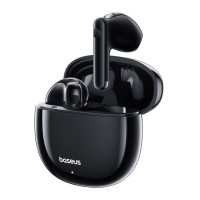
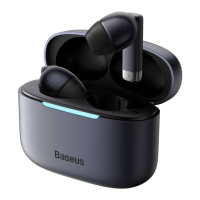
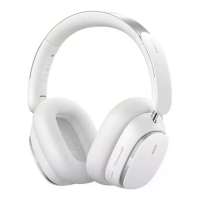
model: Baseus Bowie H1 Pro
When the connection is successful, the light goes off. After subsequent use, the ear device will be connected
back to the device used for the last time, and the white light will be displayed when the device is connected
back
flicker
Note: To connect the new Bluetooth device, long press the ANC key for 2 seconds, then the red and white
lights will flash quickly, and the headset will enter the pairing state
3. Download the APP and bind the headset
4 Turn it off
Press and hold the multifunction button for 4 seconds to turn off the headset.
2. Product function operation (wireframes, indicating corresponding buttons)
Music mode:
Play/Pause: Click the multifunction button
Previous: Long press - button for 1.5 seconds
Next: Long press + for 1.5 seconds
Volume minus: Click -
Volume plus: Click the + key
Activate the phone's voice assistant: three-click multi-function button
Pairing mode: Long press ANC button for 2 seconds
Noise reduction mode switch: Click ANC button
Note: The mode switching sequence is: Noise reduction on -> Normal mode -> Transparent mode
Panorama mode switch: Double click ANC button
Note: The mode switching sequence is: Normal mode -> Music mode -> Cinema mode
Phone mode:
Answer/Hang Up: Click the multi-function button
Reject: Press and hold the multifunction button for 1.5 seconds
Charging power indicator:
When the headset is in the process of charging, the power indicator is long red; When the battery is fully charged, the
battery indicator lights up white.


 To Next Page