一、产品连接步骤
Connection Steps
1.开机(线框图)
Turn on
打开充电盒取出耳机,耳机自动进入开机状态
The earphones automatically turn on after open the lid of the
charging case and take them out.
2.蓝牙连接(线框图)
Wireless connection
打开手机蓝牙功能,进入搜索配对状态
Turn on phone wireless to search and pair the earphones
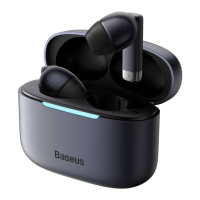
3.选择设备型号:Baseus Bowie W16,点击连接
Select model:Baseus Bowie W16,and click Connect.
4.关机(线框图)
Turn off
将耳机放回充电盒,并盖上盖子,完成关机。
Put the earphones into the charging case and close the lid to turn off the earphones.
二、产品功能操作(线框图,指示对应按键)
Operation Instructions
音乐模式:
播放/暂停:双击左耳或右耳(L or R)
上一曲:长按左耳(L)1.5 秒
下一曲:长按右耳(R)1.5 秒
激活手机语音助手:三击左耳或右耳(L or R)
Music mode:
Play/pause:Double-tap left or right earphone (L or R)
Next song:Long-tap right earphone for 1.5 seconds
Previous song:Long-tap left earphone for 1.5 seconds
Activate voice assistant (Siri):Triple-tap left or right earphone (L or R)
电话模式:
接听/挂断:双击左耳或右耳(L or R)
拒接:长按 1.5 秒左耳或右耳(L or R)
Call mode:
Answer/ hang up:Double-tap left or right earphone (L or R)



 To Next Page