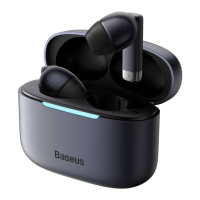
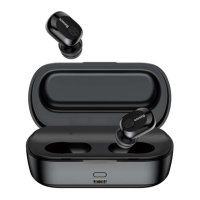
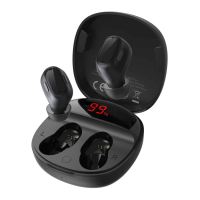
Reject a call:Long-tap left or right earphone (L or R) for 1.5 seconds
充电电量指示灯:
Charging Status Indicator Light:
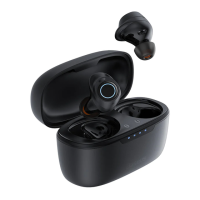
充电仓为耳机充电:充电过程中,充电仓显示当前电量 3 秒后熄灭,
1.亮红灯,剩余 21%~100%电量,3 秒后熄灭
2.闪烁红灯,剩余电量低于 20%,3 秒后熄灭。
Charging case charging earphones: During charging, the charging case light will display the
current power for 3s and then go out.
1. Red light on means 21%~100% remaining and turns off in 3 seconds.
2. Flashing red light means less than 20% remaining and turns off in 3 seconds.
连接电源为充电仓充电:充电过程中,充电指示灯显示白色闪烁;充满电后,充电指示灯显
示白色长亮;
Charging the charging case: During charging, the indicator will flash white. When fully charged,
the indicator will light up white.
电量显示:
开盖或单击充电盒按键 1 次可以显示当前充电盒电量状态:
亮红灯,剩余 21%~100%电量,3 秒后熄灭
闪烁红灯,剩余电量低于 20%,3 秒后熄灭
Battery Status:
Open the lid or press the button on the charging case once to display the current battery level of
the case:
Red light on means 21%~100% remaining and turns off in 3 seconds.
Flashing red light means less than 20% remaining and turns off in 3 seconds.
恢复出厂设置:
关闭周围的手机蓝牙功能,进入配对状态下,打开盖子并取出两个耳机,通过三击左耳和右
耳后,即双耳恢复出厂设置完成;再把耳机放回充电仓中,重新取出耳机打开手机蓝牙进行
搜索并连接使用。
Restore to default settings
First turn off the wireless of nearby cell phones. In the pairing state, open the lid to take out both
earphones, and triple tap the left and right earphones to restore to default settings. Then put the
earphones back into the charging case, and take them out again. Last, turn on the wireless of the
cell phone to search and connect the earphones.


 To Next Page