Need help?
Do you have a question about the Baseus PPCXM10 and is the answer not in the manual?
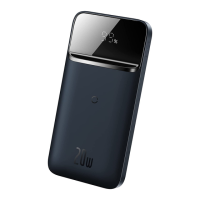
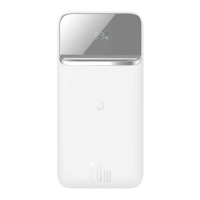
Visual representation of the power bank's physical layout and components.
An overview of the product's features, capabilities, and intended use.
Instructions for charging devices using a cable connection.
Instructions for charging devices wirelessly.
This document outlines the features, usage, and maintenance guidelines for a portable charging device.
This product is a versatile portable charging device designed to provide both wired and wireless charging capabilities for a wide range of digital products, including mobile phones, tablets, e-books, and game consoles. It integrates multiple charging technologies, offering a comprehensive power solution. Key functionalities include 2-in-1 wired and wireless charging, supporting 20W PD fast charging, Type-C dual-way fast charging, and 15W wireless fast charging. The device is equipped with built-in safety protection circuits to ensure secure operation. These include Foreign Object Detection (FOD), overcharge protection, over-discharge protection, and temperature protection, safeguarding both the device and the connected electronics. The primary purpose is to offer a convenient and reliable power source on the go, ensuring that your devices remain charged and ready for use.
The device is designed for ease of use across various charging scenarios.
Environment: It is suitable for use in non-tropical areas, with an optimal working temperature range of 0°C to 40°C. For storage, the ambient temperature should also be maintained between 0°C and 40°C.
Power Output and Display: To check the remaining battery level, simply press the button once. This action also initiates the power output function. The LED indicator will illuminate to display the current electric level and will automatically extinguish after 30 seconds to conserve power.
Wired Charging: For wired charging, connect the charging cable to the appropriate output port of the power bank. The power supply will automatically activate its output. In some cases, particularly with certain smartphones, you may need to press the key once to enable the power output function. This is a normal compatibility phenomenon and does not indicate a fault. Pressing the key once will supply power to the external equipment for approximately 30 seconds. If no external load is detected within this 30-second period, the power output will automatically turn off to save energy.
Wireless Charging: The device features an automatic wake-up function for wireless charging. When a compatible mobile phone is placed on the designated wireless charging area, the device will automatically begin charging. Similar to wired charging, some mobile phones may require a single press of the key to activate the wireless charging function. Upon pressing the key, the power indicator will light up, signifying that the wireless output function is active. If no wireless charging connection is established within 30 seconds, the product will automatically turn off the wireless charging function.
Wireless Charging Tips: For effective wireless charging, ensure that the mobile phone is placed directly on the wireless charging area of the product, which corresponds to the transmitting area of the wireless charging coil. The optimal wireless charging distance is within 8 mm. If the distance exceeds 8 mm, wireless charging may not occur. Adjust the phone's position to maintain the wireless charging distance within the specified range for optimal performance.
Proper maintenance ensures the longevity and safe operation of the device.
Safety Warnings:
Environmental Protection: The device carries a 5-year icon, which signifies its "effective life of environmental protection." This period indicates the duration during which the product is considered safe for use without posing environmental or health risks due to toxic and harmful substances. Electronic products contain substances like lead, mercury, and cadmium. Overuse beyond this period may lead to leakage or mutation of these substances, potentially causing environmental pollution or harm to people and property. The manufacturer will not be responsible for product quality issues or safety risks that arise after this designated safe use period.
Compliance: The product complies with the EU ROHS 2.0 directive (2011/65/EU) and adheres to the GB/T 35590-2017 implementation criteria. Information regarding toxic and hazardous substances in electronic information products is compiled in accordance with SJ/T 11364. An "O" indicates that the content of toxic and harmful substances in all homogeneous materials is below the limit specified in GB/T 26572. An "X" indicates that the content of toxic and harmful substances in at least one homogeneous material exceeds the limit stipulated in GB/T 26572.
This comprehensive guide ensures users can effectively and safely utilize and maintain their portable charging device.
 General
| Name | Baseus PPCXM10 |
|---|---|
| Category | Power Bank |
| Capacity | 10000mAh |
| Battery Type | Lithium Polymer |
| Input Ports | USB-C, Micro-USB |
| Output Ports | USB-C, USB-A |
| USB-C Input | 5V/3A, 9V/2A |
| Micro-USB Input | 5V/2A, 9V/2A |
| USB-C Output | 5V/3A, 9V/2.22A, 12V/1.5A |
| USB-A Output | 5V/3A, 9V/2A, 12V/1.5A |
| Output | USB-C, USB-A |
| Total Output | 18W |
| Output Power | 18W |
| Charging Protocol | PD, QC |
| Weight | 220g |
| Color | Black |
| Input | USB-C, Micro-USB |
| Type | Portable Power Bank |
| Input Voltage | 5V |
| Fast Charging Protocols | Power Delivery (PD), Quick Charge (QC) |
| Material | ABS + PC |

 To Next Page