Need help?
Do you have a question about the Baseus M36 and is the answer not in the manual?
Press button to view remaining electric level. LED indicator lights for 10 seconds.
Connect charging cable. LED indicator flashes to show charging status.
Connect USB cable to output port. Auto-initiates output, may require button press for some phones.
Press button, align phone to wireless area. Charges for 10 seconds if load detected.
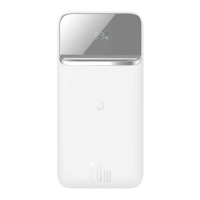
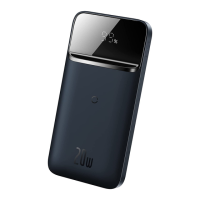
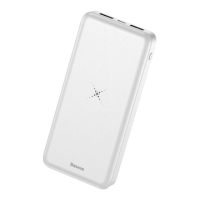
The M36 Wireless Charger Powerbank 10000 mAh is a versatile portable charging device designed to provide both wireless and wired charging solutions for a wide range of digital products, including mobile phones, tablets, e-books, and game consoles. Its primary function is to serve as an external power source, ensuring your devices remain charged on the go. The power bank features a Mic input for charging itself and dual USB outputs for charging other devices via cable, in addition to its wireless charging capability.
One of the key usage features of this power bank is its straightforward operation for checking the remaining electric quantity. By simply pressing the switch button once, the power output function is initiated, and the LED indicator will illuminate, displaying the current electric level of the power bank. This indicator remains lit for 10 seconds before automatically extinguishing, conserving power. This allows users to quickly assess the available charge before connecting their devices or recharging the power bank itself.
Charging the power bank is also designed to be user-friendly. When a compatible charging cable is connected to the power bank's input port, the LED indicator will flash, displaying the current electric level. This visual feedback confirms that the connection is properly made and that the power bank is actively charging. Users can monitor the charging status directly through these indicators. If the LED indicator does not light up after connecting the charging cable, it suggests a need to check the cable for a correct connection, ensuring efficient and reliable charging of the power bank.
For discharging by cable, the process is largely automatic. Users connect a USB output charging cable to the corresponding output port on the power bank, and the power bank will typically initiate its output automatically. However, for a small number of smartphone brands, pressing the button once might be required to initiate the power output function due to compatibility considerations. This is considered normal behavior and not a cause for concern. Once the button is pressed, the power output function remains active for approximately 10 seconds. If no external load is detected within this 10-second window, the power output will automatically turn off, preventing unnecessary power drain. This intelligent power management helps conserve the power bank's charge when not in active use.
The wireless charging feature offers added convenience. To activate wireless charging, the user presses the button once, which illuminates the LED indicator for 10 seconds. Within this timeframe, a wireless charging-supported mobile phone can be charged by simply placing it on the wireless charging area of the power bank. It is crucial to align the phone's receiving coil with the power bank's wireless charging coil for optimal performance. The wireless charging distance is effective within 6 mm. If wireless charging fails at distances greater than 6 mm, adjusting the phone's position within the effective range is recommended. Similar to wired discharging, if no wireless charging load is detected within 10 seconds, the power bank will automatically shut down the wireless charging function, again to conserve energy.
When charging the power bank itself, users have flexibility. The original USB cable or a micro charging cable can be used. The power bank is charged by inserting the cable into the micro port. Connecting the USB-A connector to a DC 5V or PC USB port will cause the LED electric level indicator to flash, signaling that the product is charging. Once fully charged, the LED indicator will become constantly lit, providing a clear visual cue that the power bank is ready for use.
Maintenance features for the M36 Wireless Charger Powerbank emphasize careful handling and appropriate environmental conditions to ensure its longevity and optimal performance. Users are advised to keep the charging contact surface on the back of their mobile phones free of metallic substances such as iron sheets, rings, or metallic protective covers when using the wireless charging function. Such items can interfere with charging efficiency and potentially cause issues.
During wireless charging, if discontinuous charging or severe heat is observed, it could be due to misalignment between the phone's receiving coil and the power bank's wireless charging coil, or the presence of metallic matter inside the phone's protective cover. In such cases, users should cool down their mobile phone, remove any protective cover, and realign the phone correctly on the charging area. This helps prevent overheating and ensures a stable charging connection.
The product incorporates an over-current protection function. Using improper products or accessories may trigger this protection, leading to a reduction in output power or a slower charging speed to ensure safety. Users should always verify that their devices and accessories are compatible to avoid such issues.
Environmental considerations are also important for maintenance and safe operation. The product should not be used in indoor environments with temperatures exceeding 40 °C. The recommended optimal working environment temperature is 25 °C. Furthermore, the power bank should not be placed in environments with excessively high temperatures (over 45 °C) or excessively low temperatures (less than -20 °C). It is also crucial to keep the power bank out of reach of children and not treat it as a toy.
For cleaning, a dry soft cloth should be used to wipe the surface. Chemical cleaners, soap, or detergents are explicitly prohibited, as they could damage the device. Users are also strongly advised against attempting to disassemble the product themselves. Improper use or incorrect placement can shorten the service life of the device, and any damage resulting from such actions may void the warranty. Adhering to these maintenance guidelines will help preserve the functionality and extend the lifespan of the M36 Wireless Charger Powerbank.
 General
| Bluetooth Version | 5.0 |
|---|---|
| FM Frequency | 87.5-108MHz |
| Product Type | Car Charger |
| Color | Black |
| Product Name | Baseus M36 |
| Material | PC+ABS |
| Features | FM Transmitter |

 To Next Page