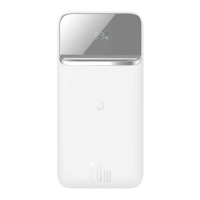
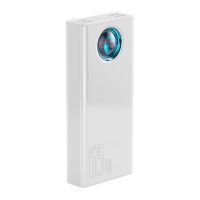
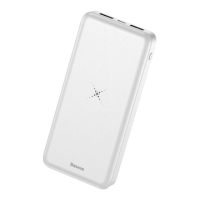
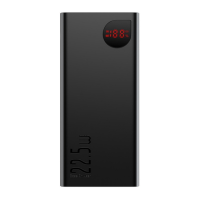
This document describes the Baseus Magnetic Wireless Quick Charging Power Bank 10000mAh 20W (Model: PPCXW10).
Function Description
This product is a portable charging device designed to provide both wired and wireless charging for a variety of digital products, including mobile phones, tablets, e-books, and gaming devices. It features a "two-in-one" capability, combining wired and wireless charging. Key functionalities include magnetic suction positioning for wireless charging, a digital display for power level, IP 20W PD fast charging, and three output options (including wireless output) with 15W wireless fast charging. The power bank incorporates built-in safety protection circuits for Foreign Object Detection (FOD), overcharge, over-discharge, and temperature protection.
Important Technical Specifications
- Name: Wireless Quick Charging Power Bank
- Model: PPCXW10
- Battery Type: Polymer battery
- Material: ABS+PC
- Capacity: 10000mAh/3.7V (37Wh)
- Rated Capacity: 5800mAh (5V === 3A)
- Energy Conversion Rate: ≥75%
- Type-C Input: 5V === 3A, 9V === 2A
- Wireless Charging Output: 15W
- USB Output: 5V === 3A, 9V === 2A, 12V === 1.5A
- Type-C Output: 5V === 3A, 9V === 2.22A, 12V === 1.5A
- USB+Type-C Combined Output: 5V === 3A
- Total Output: 5V === 3A
The device also features a fast charging indicator and a power indicator on its digital display.
Usage Features
Viewing Electric Quantity:
To check the remaining power level of the power bank, press the power button once. The LED indicator will light up for 30 seconds, displaying the current charge, and then automatically turn off.
Charging the Power Bank:
To charge the power bank, connect a charging cable (either the original USB cable or a Type-C charging cable) to the Type-C input port. The power indicator will light up, showing the current power level, which indicates a normal connection and that the power supply is charging. If the indicator does not light up, check the cable connection.
Charging Mobile Phones or Other Digital Devices (Wired):
- Verify that the charging voltage of your digital product matches the output voltage of the power bank.
- Use the original charging cable of your digital product. Connect one end to your device and the other to the corresponding output port on the power bank (USB or Type-C).
- The wired output port will automatically initiate charging, and the LED indicator will remain constantly lit. Due to compatibility issues, some smartphones may require pressing the power button once to activate output. The power output will automatically turn off after 30 seconds if no external load is detected.
Charging Mobile Phones (Wireless):
- Press the On/Off button once to activate the wireless charging function; the LED indicator will light up.
- Place your mobile phone with wireless charging capability at the center of the power bank's wireless charging area (marked on the device). The LED indicator will remain constantly lit during wireless charging.
- The wireless charging function will automatically turn off if no wireless charging access is detected within 30 seconds after pressing the button.
Wireless Charging Tips:
For optimal wireless charging, ensure the mobile phone is placed within the wireless charging area of the product, specifically the transmitting area of the wireless charging coil. The effective wireless charging distance is within 8mm. If the distance exceeds 8mm, wireless charging may not occur, so adjust the phone's position accordingly.
Maintenance Features
- General Care: Read all instructions and warnings before use. Non-standard use can damage the product or compromise personal safety.
- Cleaning: Use a dry, soft cloth to clean the surface. Avoid using chemicals, soap, or detergents.
- Storage and Environment: Do not expose the product to water, fire, high temperatures (above 45 degrees Celsius), or low temperatures (below -20 degrees Celsius). Keep out of reach of children and prevent them from contacting accessories.
- Disassembly: Do not disassemble the device yourself. Improper use or placement can reduce its service life or cause damage. The manufacturer is not responsible for issues arising from unauthorized disassembly.
- Charging Frequency: Charge the power bank regularly (at least every 5 months is recommended) to maintain its long service life.
- Safety Precautions:
- Do not cover the charging contact surface on the back of the mobile phone with metal materials (e.g., iron sheets, rings, metal protective cases).
- If intermittent charging or significant heating occurs during phone charging, it may be due to misalignment of the phone's receiving coil with the wireless charging coil, or a metal foreign object in the phone's protective sleeve. Cool the phone, remove the protective sleeve, and realign it.
- The product has over-current protection. If used improperly, it will turn off or reduce output power and charging speed to ensure safety. Check for improper equipment use.
- Avoid using electrical appliances or loads that exceed the product's output capacity (the circuit will be protected, and there will be no output).
- Avoid strong physical impacts such as knocking, throwing, trampling, or squeezing.
- Conversion Efficiency: Mobile power banks have conversion efficiency, so the battery capacity of the mobile power bank is not equal to the rechargeable capacity.
This product complies with EU Directives 2014/30/EU, 2014/35/EU, and 2011/65/EU (as amended by 2015/863/EU). It should not be disposed of as normal household waste but returned to a public collection point for recyclable waste, in accordance with WEEE Directive 2012/19/EU.

 Need help?
 General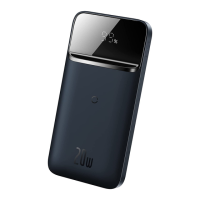

 To Next Page