7. Button controls
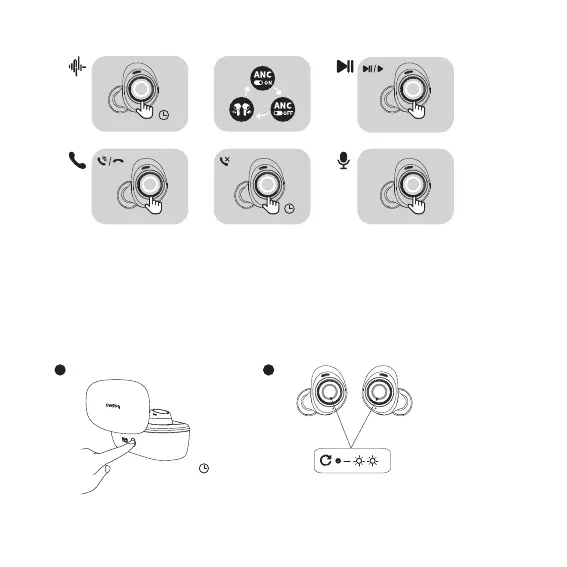
Noise reduction mode: Press and hold the left or right earphone (L or R) for 1s.
Play/Pause: Double-tap the left or right earphone (L or R).
Answer/Hang up a call: Double-tap the left or right earphone (L or R).
Reject a call: Press and hold the left or right earphone (L or R) for 1s.
Activate the voice assistant: Triple-tap the left or right earphone (L or R).
More operation commands can be customized on the app, such as volume adjustments.
8. Restore to default settings:
Ensure the earphones are inside the charging case. Open the lid and press and hold the button in the charging case for 5s. The white indicators
blink three times simultaneously.
3s
04


 To Next Page