4.Installation Instructions
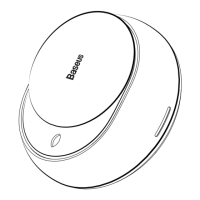
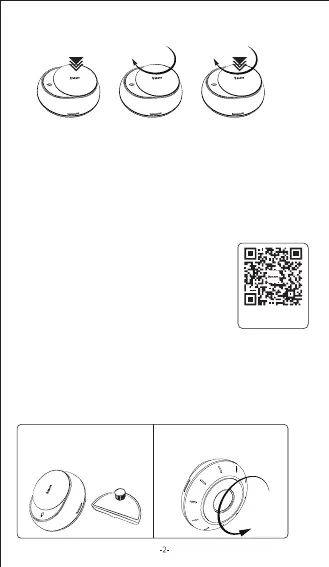
1. Prepare the main body of the
product and the essential oil
container.
2. Rotate the bottom case
clockwise to open.
Note: Connection should be completed within 3 minutes after power-on,
otherwise a restart is required for connection.
If the connection fails or the device cannot be found, please restart the device
and try again.
Baseus version (download the Baseus App, and
open the wireless function of
your cell phone).
1. Press the power switch for 2 seconds to turn on.
2. Open the Baseus App.
3. Tap “add a device” in the app to add Baseus
Smart Atomizing Air Freshener.
Restoring factory settings
Long press the switch for 10 seconds
Forced to restart Click the rest button
3.Connection Instructions
Turn on/off: Press the power switch for 2 seconds, then the light turns on, and it
sprays once.
Fog volume: Rotate the power switch clockwise to increase the volume, and rotate
counterclockwise to reduce the volume (continuously rotating the switch when it
reaches the maximum or minimum will stop spraying.)
Spray duration: Press and rotate the switch clockwise to increase the duration,
and press and rotate counterclockwise to reduce the duration (the shortest
duration is 0.3s, and the longest duration is 3 seconds).
Standby: Enters standby mode when no vibrationAnd no bluetooth connection or
operation is detected within 3 minutes.
Restart: Restarts when vibration or any key operation is detected.
Scan the QR Code
to download the app
Control switch
Rotate to adjust
fog volume
Press and rotate to adjust
spray duration


 To Next Page
 Loading...