Installation Guide
4 Basler IP Camera
2 Hardware Overview
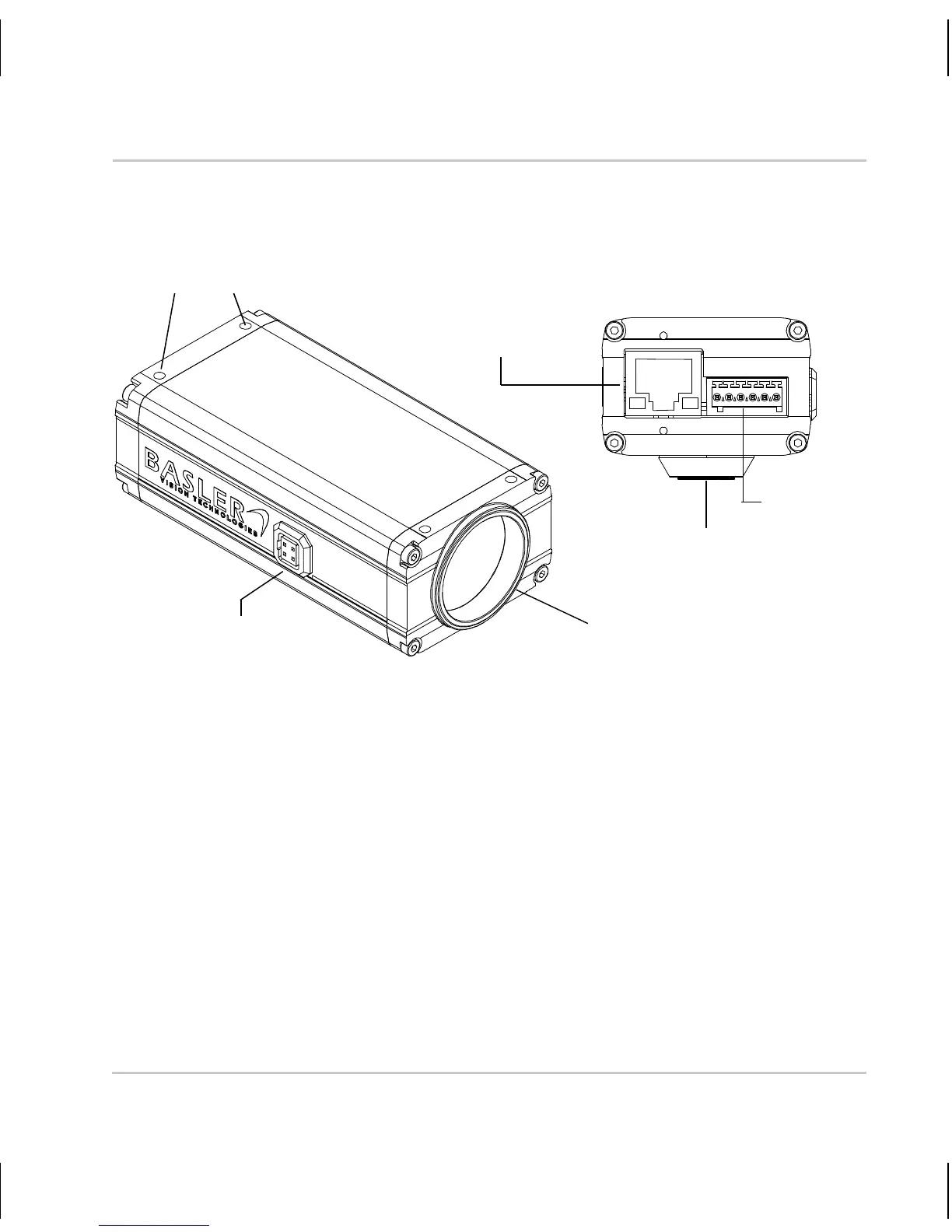
Fig. 1: Camera Connections
RJ-45 Network / PoE - Provides a 10/100 Ethernet connection and can be
used to connect Power over Ethernet (IEEE 802.3af) to the camera.
Terminal Connector - Provides connections for a direct power input to the
camera, connections for the camera’s input and output lines, and
connections for a standard RS-232 serial port that can be used to control
an external device.
DC Iris Control - Provides a connection for a DC auto iris.
CS-mount Lens Adapter - Provides a point to mount a CS-mount lens or
a C-mount lens on the camera (a 5 mm extension tube is required with a
C-mount lens).
Terminal
Connector
RJ-45
Network/
PoE
DC Iris
Control
CS-mount
Lens Adapter
1/4’’ Standard
Tripod Mount
8 Mounting
Holes, M3



 To Next Page