Need help?
Do you have a question about the Bassi BDX and is the answer not in the manual?
Details proper grounding procedures and line connection for the discharger unit.
Provides guidelines for selecting an appropriate installation location, considering clearance and environment.
Explains how to enter and navigate the user programming mode for device settings.
Details the process of connecting the battery and the automatic recognition by the discharger.
Describes error messages that may appear and how to address them.
Explains the steps and display information during the battery discharge cycle.
Details the discharger's protection against incorrect battery polarity connection.
Provides instructions and warnings regarding disconnecting the battery during discharge.
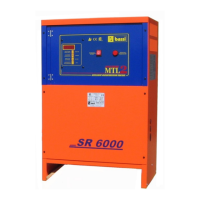
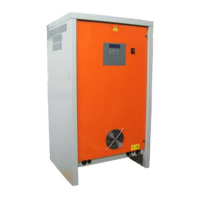
The BASSI-BDX is a battery discharger/analyzer designed to test the efficiency of various types of batteries, regardless of their voltage and capacity. This instrument performs a controlled discharge of the battery, maintaining a constant current through a high-frequency DC/DC converter. For smaller units, this converter is based on MOSFET technology, while larger units utilize IGBT technology.
The operation of the BDX is fully automatic. Users simply need to connect the battery, set the desired stop voltage, maximum discharge time, and discharge current. The entire test proceeds automatically, with partial results displayed on the digital screen.
Operating the BASSI-BDX requires strict adherence to safety rules and precautionary measures to prevent injury, death, or damage to equipment or property. Only qualified personnel should install, use, or service this battery discharger.
Bare conductors, output circuit terminals, or ungrounded, electrically-live equipment can cause fatal shocks. A competent electrician must verify that the equipment is adequately grounded, and users should be aware of electrically "HOT" terminals and parts. Working in damp areas increases the risk of shock due to decreased electrical resistance of the body. Always stand on a dry rubber mat or dry wood and use insulating gloves if dampness or sweat cannot be avoided. Keep clothing dry.
Electrical equipment must be installed and maintained according to all applicable national and local codes. A power disconnect switch is required at the equipment. Users should check the data label for voltage and phase requirements. If only 3-phase power is available, single-phase equipment should be connected to only two wires of the 3-phase line. It is crucial not to connect the equipment grounding conductor to the third live wire of a 3-phase line, as this can make the equipment frame electrically HOT and cause a fatal shock. If the power supply cable includes a grounding conductor, ensure it is connected to a properly grounded switch box or building ground. If not, use a separate grounding conductor. Never remove a ground prong from any plug and always use correct mating receptacles. Before use, check the ground for electrical continuity. The grounding conductor must be of a size equal to or larger than the size recommended by code or this manual.
Regularly inspect charging leads for insulation damage. Replace or repair cracked or worn leads immediately. Use leads with sufficient capacity to carry the operating current without overheating.
Avoid touching battery terminals while the equipment is operating.
Before inspecting, adjusting, or servicing the equipment, shut OFF all power at the disconnect switch or line breaker. Lock the switch OPEN (or remove line fuses) to prevent accidental power activation. Disconnect power to the equipment if it will be left unattended or out of service. Disconnect the battery from the discharger. Measure voltage on capacitors and wait 5 minutes if any voltage reading is present before proceeding. Keep internal parts clean and dry, as dirt and/or moisture can cause insulation failure, potentially leading to high voltage at the discharger output.
Batteries can produce very high currents when short-circuited, causing severe skin burns if in contact with metal conductors carrying this current. Do not allow rings on fingers to touch battery terminals or cell connectors. Battery acid is highly corrosive; always wear appropriate eye and body protection when near batteries.
During recharging, batteries generate hydrogen gas, which is explosive in air concentrations between 4.1% and 72%. Spark-retarding vents slow hydrogen release, but poor ventilation can still create an explosive atmosphere around the battery. The ventilation system must be designed to provide adequate fresh air for the number of batteries being charged to prevent explosions. Keep sparks, flames, burning cigarettes, and other ignition sources away from the battery recharging area. Do not break "live" circuits at battery terminals. Avoid placing tools or metallic objects on top of any battery. To prevent arcing and burning of connector contacts, ensure the discharger is OFF (digital display completely OFF) before connecting or disconnecting the battery.
First aid facilities and a qualified first aid person should be available for each shift for immediate treatment of electrical shock victims. In an emergency, call a physician and ambulance immediately, and use First Aid techniques recommended by the American Red Cross. If electric shock is suspected and the person is unconscious, do not touch them if they are in contact with charging equipment, battery, charging leads, or other live electrical parts. Disconnect power at the wall switch, then administer First Aid. Dry wood, a wooden broom, or other insulating material can be used to move cables away from the person if necessary. If breathing is difficult, administer oxygen. If not breathing, begin artificial breathing (mouth-to-mouth). If pulse is absent, begin artificial circulation (external heart massage). In case of acid in the eyes, flush thoroughly with clean water and seek professional medical attention immediately.
Inspect all precautionary labels on the equipment. Order and replace any labels that are not easily readable.
The discharger must be installed by qualified personnel only. To avoid injury, users are not permitted to open the cabinet. All installation and service operations should be performed by qualified electricians. To prevent fire or shock hazards, do not expose the discharger to rain or moisture. Do not use the discharger in the presence of flammable gas, as it can generate sparks. Do not install the discharger near flammable materials. To reduce the risk of fire, the discharger must be installed on a non-combustible floor. If this is not possible, a steel floor plate of at least 1.6mm (0.06 inches) extending at least 150mm (6 inches) beyond the discharger on all sides must be installed.
Before installation, verify that the discharger's input voltage (V) matches your AC power supply voltage. Also, ensure that your AC power supply can provide the discharger's maximum input power (KVA).
Warning: The battery discharger's cabinet must be properly grounded to protect personnel from electrical shock in case of a fault. The grounding conductor must have a current-carrying capacity equal to or greater than that of the AC-input wires. Caution: Ensure adequate air circulation to prevent internal heat buildup. Do not place the unit near materials that could block ventilation slots. Do not install the unit near heat sources like radiators or air ducts, or in locations exposed to direct sunlight, excessive dust, mechanical vibration, or shock.
If the discharger is connected to the AC power supply with a flexible jacketed cable, it should include a separate grounding conductor. If an input cable without a grounding conductor is used, the equipment must be grounded with a separate conductor. Minimum size and color coding requirements must comply with applicable national or local codes.
Turn on the discharger by moving the main switch to position "1". The discharger will perform an automatic test of its control circuits and then wait for a random delay before starting. The display will show the following messages:
BASSI
BDX
BATTERY
DISCHARGER
SYSTEM CHECK
PLEASE WAIT ...
BDX DISCHARGER
MAX xxx V - xxx A
SYSTEM READY
DATE
TIME
Press and hold the DOWN button for 3 seconds. The display will show:
EDIT PASSWORD
Enter the Programming Password. The display will then show:
MOD. SETTING
Press the UP and DOWN buttons simultaneously.
Connect the battery to the discharger using an appropriately sized connector. Once the battery is correctly connected, the discharger will display:
BATTERY
CONNECTED
The display will then show:
AMPERE DISCHARG.
100 A
The discharger displays the current value used in the previous discharge cycle. The user must set the current (Amps) according to the battery's capacity, desired discharge time, and size. To change this setting, press and hold the ENTER button for 3 seconds, use the UP/DOWN buttons to adjust the value, and then press and hold ENTER for 3 seconds to confirm.
Press the DOWN button to scroll to the next parameter.
DISCHARGING VOLT
22.6 V -> 19.4 V
The left side shows the real battery voltage, while the right side shows the target final voltage, which defines the end of the discharge cycle. The user must set this final voltage (V) according to the battery's capacity, desired discharge time, and size. To change this setting, press and hold the ENTER button for 3 seconds, use the UP/DOWN buttons to adjust the value, and then press and hold ENTER for 3 seconds to confirm.
Press the DOWN button to scroll to the next parameter.
AMPEREHOUR DISCH
200Ah
The discharger displays the capacity value used in the previous discharge cycle. The user must set the capacity (Ampere-Hours) to be returned (OFF) according to the battery's capacity, desired discharge time, and size. This returned capacity will define the end of the discharge cycle. To change this setting, press and hold the ENTER button for 3 seconds, use the UP/DOWN buttons to adjust the value, and then press and hold ENTER for 3 seconds to confirm.
Press the DOWN button to scroll to the next parameter.
DISCHARGING TIME
4 HH
The discharger displays the maximum discharge time used in the previous discharge cycle. The user must set the maximum discharge time (HOURS) to be returned (OFF) according to the battery's capacity, desired discharge time, and size. This maximum time will define the end of the discharge cycle. To change this setting, press and hold the ENTER button for 3 seconds, use the UP/DOWN buttons to adjust the value, and then press and hold ENTER for 3 seconds to confirm.
To launch a discharge cycle, press the UP and DOWN buttons simultaneously. Once the discharger is properly set, the display will show:
PREPARING TO
DISCHARGE
If the user enters incompatible values for Ampere, Ampere-Hour, Time, or Final Volt, the display will show:
ERROR
PARAMETER
If this message appears, it is recommended to verify all inserted parameters and launch a new discharge test.
If the battery voltage is below a minimum threshold, the discharge cycle will not start, and the display will show:
BATTERY VOLTAGE
TOO LOW !!!
If this message appears, it is recommended to verify the nominal battery voltage.
If the battery voltage is above a maximum threshold, the discharge cycle will not start, and the display will show:
BATTERY VOLTAGE
TOO HIGH !!!
If this message appears, it is recommended to verify the nominal battery voltage.
If the battery temperature exceeds a maximum threshold, the discharge cycle will stop, and the display will show:
BATTERY TEMPERATURE
TOO HIGH !!!
If this message appears, it is recommended to verify the battery temperature and potentially redefine the Amps settings, as the battery may be experiencing thermal stress.
If the discharger encounters difficulty maintaining a constant current phase, the display will show:
EMERGENCY STOP
CURRENT
If this message appears, it is recommended to verify that the battery voltage is not too low and that the discharge current is not too high.
If the discharger is unable to manage the output current, the display will show:
EMERGENCY STOP
SEE MANUAL
If this message appears, it is recommended to wait 30 minutes to allow the internal temperature of the discharger to reduce. After this time, a new discharge cycle can be launched.
Once preliminary controls are complete, the discharge begins, and the display shows the following information:
xx.x V
xxx Ah
xxx A
x.x t
The discharger performs a constant current discharging profile. While the discharge is in progress, users can scroll through different menu pages using the UP/DOWN buttons:
If an AC input blackout occurs during discharge, the discharger will shut down. When AC input is restored, the discharger will wait for the user to launch a new discharge cycle.
RESTART AFTER
POWER SUPPLY OFF
The dischargers are equipped with active protection against connecting batteries with reverse polarity. If a battery with reverse polarity is connected, the discharger remains in a safe Stand-By mode.
Warning: Do NOT disconnect the battery from the discharger while it is discharging. This can result in arcing, burning of connectors, or battery explosion. If it is necessary to disconnect the battery during discharge, press and hold the UP button for five seconds to manually stop the discharger. The discharger will suspend the discharge, and the display will show:
MANUAL
STOP
At this point, the battery can be disconnected. The discharge can be restarted by pressing the UP button for 5 seconds.
The discharger features built-in Anti-Arcing protection. To activate this function, an optional wire loop must be added using a battery connector equipped with Auxiliary Pins. Contact your local dealer for more information.
The discharger's internal memory stores a log of the last 150 discharge cycles. The most significant parameters can be viewed on the display. The history log can be accessed at any time, even during a discharge cycle. Scroll the menu using the UP-DOWN buttons until the display shows the first page of the most recent history log, in this format:
01
2009/06/01
24.0V
10:30
31.3V
Press and hold ENTER for 3 seconds until the cursor blinks over the number "01" at the top left of the display. The results of each discharge cycle are presented across two or three pages. Use the UP-DOWN buttons to scroll between records.
No
VSTART
VSTOP
Start Date and Time
Where:
T=01:00
Ah=125Ah
V=23.0
I=100A
Where:
End Date and Time
TT
HH.MM
AHRET
Where:
Termination code 99 can occur in two scenarios: a) The operator interrupted the charger using the general interruptor 0-1. While it's generally better to use the STOP button, many operators use the interruptor, which is not a problem. b) An external blackout occurred. Normally, this is not an issue. However, if the battery was not well charged, it might indicate that the operator unplugged the battery too early, or a genuine blackout occurred (in which case other chargers would also show the same termination code).
 General
| Input Voltage | 100-240V AC |
|---|---|
| Output Voltage | 12V DC |
| Output Current | 5A |
| Compatible Battery Types | Lead-Acid (AGM, GEL, Wet) |
| Protection Features | Over-voltage, Over-current, Short-circuit |


 To Next Page