EasyManua.ls Logo

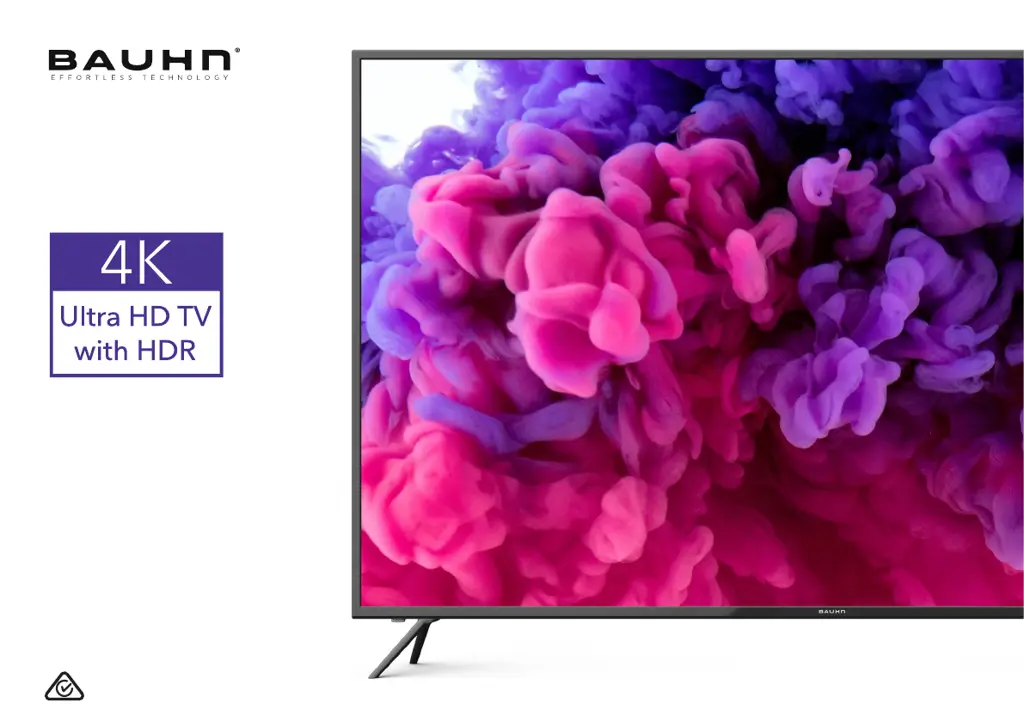
Bauhn ATV65UHD-0420 - User Manual

Bauhn ATV65UHD-0420
48 pages
Print Icon
To Next Page IconTo Next Page
Loading...
User Manual
MODEL: ATV65UHD-0420
65

Questions and Answers

  • A
    Alex ElliottAug 14, 2025
    How to fix no power on Bauhn ATV65UHD-0420 LCD TV?
    • L
      Luis DanielsAug 14, 2025
      If your Bauhn LCD TV has no power, first check that the power outlet is turned on. If you're using a multi-outlet, ensure it's working correctly by plugging the TV directly into a wall outlet and checking if the white indicator light on the TV illuminates. Also, try powering on the TV using the button located on the TV itself.
  • A
    Ashley CarrollAug 17, 2025
    How to troubleshoot sound issues on Bauhn ATV65UHD-0420 LCD TV?
    • S
      Stephen BentleyAug 18, 2025
      If your Bauhn LCD TV is experiencing sound issues, make sure all equipment is connected properly. Verify the correct input setting for the TV and ensure audio output settings and volume control on any external devices are correctly configured. Check that the volume isn't muted by pressing the /MUTE or the VOL+ button. If earphones are connected, unplug them. Adjust the volume to a suitable level using the VOL+ / VOL- button. If using an external audio device, check that the Menu > Sound > S/PDIF setting is set to 'PCM'. For external audio devices connected via HDMI, confirm that the audio device supports HDMI-ARC. If the TV sound isn't synchronised with the picture, adjust the sync in Menu > Sound > Audio Delay.
  • P
    perezheatherAug 21, 2025
    What to do if Bauhn ATV65UHD-0420 has picture issues?
    • K
      Kyle PattonAug 21, 2025
      If your Bauhn LCD TV is displaying picture issues, ensure that all equipment is properly connected. If you're using an external device, try turning it off and then on again. If the screen shows 'no signal,' select the correct source input. Adjust the antenna position and move the TV away from electronic equipment that may cause interference. Auto-tune free-to-air TV channels again and try another channel. When HDMI devices are connected, ensure the HDMI cable is a high-speed cable, correctly connected, and not faulty if the image flickers. For 4K UHD pictures, if the image flickers or there is no image, adjust the setting to 'Enhanced' in Menu > System > HDMI UHD.
  • M
    Matthew RogersAug 25, 2025
    Why is remote control not working on Bauhn LCD TV?
    • S
      Sean FischerAug 25, 2025
      If the remote control for your Bauhn LCD TV isn't working, start by checking that the batteries are correctly installed and replace them if they may be exhausted. Ensure you're pointing the remote control at the remote control sensor and are within 6 metres of the sensor. Remove any obstacles between the remote and the sensor. When you press a button, check if the power indicator light on the TV blinks.
  • J
    Jessica HollowayAug 28, 2025
    What to do if Bauhn ATV65UHD-0420 doesn't recognize USB device?
    • A
      Amanda MillerAug 28, 2025
      If your Bauhn LCD TV does not recognise your USB device or external hard disk, first, refer to the instructions describing how to use USB devices with this TV. If the problem persists, your USB device may not be compatible. This TV has been tested with the majority of Flash memory-based devices and hard disks (media players with HDD) on the market; however, it may not be compatible with certain devices, in particular external self-powered hard disks. Some USB storage devices may not be compatible with this TV. Only use a USB storage device formatted in a FAT32 file system provided with the Windows operating system. If it is formatted by a different utility program that is not supported by Windows, it may not be recognised.
  • M
    Mary LongAug 31, 2025
    How to fix button operation on Bauhn LCD TV?
    • C
      Calvin CampbellAug 31, 2025
      If the button operation on your Bauhn LCD TV or its remote control is ineffective, try disconnecting the power plug and then reconnecting it. This issue may occur due to lightning, static electricity, or other factors.
  • A
    Anita HamiltonSep 3, 2025
    What does 'Disk not ready' mean on Bauhn ATV65UHD-0420 LCD TV?
    • E
      Erica SmithSep 4, 2025
      When you are in time-shift recording mode on your Bauhn LCD TV, without removing the USB recording device, you may experience some difficulty with a scheduled recording. You will need to remove the USB device as it is required to reset after each recording to protect the device from damage. If you see the message ‘DISK NOT READY’ displayed, remove the device, reconnect and proceed with your recording.
  • D
    deborah60Sep 7, 2025
    Why is my media loading slowly on Bauhn ATV65UHD-0420?
    • D
      Danny SheltonSep 7, 2025
      For large file sizes and large capacity storage devices, the loading speed may be slower on your Bauhn LCD TV. Also, the recognition speed of a USB storage device may vary depending on the device.
  • J
    Jeremy BennettSep 12, 2025
    What does 'unsupported file' message mean on Bauhn LCD TV?
    • S
      Susan BaileySep 12, 2025
      If your Bauhn LCD TV displays an “Unsupported File” message, it indicates that the file extension, video codec, image resolution, or frame rate is not supported.

Summary

Unpack and Prepare

Important Tips

Attaching the Stand

Wall-mounting the TV

Connections

Power and Antenna Setup

Guides on connecting power and antenna for TV operation.

Controls and TV Overview

Ports and Connectivity

Port Descriptions

Details HDMI, ANTENNA, and USB port functions.

Audio and Video Ports

Explains connections for headphones, digital audio, AV, and component inputs.

Remote Control Setup

Battery Precautions

Lists safety guidelines for battery usage and disposal.

Using the Remote

Remote Operation Tips

Offers advice on optimal remote control usage and care.

Standard Remote Functions

Easy Remote Functions

Initial TV Setup

First Time Installation

Guides users through the initial setup process upon first turning on the TV.

TV Setting Menus

Menu Navigation Buttons

Explains how to navigate the TV's settings menu with the remote.

TV Guide

Recording Tips

Recording Live TV

Pause Live TV (Time-shift)

USB Mode Setup

Media Playback

Troubleshooting

Common Issues and Solutions

Solves power, button, and remote control issues.

Display and Audio Problems

Addresses picture, sound, and live TV reception problems.

USB Device Issues

Solutions for TV not recognizing or processing USB devices.

Specifications

Warranty Information

Support and Returns

Product Malfunction

Advice on contacting support for product issues before store return.

Bauhn ATV65UHD-0420 Specifications

General IconGeneral
Screen Size65 inches
Resolution3840 x 2160
Display TypeLCD
HDR SupportYes
Smart TVYes
HDMI Ports3
USB Ports2
Audio Output20W
Wi-FiYes
BluetoothYes
Operating SystemAndroid

Related product manuals