5
: DO NOT OVERLOAD THE DRUM.
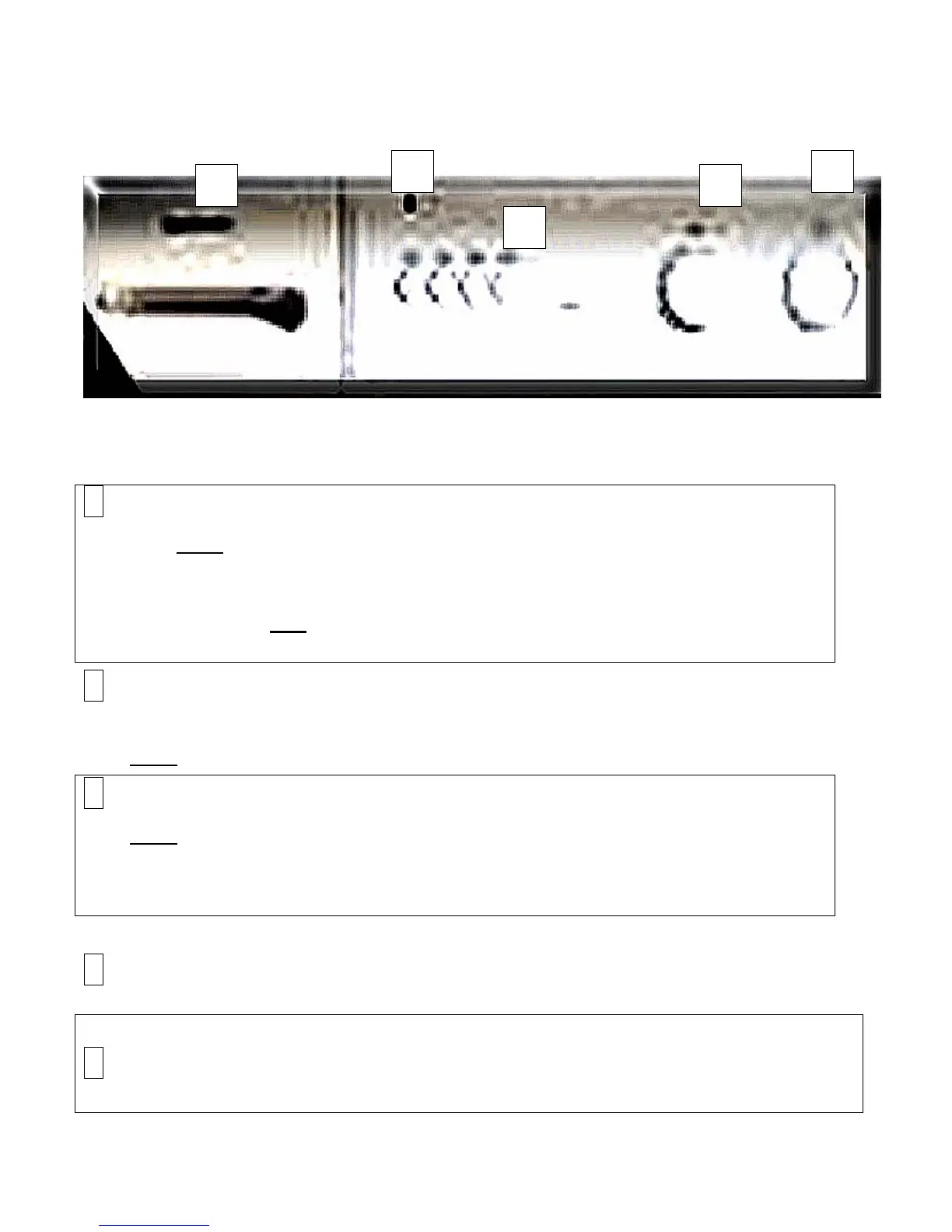
Your BTWM4’s Control Panel
Key to above figure:
1 – Programme Selector (see pages 12-13 for details on use).
Turn this knob to select a Washing programme OR to select a Drying
programme, depending on the dirtiness of your laundry. To set the
programme, firstly ensure that your appliance is OFF (i.e., the position of the
ON/OFF button is out) and turn the knob clockwise until the needle points
to the mark matching the programme you want to use.
2- Wash Temperature Selector Control Knob (see page 13 for
details on use).
This knob adjusts the washing temperature within your appliance.
3 – Additional Function Buttons (see page 15 for details on use).
This knob adjusts the temperature of your wash or drying cycles.
Always check the labels of your clothes before grouping them for a wash
load.
4 – Detergent Dispenser Drawer.
5 – ‘On’ Light
Comes on during operation.
1
2
3
4



 To Next Page