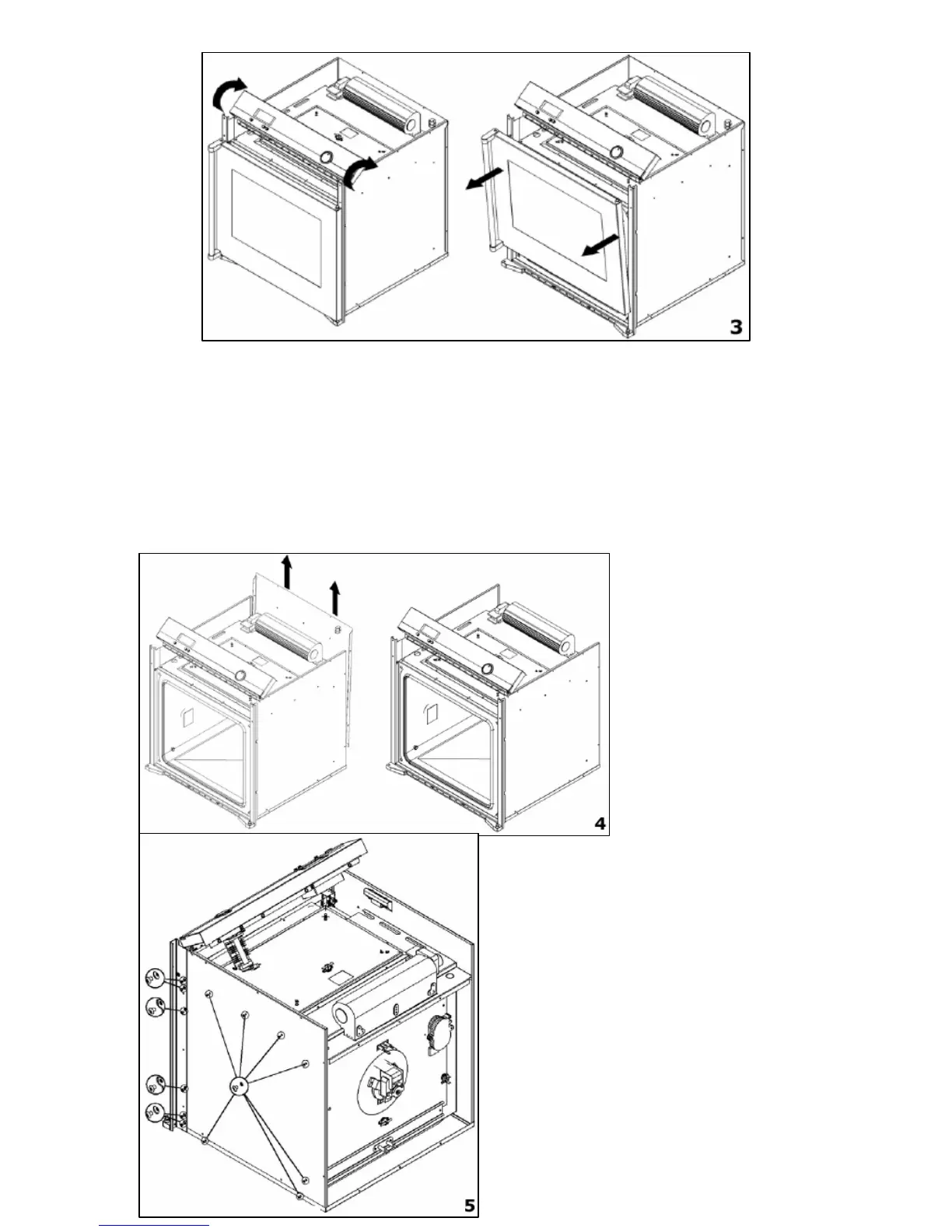
3) IMPORTANT: Support the oven door from the underneath
whilst attempting the next stage.
o Rotate the control panel as shown whilst supporting the
underneath of the oven door.
o Pull the door away from the oven cavity and gently lean it on
some padded material, to ensure that no damage is caused to
the oven door or door glass.
22
4) Loosen the
screws of the rear
cover, but before
removing the
cover, you should
disconnect the
wiring going into
the switch box.
5) Loosen the screws that are
shown in the diagram opposite,
on both sides of the appliance.
No other screws should be
removed.


 To Next Page