Operation
Device to be operated in a perfect state only. Inspect the device visually every time it is to be used.
Check the safety equipment, electrical controls, electric cables, and screwed connection for damage and
if tightened properly. Replace any damaged parts before operating the device.
WARNING! Unplug battery before all maintenance and settings! Never remove the battery while the
machine is running. In case of longer standstill, press the shut-down button. Use the electric motor only
with sufficient battery charge.
Starting the Electrical Support
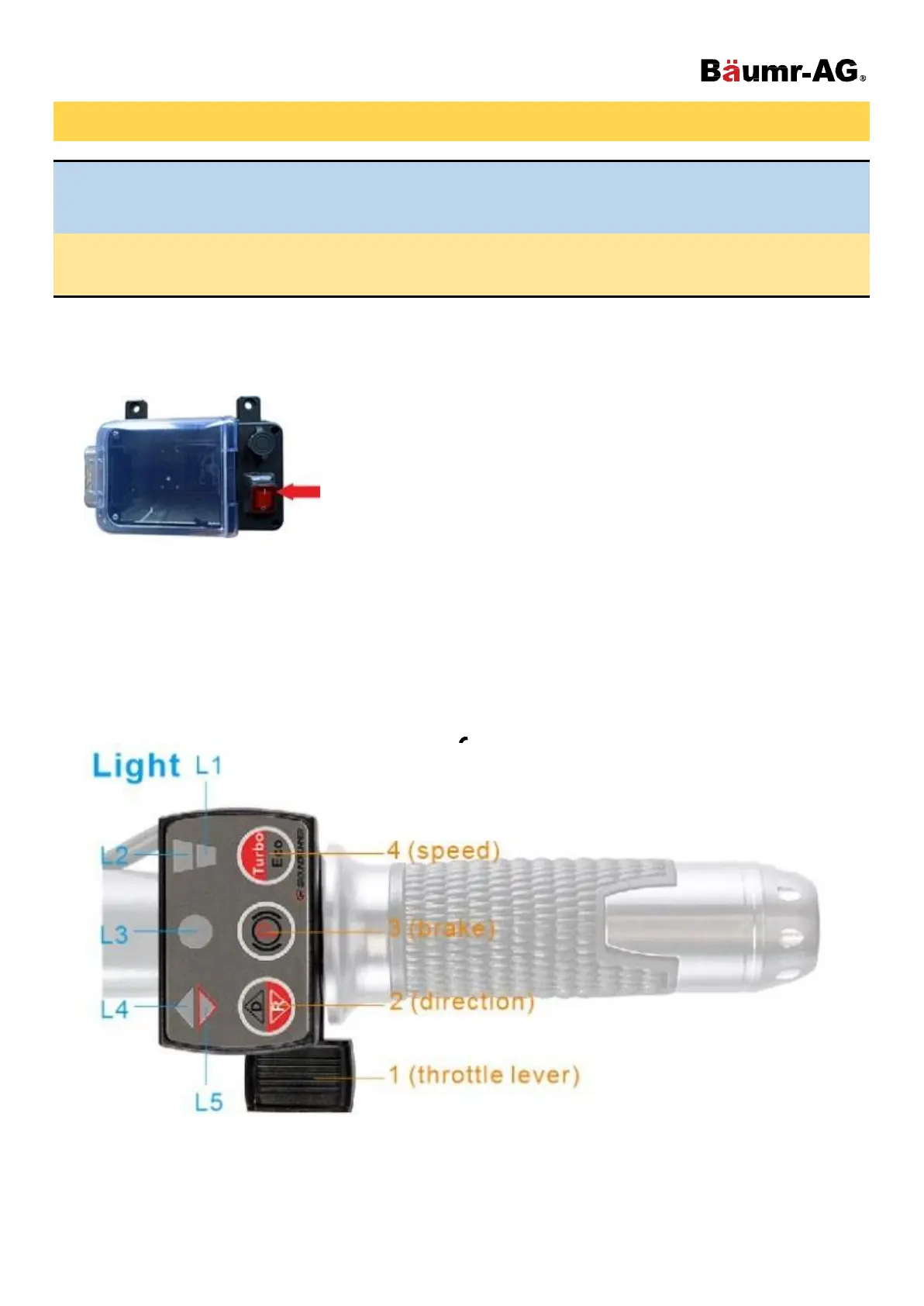
1. Press the button on the battery box to ‘I’ to turn ON.
2. Light: #L4 (green), #L3 (green), #L1 (green) is ON, light #L2 and #L5 is OFF.
3. Press the throttle lever #1, the wheelbarrow will go forward.
4. Press button #2 once, the light #L4 will be ON, light #L5 will also turn on. Press throttle lever #1, the
wheelbarrow will go backwards.
5. If you press button #3, then light #L3 will turn red, and the EBS brake will engage. The wheelbarrow won’t
move even, even if you press throttle lever #1. Press button #3 again, and the EBS will get deactivated.
6. If you press button #4, the light #L2 will turn ON, and the wheelbarrow will operate in Turbo mode with bigger
power. Press button #4 again, and the wheelbarrow will return to Eco mode that has a longer working time.



 To Next Page