EasyManua.ls Logo

Baxtran BR90 - User Manual

Default Icon
48 pages
Go to English
Print Icon
To Next Page IconTo Next Page
Loading...
ES|FR|EN|IT
INDICADORES DE PESO
INDICATEUS DE POIDS
WEIGHT INDICATORS
INDICATORI DI PESO
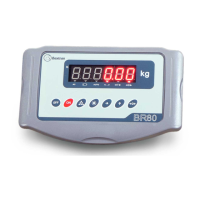
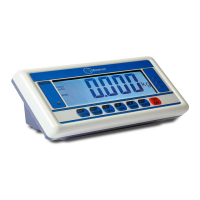
BR80-BR90
MANUAL DE USUARIO | MANUEL D’USAGER | USER’S MANUAL | MANUALE D’USO
trade mark propiety of | marca propiedad de | est une marque de | Warenzeichen Proprietät von
marca de propriedade de | marchio di proprietà di :
Pol. Empordà Internacional C/ Molló, 3
17469 VILAMALLA - (Girona) SPAIN
T. (34) 972 527 212
El fabricante se reserva el derecho de modificar sin previo aviso las características de sus productos para introducir mejoras técnicas o cumplir con nuevas regulaciones oficiales / The
manufacturer reserves the right to modify the specifications of its products in order to make technical improvements or comply with new regulations / Le constructeur se réserve le droit de
modifier les caractéristiques de ses produits en vue d’y apporter des améliorations techniques ou de respecter de nouvelles réglamentations / Il produttore si riserva il diritto di modificare le
caratteristiche dei prodotti senza preavviso per introdurre miglioramenti tecnici o per conformarsi a nuove normative ufficiali
V.7.2
20/07/2023

Table of Contents

Question and Answer IconNeed help?

Do you have a question about the Baxtran BR90 and is the answer not in the manual?

Baxtran BR90 Specifications

General IconGeneral
BrandBaxtran
ModelBR90
CategoryAccessories
LanguageEnglish

Summary

Keyboard Functions

Function Selection Button

Selects functions during operation or configuration.

Technical Description

Power

Configuration

Initial Setup and Self-Test

Initiates self-test and turns on the indicator.

Enter Configuration Mode

Enters the scale's configuration settings.

Set Scale Divisions

Sets scale divisions (d).

Configure Full Scale (F-S)

Configures scale F-S (Full Scale) values.

Set Display Filter Parameters

Sets display filter parameters (FLL).

Configure Power-Off and Zero Set

Configures automatic power-off and zero set options.

Calibration

Start Self-Test and Weighing Screen

Starts indicator self-test and enters weighing screen.

Enter Calibration Mode

Enters the calibration mode.

Perform Zero Calibration

Initiates zero calibration.

Perform Full Scale Calibration

Performs full-scale calibration with a standard weight.

Zero

Tare

Manual Weight Accumulation

Automatic Memory Accumulation

Precaution

General Safety and Usage Precautions

Covers environmental, electrical, and physical safety guidelines.

Related product manuals