ES FR ENG
User’s guide
MPI
14
NORMAL UNIT PRICE INPUT
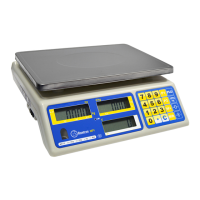
In weighing mode, press the white number keys to change the unit price. Total price will be automatically
calculated when there is weight on the scale.
PLU DATA SETTING
1. Use the white number keys to set the Unit Price.
2. Press the preset
key (P1 or P2) to select the desired PLU memory.
3. Press
to save your settings.
If the input isn’t completed within 30 seconds, the setting will be suspended and return to normal weighing
mode.
LOADING PLU
In weighing mode, press the key to recall the unit price data.
MODIFY PLU
1. Press the white keys to enter the Unit Price.
2. Select the PLU you want to modify.
3. Press
to save your setting. The old PLU data is overwritten and the new price has been upda-
ted.
OPERATION OF M+
1. Load the weight on the scale and input the unit price.
2. Press
to accumulate the weighing result in memory. When a beep sounds, M+ indicator appears on
the LCD “≡ 01 ≡” appears in the Weight column to show the first accumulation is recorded.
3. Clear the load on the weighting pan.
4. Input the unit price and place another load on the weighing pan. Then press
. After a beep sound,
“≡02≡” appears in the weight column, indicating second data has been recorded.
After each recording, if the load on the weighing pan is not cleared, pressing
will result in the long beep
and the scale will not be able to record the next weighing result.
The scale can save up to 199 weighing results.
OPERATION OF MR
1. In weighing mode, press and the Unit Price column will be cleared. The Weight column shows “-1-”
as number of accumulation, or “≡ XX ≡” as total number of accumulated additions. The total price co-
lumn shows the total price or total accumulated price.
2. Press
to toggle the weighing results and the total accumulation is displayed when all weighing results
are shown.
3. When you press
the first time, the first accumulation is displayed “-01-” and the weight data is flas-
hing in the Weight column, and the Total Price column shows the Accumulated Price.
4. Press
the second time, the accumulation is displayed “-02-” and the weight data is flashing in the
Weight column and the Total Price column shows the Accumulated Price. Press
again to cycle through
all the data on memory.
5. Press
again, and when “≡ XX ≡” is displayed in the Weight column, it indicates the total number of
accumulations. The total accumulated price is displayed in the Total Price column.
ONLY FOR SCALES WITH PRINTER AND PROGRAMMED AT FACTORY


 To Next Page