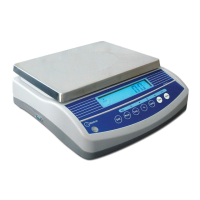
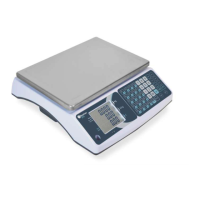
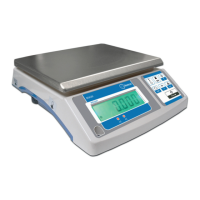
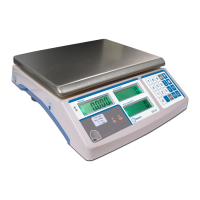
User’s Guide Top loading scale Model RAD
26
ESFRENG
Then display shows “beep x”, this used to set the check weighing type, use Tare key to select the check weighing mode, press
key to sure.
Beep 1: beeper will on when weight between hi limit and low limit range.
Beep 2: beeper will on when weight out of hi limit and low limit rang.
Beep 0: beeper will not on whether.
If the printer has been set as “EPM”, you could set the year/date and time, the format is YYYY/MM/DD HH:MM.
Example: 2008/12/01 15:32.
Then display show the power auto off time , you can use Tare key to select the time.
0: shut off power auto off function.
3: the scale will auto power off after 3 minutes if the weight without any change or no key is pressed.
5: the scale will auto power off after 5 minutes if the weight without any change or no key is pressed.
15: the scale will auto power off after 15 minutes if the weight without any change or no key is pressed.
30: the scale will auto power off after 30 minutes if the weight without any change or no key is pressed.
Then display show return. Press the
key to come back to the normal weighing mode.
10. ERROR CODES
During the initial power-on testing or during operation it is possible the scale may show an error message. The meaning of the error
messages is described below.
If an error message is shown repeat the procedure that caused the message, turning the balance on, calibration or other functions. If
the error message still is shown then contact your dealer for further support.
ERROR CODE DESCRIPTION POSSIBLE CAUSES
Err 4
Initial zero is greater than
allowed (4% of maximum ca-
pacity) when power is turned
on or when the
key is
pressed.
Weight on the pan when turning the scale on.
Excessive weight on the pan when zeroing the scale.
Improper calibration of the scale. Damaged load cell.
Damaged electronics.
Err 5 Keyboard error. Improper operation of the scale.
Err 6
A/D count is not correct when
turning the scale on.
Platform not installed.
Load cell damaged.
Electronics damaged.
Err 7
Can’t set current weight as
100%.
This message only show when you press
key in zero point.
Err 8 Calibrate weight error Use incorrect weight.
Err 9 Unstable, can’t return to zero.
This message only show during turn on power, please keep the
scale stable or warm the scale for some minutes.


 To Next Page