8
Function Conguration
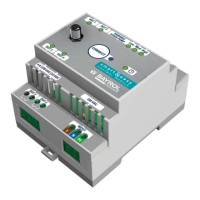
Once you have successfully connected your Smart&Easy Control Module, you can use the Smart&Easy Control Module
icon to dene your connected functions (pool equipment).
→ It is best to use the step-by-step instructions for the initial commissioning.
8.1 Filter Pump
Use the toggle button to select whether you are using a frequency-controlled or single-stage lter pump. When using
a VSP, the digital outputs will be used to control 3 different speeds of the pump.
When using a single-speed lter pump (ON/OFF): Please make sure that the use of a VSP via the toggle button is
deactivated and please select a free output (OUT 1 – 4) to which the pump should be connected.
Features:
– 3 timers
– Smart-Mode:
Automatic regulation of the lter duration depends on the measured pool temperature. To do this, enter the desired
start time, the pump speed (VSP only), and the respective lter duration at 30 °C and at 12 °C. The lter duration is
now automatically calculated for the water temperature measured in the pool and no timers are required.
– Winter Mode:
If the water temperature drops below 12°C, the lter pump is only switched on for a dened period. To do this, enter
the duration and the desired pump speed (VSP only).
– Anti Freeze Function:
When the antifreeze function is activated, the lter pump is automatically switched on as soon as the water temper-
ature measured in the pool drops below an adjustable value. To do this, enter the desired temperature value, pump
speed (VSP only), hysteresis, and minimum runtime.
– Boost Mode:
When the boost mode is activated, the lter pump is automatically activated. This feature is only active on
Automatic Salt.
Only possible with VSP:
– Prohibit/allow activation of disinfection and pH dosing for different lter speeds.
– Visual display of the current lter speed in the function menu
– Setting the pump running time with the respective lter speeds in the timers
8.2 Pool lighting multicolor
You have the option of controlling pulse-controlled pool lighting via this function.
Features:
– Denition of pulse duration and on/off switching time
– Toggle button for changing the light program
– 3 timers with the possible denition of the respective light program
Hint
When using single-color pool lighting, please use the “Universal Switching Function” (point 8.4)
8.3 Heating
This function regulates your heating by activating (AUTO) or deactivating (OFF) the output. In AUTO mode, the heater
is turned on until the desired temperature is reached.
Hint
The function is only active when the lter pump is running. When using a frequency-controlled pump, you can set
the pump speed at which the heater can be switched on in the expert menu.
8.4 Universal switching function
In the universal switching function, you have the option of setting up to three timers and only releasing the function
when the lter pump is running.
Hint
If you would like to switch on single-color pool lighting, please use this function.
8.5 Not needed
Please select this setting for switching outputs that are not in use.
30


 To Next Page
 Loading...