Bayside Megara Fan Installation Instructions
5 | P a g e v 1 . 0 ( 0 3 / 2 0 2 0 )
INSTALLING THE FAN
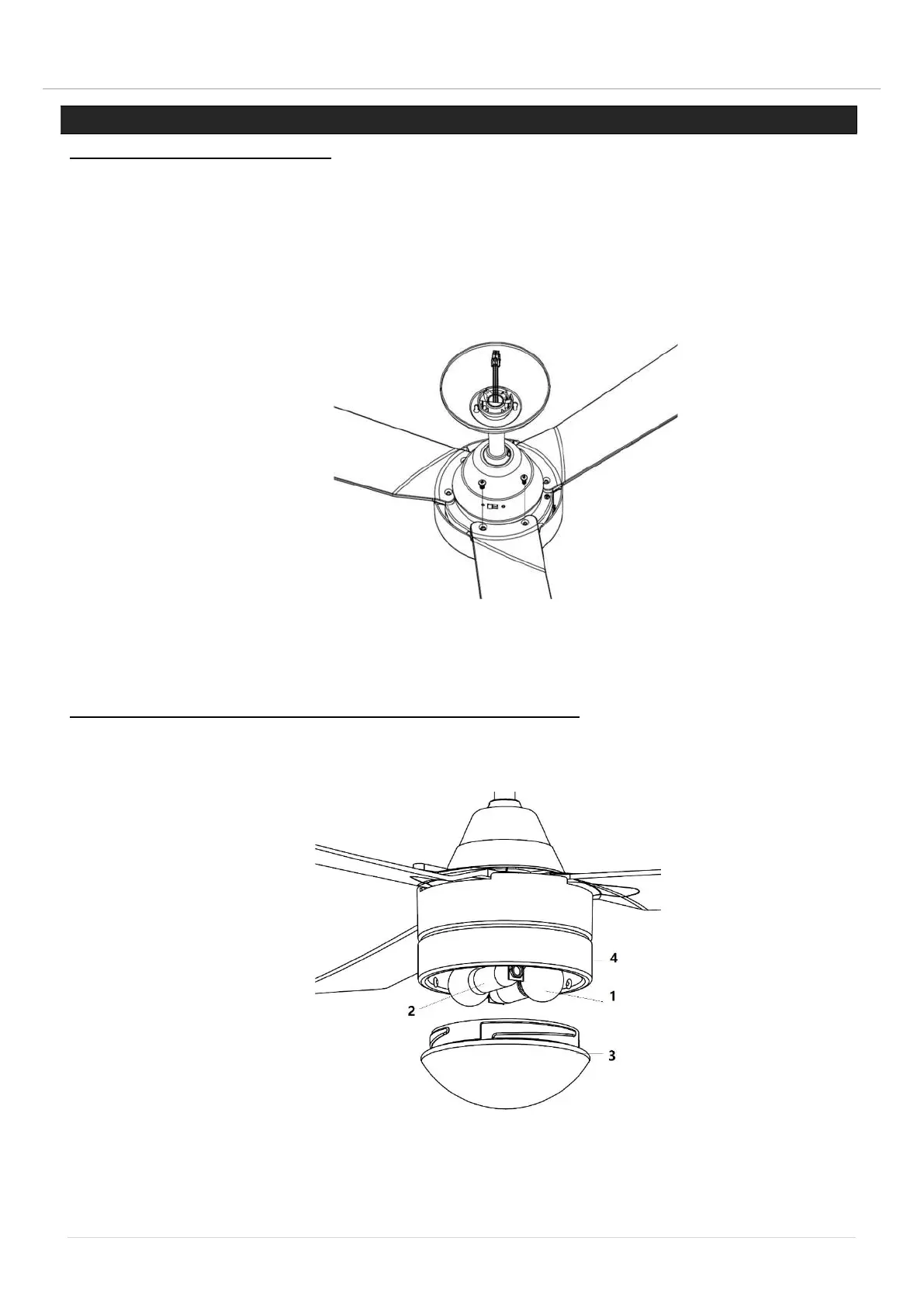
BLADE ATTACHMENT (Fig. 5)
1. Before Installing the blades, remove the blade screws from the top of the fan motor.
2. Align the 2 holes on the blade with the 2 holes on the fan motor assembly and using the 2 blade
screws in step 1, to secure the fan motor assembly.
3. Ensure all screws are tightened evenly to reduce the chance of warping or unbalancing. Take care
not to over tighten the screws, as this can damage the blades.
4. Once completed, repeat the process on the remaining blades.
LIGHT KIT INSTALLATION (FOR FAN WITH LIGHT) (Fig. 6)
1. Install the bulbs (1, Not included, Max. 15W LED only, E14) into the lamp holders (2).
2. Lift and attach the glass (3) to the base (4) and secure it by turning it clockwise.
Fig. 5
Fig. 6


 To Next Page