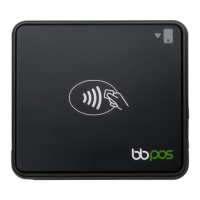
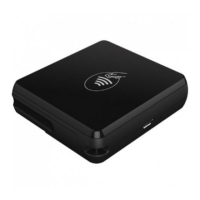
Need help?
Do you have a question about the BBPOS Chipper OTA and is the answer not in the manual?
Explains the purpose of this document in helping users understand applications for updating Chipper series firmware.
Describes how BBPOS developed standalone applications for Android, iOS, Windows, and Mac to update Chipper devices via Bluetooth or USB.
Provides expected time taken for firmware upgrades across different platforms like Android, iOS, Windows, and Mac.
Details initial steps for upgrading Chipper devices using Android/iOS apps, including setup and connection prerequisites.
Instructions for downloading the Chipper OTA application for Windows/Mac and connecting the device via USB cable.
Common Bluetooth and connection errors during firmware updates, with suggested actions for resolution.
Errors related to device response, server communication, SSL, and network issues with suggested actions.
Details errors like firmware not found, invalid sessions, and remote server issues with suggested actions.
 General
| Device Type | Card Reader |
|---|---|
| Model | Chipper OTA |
| Manufacturer | BBPOS |
| Connectivity | Bluetooth |
| Battery Life | Up to 8 hours |
| Charging Time | 2-3 hours |
| Compatibility | iOS, Android |
| Card Types | Magnetic Stripe, EMV Chip, NFC |
| Operating Temperature | 0°C to 50°C |
| Storage Temperature | -20°C to 60°C |


 To Next Page