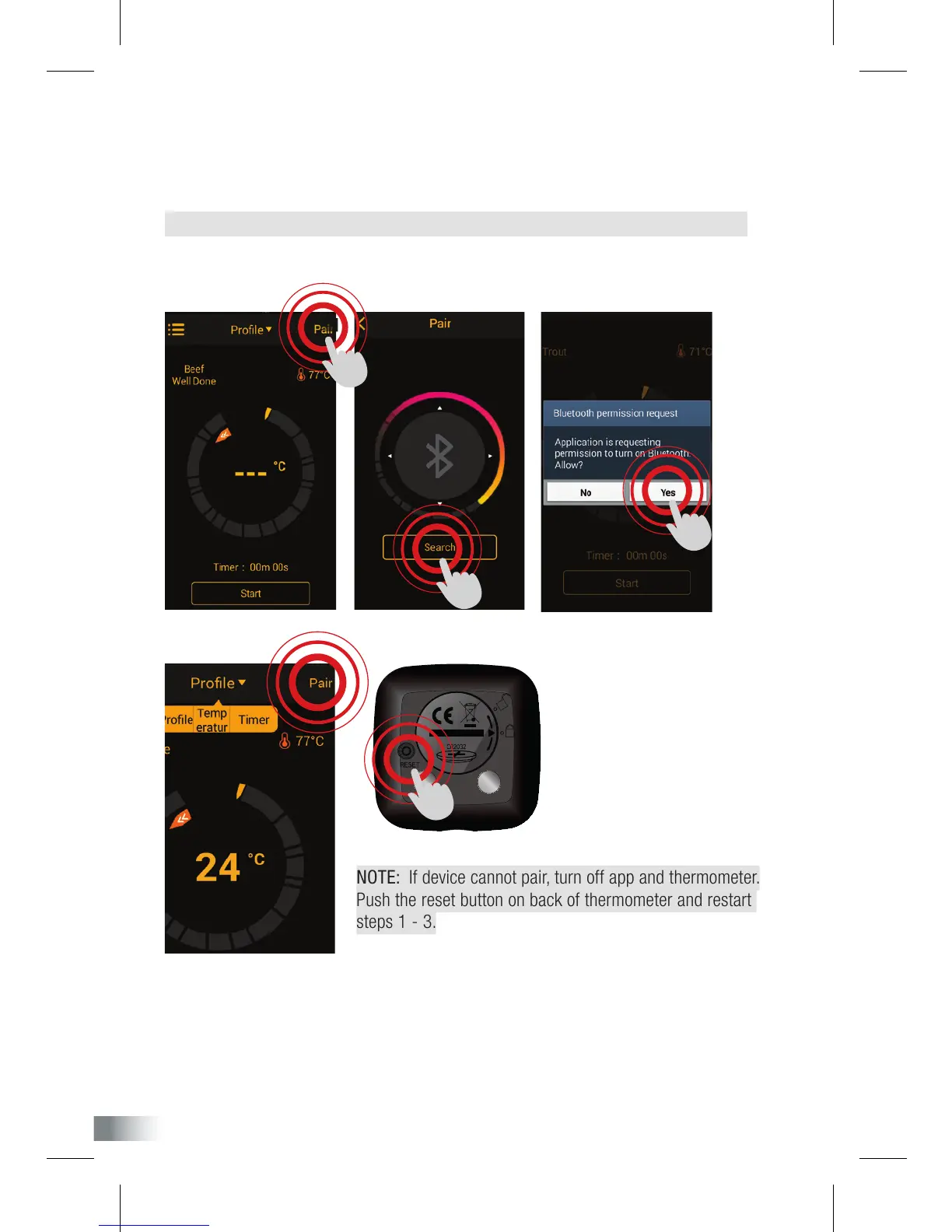
NOTE: If device cannot pair, turn off app and thermometer.
Push the reset button on back of thermometer and restart
steps 1 - 3.
3. On phone display, press the ashing ‘pair’ button located on top-right of screen.
Click search to pair your thermometer to your phone. This will prompt you to turn on your
bluetooth connection, click YES. Please wait for this process to be completed.
NOTE: Depending on your phone model, you may need to turn bluetooth on manually.
When pairing has been successful, ‘pair’ button on phone will remain on.
YOUR THERMOMETER HAS BEEN CONFIGURED.
Please follow instructions on following page to set up and use app.


 To Next Page