5
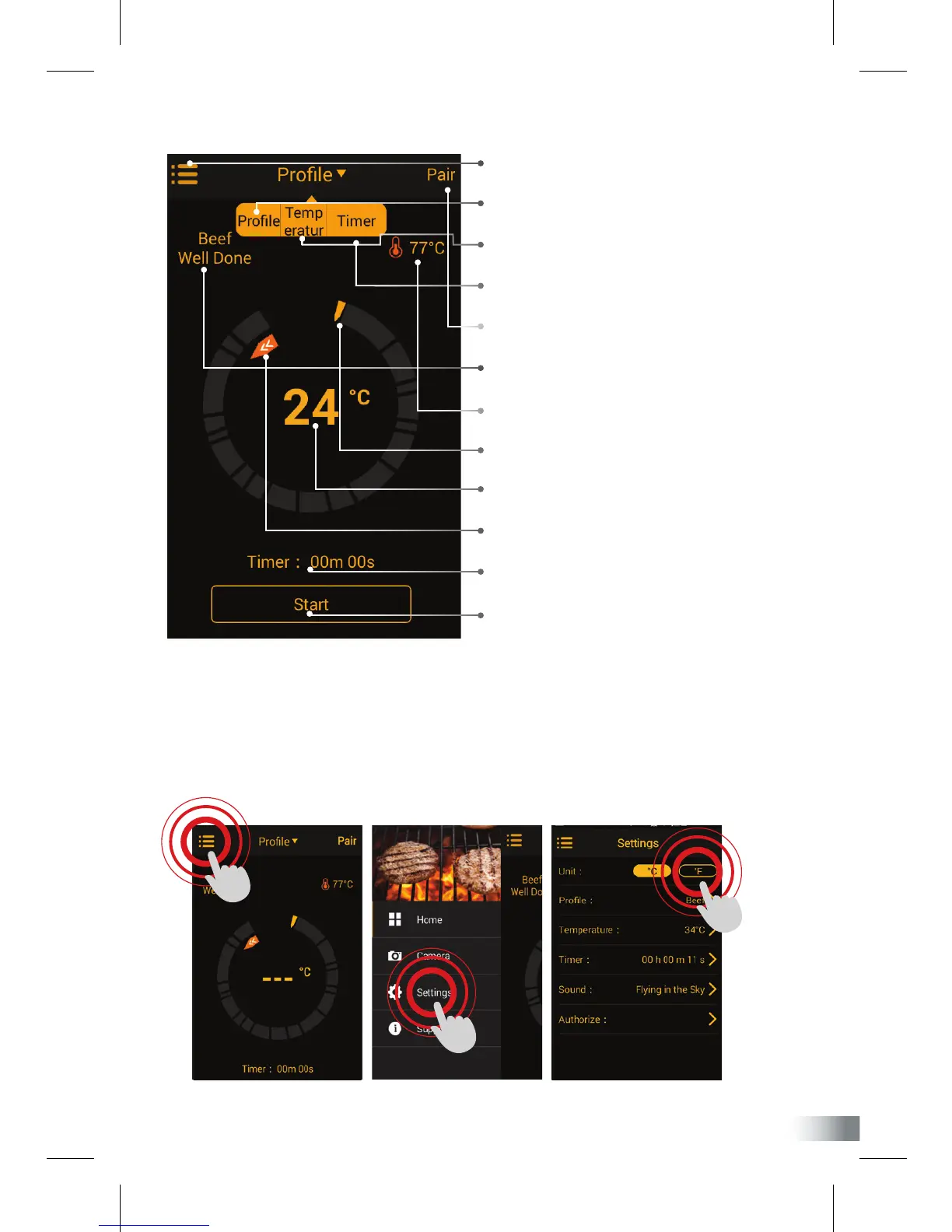
APP overview
1 Menus, settings & support
2 Prole - Displays preset & saved options
3 Temperature - Sets alarm to temperature
4 Timer - Sets alarm to timer
5 Device pairing status
6 Meat & Taste options
7 Set temperature or time
8 Finish goal (Temperature/Time)
9 Actual temperature
10 Progress tracker
11 Timer
12 Start timer button
How to use app
1. By default, your app is set °Celsius. If you want to select Fahrenheit as your unit of
measure, click the top-left menus button, go to settings and change to °F.


 To Next Page