24
To set a reminder alarm
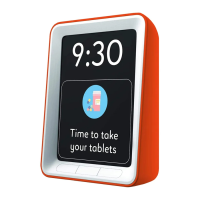
1. Press the left and right outer buttons at the same time to
access the Reminder Overview Screen.
2. Press the middle button once so ‘Set New reminder’ is
highlighted.
3. Press the right button marked ‘OK’ to conrm and enter the
set new reminder menu.
4. Press the middle button to navigate to Reminder Type and
press ‘Edit.’
5. Select the preset reminder you want to use from the list.
If using a voice reminder follow ‘Recording Personal
Reminders’ below.
6. Press the middle button to navigate to Frequency and press
the right button to ‘Edit’ Choose if the alarm should sound:
a. Daily
b. Weekly – if so pick the day using the next menu item
c. Once - if so pick the date using the next menu
item. When setting the date the left and middle button
are used to navigate left and right to the correct portion
of the date (day or month) and the right button is used to
advance the date for the portion selected. Once the
correct date has been set use the middle button to
navigate to ‘Set’ and the right button to conrm.


 To Next Page